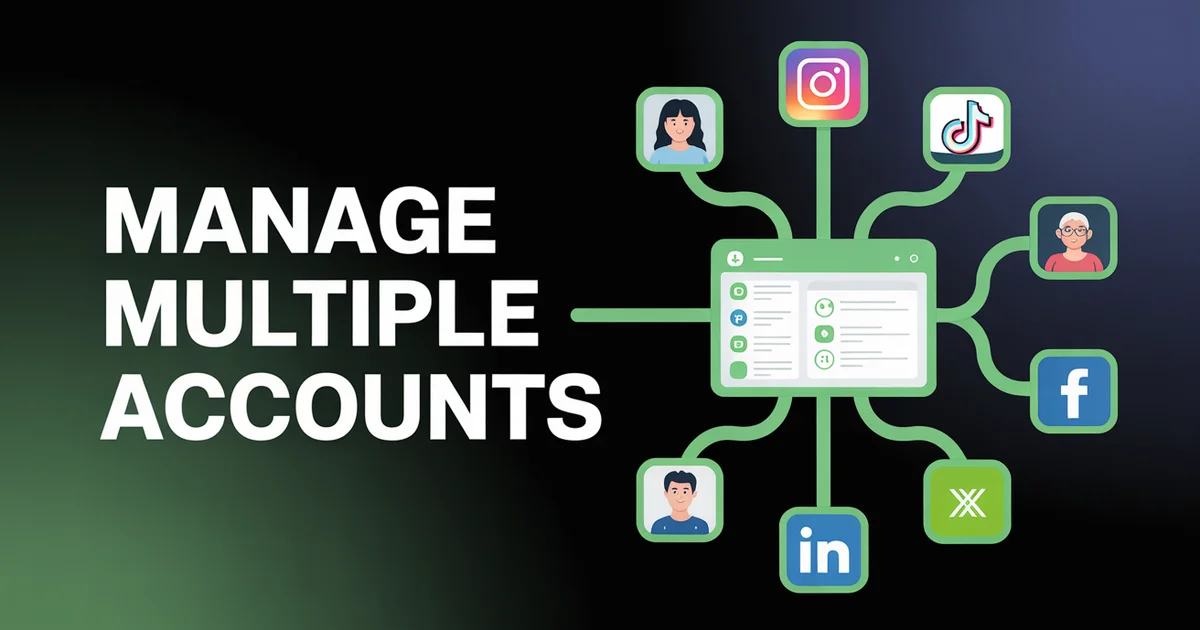
How do you manage multiple social media accounts? Connect every account to a single dashboard so you publish everywhere from one seat instead of logging in platform by platform. Audit first (2-3 platforms usually drive 80% of results), then cross-post to create once and adapt per network, and set team roles for client access.
Managing multiple social media accounts is the single biggest operational bottleneck for social media managers and agencies in 2026. Knowing how to manage multiple social media accounts efficiently is what separates a sustainable operation from a burnout machine, because the typical business now runs profiles on five or more platforms.
Each platform has its own login, posting interface, analytics dashboard, and content format requirements. Multiply that by clients (if you're an agency) and you're staring down 30, 50, even 100+ accounts.
The cost isn't just time. Research from the University of California, Irvine found that resuming interrupted work takes an average of 25 minutes and 26 seconds. If you're logging into Instagram, switching to LinkedIn, then jumping to TikTok, you're burning cognitive energy on platform switching instead of strategy and creative work.
This guide is for professional social media managers and agency teams who need to manage multiple social media accounts without the chaos. Not beginner tips. Not "pick your platforms" advice. We're covering the operational systems, tools, and frameworks that let you run 10+ accounts from one seat without losing your mind.
Running 10+ accounts? PostEverywhere's multi-account management lets you connect all platforms, switch between clients instantly, and publish everywhere from one dashboard. Start your free trial, cancel anytime.
Running this across many clients changes the process; our social media workflow for agencies maps it.
Approvals have their own mechanics; how to set up an approval workflow walks through building the review gate.
Table of Contents
- The Real Cost of Managing Multiple Social Media Accounts
- The Platform Decision Framework: How Many Do You Actually Need?
- The One-Dashboard Workflow
- Cross-Posting Strategy: Create Once, Publish Everywhere
- Platform Formatting Cheat Sheet
- Team Workflows and Permissions
- The 90-Day Multi-Account Audit Framework
- Common Mistakes When Managing Multiple Accounts
- FAQs
The Real Cost of Managing Multiple Social Media Accounts
Before we talk solutions, let's quantify the problem. If you manage multiple social media accounts the old-fashioned way, logging into each platform individually, here's what the maths looks like:
Time per platform per day (manual workflow):
- Logging in and navigating: 2-3 minutes
- Formatting and posting content: 8-12 minutes
- Checking notifications and responding: 5-10 minutes
- Reviewing analytics: 5-8 minutes
- Total per platform: 20-33 minutes
For 6 platforms, that's 2-3.3 hours per day just on publishing and basic monitoring. For agency managers handling 5 clients across 6 platforms each, you're looking at 10-16 hours daily, which is physically impossible for one person.
According to Sprout Social's 2025 Social Media Productivity Report, social media managers spend 62% of their time on operational tasks (publishing, monitoring, reporting) and only 38% on strategic work (content creation, campaign planning, community building). That ratio should be inverted.
Buffer's State of Social 2025 found that 73% of marketers cite "posting consistently across platforms" as their biggest challenge. And a HubSpot survey reported that 46% of marketers who manage 5+ accounts say they've missed scheduled posts due to platform juggling.
The problem isn't discipline. It's infrastructure.
The Platform Decision Framework: How Many Do You Actually Need?
The first step in learning how to manage multiple social media accounts effectively is asking whether you should be on all of them in the first place. More platforms does not automatically mean more reach. It often means more diluted effort.
The 80/20 Platform Audit
Run this analysis for each platform you're currently active on:
Step 1: Pull 90-day performance data
- Total impressions/reach
- Engagement rate (likes + comments + shares / impressions)
- Click-throughs to website
- Conversions attributed (use UTM tracking for accuracy)
- Revenue generated (if trackable)
Step 2: Calculate time investment per platform
- Hours spent creating platform-specific content
- Hours spent on community management
- Hours spent on analytics and reporting
Step 3: Score each platform
- ROI = (Revenue or value generated) / (Hours invested)
- Rank platforms from highest to lowest ROI
In most cases, you'll find that 2-3 platforms drive 80% of your results. The remaining platforms are either audience-building plays (worth maintaining at lower effort) or dead weight (cut them).
Platform Selection by Business Type
| Business Type | Primary Platforms | Secondary | Consider Dropping |
|---|---|---|---|
| B2B / SaaS | LinkedIn, X | YouTube | TikTok, Instagram |
| B2C / eCommerce | Instagram, TikTok | Facebook, Pinterest | |
| Local / Service | Facebook, Instagram | Google Business | TikTok, X |
| Creator / Personal Brand | Instagram, YouTube | TikTok, LinkedIn | |
| Agency (client work) | All (client dependent) | n/a | n/a |
For agencies, platform selection isn't your call, it's the client's. That's exactly why you need a multi-account management system that handles all platforms without additional overhead per account, and why we recommend reviewing PostEverywhere's agency guide before committing to any tool.
When to Add a New Platform
Only add a new platform to your stack when:
- Audience data confirms demand: Your target demographic is actively growing on that platform (check Pew Research Center's social media demographics for current data)
- You can commit to 90 days: One month isn't enough to evaluate any platform
- You have a content repurposing pipeline: New platforms should slot into your existing workflow, not create a parallel one
- The marginal cost is near zero: With cross-posting, adding a platform should add minutes to your workflow, not hours
The One-Dashboard Workflow
The single most impactful change you can make when managing multiple social media accounts is consolidating everything into one interface. This isn't about convenience: it's about eliminating the cognitive overhead that kills productivity.
One practical addition to that list: the dashboard should reach you away from the desk too, because account reconnections and failed posts rarely wait for office hours. Our iOS app exists for exactly that reason.
What a Unified Dashboard Should Do
Not all social media management tools are created equal. At minimum, your dashboard needs:
Account management:
- Connect all major platforms (Instagram, Facebook, LinkedIn, TikTok, X, YouTube, Threads)
- Switch between accounts and clients without logging out
- Manage team permissions per account
Content creation and publishing:
- Compose once, customize per platform
- Bulk scheduling (upload CSV, schedule weeks in advance)
- Visual content calendar with drag-and-drop
- Media library for reusable assets
Analytics:
- Cross-platform analytics in one view
- Compare performance across accounts and platforms
- Export reports for clients or stakeholders
Collaboration:
- Team workspaces with role-based access
- Approval workflows for client accounts
- Comment and feedback directly on drafts
The Daily Workflow (30 Minutes vs 3 Hours)
Here's what managing multiple social media accounts looks like with a unified dashboard:
Morning check-in (10 minutes):
- Open dashboard: all accounts visible in one view
- Review overnight notifications across all platforms
- Flag any comments requiring immediate response
- Confirm today's scheduled posts look correct
Content creation block (as needed, batched weekly):
- Create content in the composer
- Use AI content generator for caption variations per platform
- Preview how each post looks on each platform
- Schedule across all accounts in one action
End-of-day review (10 minutes):
- Check performance of posts published today
- Respond to remaining comments
- Note any trending topics for tomorrow
Weekly reporting (30 minutes):
- Pull cross-platform analytics
- Compare this week vs last week
- Identify top-performing content for replication
- Adjust next week's calendar based on data
That's roughly 3 hours per week on operations, compared to 15-20 hours with the manual approach. We quantify each of those savings technique by technique in social media manager time management. The difference is scheduling posts to multiple platforms from one place instead of repeating work across six.
See the difference a unified dashboard makes. PostEverywhere connects Instagram, TikTok, LinkedIn, Facebook, X, YouTube, and Threads, all in one calendar. Try it free for 7 days.
Cross-Posting Strategy: Create Once, Publish Everywhere
Cross-posting is the backbone of efficient multi-account management. But there's a right way and a wrong way to do it. Posting the exact same content verbatim to every platform is lazy and algorithms punish it. Adapting content per platform while maintaining the core message is how professionals do it.
For a deep dive on this distinction, read our guide on cross-posting vs repurposing.
The 1-to-5 Content Multiplication Framework
Start with one piece of "pillar" content each week. Then adapt it:
Pillar content (1 piece): A detailed LinkedIn article, a 3-minute YouTube video, or a long-form Instagram carousel.
Adapted versions (5+ pieces):
| Platform | Adaptation | Time to Create |
|---|---|---|
| Full article or long text post (1,300+ characters) | Original or 5 min edit | |
| Carousel (5-10 slides), summary caption with hashtags | 15-20 min | |
| TikTok | 30-60 sec video clip, punchy hook in first 2 sec | 10-15 min (from video pillar) |
| X/Twitter | Thread (5-8 tweets) or single key-takeaway tweet | 5-10 min |
| Conversational post with question hook, link to full content | 5 min | |
| YouTube | Full video (pillar) or Short from longer clip | Original or 5 min clip |
| Threads | Conversational, opinion-led version of the core idea | 5 min |
Total time for 8 platform-adapted posts: 45-60 minutes (vs 3-4 hours creating from scratch per platform).
Cross-Posting Rules That Protect Your Reach
Accounts that adapt content per platform consistently outperform those blasting identical posts everywhere, which is why per-platform customisation is the first feature to test in any tool you evaluate.
Do:
- Keep the core message consistent but change the format
- Respect each platform's native content style (see cheat sheet below)
- Stagger posting times: don't blast all platforms simultaneously
- Use platform-native features (polls on LinkedIn, stickers on Instagram, etc.)
Don't:
- Post the same caption word-for-word everywhere
- Include Instagram hashtags in LinkedIn posts (or vice versa)
- Share TikTok watermarked videos on Instagram Reels
- Ignore character limits (X: 280 chars, LinkedIn: 3,000 chars)
How to Cross-Post Efficiently with Tools
The fastest way to post content across all social media platforms is:
- Write the longest version first (usually LinkedIn or blog)
- Use the cross-posting feature to push to all platforms
- Edit per platform: shorten for X, add hashtags for Instagram, add a question hook for Facebook
- Schedule with staggered times: LinkedIn at 8 AM, Instagram at 12 PM, TikTok at 7 PM
- Let best-time-to-post data guide your timing for each platform
Platform Formatting Cheat Sheet
Bookmark this section. When you manage multiple social media accounts, formatting inconsistencies are the fastest way to look unprofessional.
Character Limits and Ideal Lengths
| Platform | Max Characters | Ideal Post Length | Hashtags |
|---|---|---|---|
| 2,200 | 125-150 (feed), 200-300 (carousel) | 3-5 relevant | |
| 63,206 | 40-80 (engagement), 150-300 (links) | 1-2 or none | |
| 3,000 | 800-1,300 (articles), 150-300 (posts) | 3-5 relevant | |
| TikTok | 4,000 | 50-150 (short hooks work best) | 3-5 trending + niche |
| X/Twitter | 280 (free), 25K (Premium) | 71-100 (highest engagement) | 1-2 max |
| YouTube | 5,000 (description) | 200-500 (description), 70 (title) | Use in description |
| Threads | 500 | 100-200 (conversational) | None (no hashtag culture yet) |
Image and Video Specifications
| Platform | Feed Image | Stories/Reels | Video Max Length |
|---|---|---|---|
| 1080x1080 (1:1) or 1080x1350 (4:5) | 1080x1920 (9:16) | 90 min (Reels: 15 min) | |
| 1200x630 (link), 1080x1080 (feed) | 1080x1920 (9:16) | 240 min | |
| 1200x627 (link), 1080x1080 (feed) | N/A | 15 min | |
| TikTok | N/A (video-first) | 1080x1920 (9:16) | 60 min |
| X/Twitter | 1600x900 (16:9) or 1080x1080 | N/A | 2:20 (free), 4 hrs (Premium) |
| YouTube | 1280x720 (thumbnail) | 1080x1920 (Shorts) | 12 hrs (standard), 60 sec (Shorts) |
Pro tip: When you schedule social media posts, use a tool that auto-resizes media per platform. Manually cropping for 8 platforms is a guaranteed time sink.
Tone and Style by Platform
| Platform | Tone | First-Person vs Third-Person | Emojis |
|---|---|---|---|
| Aspirational, visual-first | First person | Moderate | |
| Conversational, community-driven | First person | Moderate | |
| Professional, thought-leadership | First or third person | Minimal | |
| TikTok | Casual, authentic, trend-driven | First person | Heavy |
| X/Twitter | Witty, concise, direct | First person | Minimal |
| YouTube | Educational, personality-driven | First person | In thumbnails |
| Threads | Casual, opinion-driven | First person | Moderate |
Team Workflows and Permissions
If you manage multiple social media accounts as a team (or agency), you need more than a shared login. You need structured workflows.
Role-Based Access Control
According to the Content Marketing Institute's 2025 report, 67% of marketing teams have experienced a social media incident caused by unauthorized posting or lack of approval processes.
Set up these roles:
| Role | Can Create | Can Schedule | Can Publish | Can Edit Others | Can Access Analytics |
|---|---|---|---|---|---|
| Content Creator | Yes | Draft only | No | No | Own posts only |
| Editor/Approver | Yes | Yes | After approval | Yes | Team posts |
| Account Manager | Yes | Yes | Yes | Yes | Full access |
| Admin/Owner | Full access | Full access | Full access | Full access | Full access |
PostEverywhere's team workspaces support this exact hierarchy, with approval chains that prevent content from going live without review.
The Agency Client Workflow
For agencies managing multiple clients:
- Onboarding: Connect all client accounts via OAuth (never ask for passwords)
- Content planning: Create content calendars per client in separate workspaces
- Creation: Assign content creation to team members per client
- Approval: Route posts through client-specific approval chains
- Publishing: Auto-publish approved content at scheduled times
- Reporting: Generate client-specific cross-platform reports weekly
This workflow scales. Whether you manage 3 clients or 30, the process is identical; only the workspace count changes.
The 90-Day Multi-Account Audit Framework
Every quarter, run this audit to ensure your multi-account strategy is still working. Platforms change. Algorithms shift. Audiences migrate. What worked in Q1 may not work in Q3.
Week 1: Data Collection
Platform performance (per account):
- Follower growth rate (% change over 90 days)
- Average engagement rate per post
- Total impressions/reach
- Click-through rate to website
- Top 5 performing posts (by engagement)
- Bottom 5 performing posts
Operational metrics:
- Average time to create content per platform
- Average time to publish per platform
- Number of missed posting days
- Team bandwidth utilization
Pull all of this from your unified analytics dashboard. If you're still pulling data from each platform individually, that's your first problem to fix.
Week 2: Analysis
Platform ROI analysis:
- Rank each platform by ROI (engagement + traffic + conversions per hour invested)
- Identify platforms where performance is declining (>15% drop vs last quarter)
- Identify platforms where performance is growing (>15% increase)
Content analysis:
- Which content formats perform best on each platform?
- Which topics resonate most per platform?
- Is there overlap? (Same topic works on multiple platforms = easy cross-post)
- Are you repurposing efficiently or creating from scratch too often?
Competitive analysis:
- What are competitors doing on platforms you're underperforming on?
- Are there platforms competitors are ignoring that represent opportunity?
- What content formats are gaining traction in your industry?
Week 3: Strategy Adjustments
Based on your analysis:
Keep: Platforms with positive ROI trend and growing engagement. Increase posting frequency if bandwidth allows.
Optimize: Platforms with flat ROI. Test new content formats, posting times, or cross-posting approaches for 30 days.
Reduce: Platforms with declining ROI despite optimization attempts. Drop to maintenance mode (2-3 posts/week via cross-posting, no platform-specific creation).
Drop: Platforms with near-zero ROI that consume meaningful time. Archive the account (don't delete, you may return) and reallocate hours to higher-performing channels.
Week 4: Implementation
- Update your content calendar to reflect new platform priorities
- Adjust team assignments based on platform focus areas
- Set up new cross-posting workflows for "reduce" platforms
- Document changes and share with stakeholders
- Set calendar reminder for next quarterly audit
Track everything in one place. PostEverywhere's analytics shows cross-platform performance side by side, so your 90-day audit takes hours instead of days. See it in action.
Common Mistakes When Managing Multiple Accounts
These mistakes are specific to multi-account management. I've seen agencies and in-house teams make every single one.
1. Treating All Platforms Equally
The mistake: Allocating identical time and budget to every platform regardless of performance.
The fix: Use the 80/20 framework above. Your top 2-3 platforms should get 70% of your creative effort. The rest get adapted content through cross-posting.
2. Using Separate Tools for Each Platform
The mistake: Creator Studio for Facebook, Later for Instagram, Hootsuite for LinkedIn, TikTok Studio for TikTok. Four logins, four interfaces, four billing cycles.
The fix: Consolidate into one tool that handles all platforms. The best social media scheduling tools in 2026 all support 7+ platforms from a single dashboard.
3. No Naming Conventions
The mistake: Inconsistent file naming, campaign tags, and UTM parameters across accounts and platforms.
The fix: Establish naming conventions before you scale:
- Campaign names:
[client]-[campaign]-[platform]-[date] - UTM campaigns:
[platform]_[campaign]_[content-type] - Media files:
[client]-[platform]-[format]-[date]-[version]
4. Ignoring Platform-Specific Algorithm Changes
The mistake: Using the same posting strategy for 12 months without adjusting for algorithm updates.
The fix: Subscribe to platform creator blogs (Instagram Creators, LinkedIn Blog, TikTok Newsroom) and adjust within 2 weeks of any major update. Your 90-day audit catches everything else.
5. Manual Reporting
The mistake: Logging into each platform, screenshotting analytics, pasting into PowerPoint. For 10 clients, this takes an entire day.
The fix: Use automated reporting from your management tool. Cross-platform dashboards should let you generate client reports in under 5 minutes each.
6. Not Batching Content Creation
The mistake: Creating content for each platform in isolation, day by day.
The fix: Batch creation by content type, not by platform. Film all videos in one session. Write all captions in another. Design all graphics in a third. Then distribute across platforms using your scheduling tool. Batching similar tasks is the same context-switching fix the UC Irvine research above points to: pay the refocus cost once per content type instead of once per post.
7. Posting at the Same Time Everywhere
The mistake: Scheduling all platforms for 9 AM because "morning is best."
The fix: Each platform has different peak engagement windows. Use best-time-to-post data per platform. According to Sprout Social, optimal posting times vary by up to 6 hours between platforms.
8. No Disaster Recovery Plan
The mistake: One person has all platform passwords, or worse, everyone shares one login.
The fix: Use OAuth-based account connections (no password sharing). Maintain a documented recovery plan that includes: who has admin access, how to revoke compromised tokens, and where backup content is stored. For agencies, this is non-negotiable.
FAQs
How many social media accounts can one person realistically manage?
With manual workflows, most professionals cap out at 10-15 accounts before quality drops. With a unified management dashboard, bulk scheduling, and cross-posting, one person can effectively manage 25-40 accounts. The key variable is content originality: if every account needs unique content, you hit capacity faster. If you're cross-posting adapted content, you can scale further. PostEverywhere supports up to 20 accounts on the Scale plan.
Is it against platform rules to manage multiple social media accounts?
No major platform prohibits managing multiple accounts through third-party tools. Instagram, Facebook, LinkedIn, TikTok, X, and YouTube all have official API partnerships with management tools. What platforms do restrict is operating multiple personal accounts for the same individual (Instagram limits to 5 per device) or using automation to artificially inflate engagement. Legitimate management through authorized tools like PostEverywhere is fully compliant.
Should I use one tool for all accounts or different tools per platform?
One tool. Every time. The entire point of multi-account management is eliminating context switching. Research from the American Psychological Association shows that task switching can reduce productivity by up to 40%. Using separate tools per platform reintroduces the exact problem you're trying to solve. Choose a tool that supports all your platforms and has the specific features you need (bulk scheduling, approval workflows, cross-platform analytics).
How do I cross-post without looking lazy or spammy?
Adapt, don't duplicate. Keep the core message identical but change the format: a LinkedIn text post becomes an Instagram carousel, becomes a TikTok video, becomes an X thread. Change the caption tone per platform, use platform-native features (polls, stickers, mentions), and stagger posting times by 2-4 hours. See our full guide on cross-posting vs repurposing for specific examples.
What's the minimum posting frequency per platform to maintain visibility?
Based on Social Media Examiner's 2025 Industry Report, the minimum effective frequencies are: Instagram 3-4x/week, Facebook 3-5x/week, LinkedIn 2-3x/week, TikTok 3-5x/week, X 1-3x/day, YouTube 1-2x/week, Threads 3-5x/week. Below these thresholds, algorithms deprioritize your content. If you can't maintain minimum frequency on a platform, reduce rather than maintain a sporadic presence.
How do I onboard a new client's social media accounts quickly?
Follow this checklist. (1) Request OAuth access via your management tool, never ask for passwords, (2) Audit all existing accounts (followers, engagement rates, content history), (3) Document brand voice, visual guidelines, and approval workflows, (4) Set up the client workspace with proper team permissions, (5) Import their content calendar or build one from scratch, (6) Schedule the first week of content for approval. Total onboarding time with a proper tool: 2-4 hours per client.
What metrics should I track across all accounts?
Focus on cross-platform metrics. Track engagement rate (normalizes across platforms), audience growth rate (% not raw numbers), click-through rate (requires UTM tracking), share of voice (your impressions vs competitors), content efficiency ratio (engagement per hour of creation time), and response time (how quickly you reply to comments/DMs). Vanity metrics like raw follower count are less useful than rate-based metrics when comparing across platforms with different audience sizes.
How do I handle a social media crisis across multiple accounts?
Speed matters more than perfection. Your crisis protocol should be: (1) Pause all scheduled content across all platforms immediately, one click in your management tool, (2) Draft a holding statement approved by stakeholders, (3) Post the statement on all affected platforms simultaneously, (4) Monitor mentions and sentiment across all platforms from your unified inbox, (5) Respond to direct inquiries within 1 hour, (6) Post follow-up updates on a regular cadence until resolution. Practice this workflow quarterly so it's muscle memory when you need it.
Next Steps
Managing multiple social media accounts doesn't require more hours. It requires better infrastructure. The difference between a social media manager drowning in tabs and one who leaves work on time is almost always a systems problem, not a skills problem.
Here's your action plan:
- Audit your platforms: Use the 80/20 framework to identify which platforms actually drive results
- Consolidate your tools: Move to a single social media management dashboard that handles all platforms
- Build your cross-posting workflow: Learn how to post content across all platforms without duplicating effort
- Set up team workflows: Implement approval chains and permissions that scale
- Schedule your first 90-day audit: Put it in your calendar now so it actually happens
- Compare your options: Review the best social media scheduling tools to find the right fit
- Start your free trial: PostEverywhere offers 7 days free with cancel anytime, supporting up to 20 accounts
The best social media managers don't work harder across more platforms. They build systems that make multi-account management invisible, so they can spend their time on strategy, creative, and community instead of logging in and out of six different apps.
If you would rather see the workflow than read about it, our social media management platform runs all top platforms, scheduling, AI content and analytics from one dashboard, with a 7-day free trial on every plan.

Founder & CEO of PostEverywhere. Writing about social media strategy, publishing workflows, and analytics that help brands grow faster.