Buffer and Hootsuite are two of the most recognisable names in social media scheduling — and the gap between them has only widened in 2026. Buffer has stayed lean and simple, targeting solo creators and small teams with per-channel pricing starting at $5/channel — and in 2026 the AI Assistant is included free on every plan, including the free tier. Hootsuite has gone further upmarket: the Standard plan is now $99/user/month on annual billing or $149/user/month on monthly billing, with OwlyWriter AI (and the newer OwlyGPT) built in. If you're trying to decide between them, the right answer depends entirely on your team size, budget, and what you actually need from a social media scheduler.
I've used both tools extensively. Buffer was my daily driver for over a year, and I tested Hootsuite across multiple client accounts before building PostEverywhere. Neither tool is bad — they're just built for very different people. This comparison breaks down exactly where each one wins and where it falls short in May 2026, so you can make an informed decision.
What changed in 2026: Buffer rolled AI Assistant out free on every plan (paid plans get unlimited use), Hootsuite leaned harder into its OwlyWriter / OwlyGPT AI stack and added the "Advanced" plan for unlimited social profiles, and both companies kept moving away from old free or low-cost tiers. The decision still hinges on whether you want lean simplicity or full-stack enterprise breadth.
TL;DR — Quick Verdict
Choose Buffer if: You're a solo creator or freelancer managing 1–5 social accounts who wants a clean, simple scheduling tool, free AI Assistant on every plan, and doesn't need advanced analytics or enterprise team features.
Choose Hootsuite if: You're part of a marketing team at a mid-to-large company that needs social listening, advanced reporting, OwlyWriter / OwlyGPT AI baked in, and enterprise-grade permissions — and you have the budget for $99–$249/user/month.
Choose neither if: You manage 5+ accounts, want AI content and image generation baked in, and don't want to pay per channel or shell out $99+/user/month. PostEverywhere starts at $9/mo flat for 2 accounts, and Growth is $29/mo for 10, with AI content, image, and video generation included on every plan.
Buffer vs Hootsuite: Feature Comparison Table
| Feature | Buffer (May 2026) | Hootsuite (May 2026) |
|---|---|---|
| Starting price | $5/channel/mo (free tier available) | $99/user/mo annual ($149 monthly) |
| Social accounts | Pay per channel | 10 on Standard, unlimited on Advanced |
| Free plan | Yes (3 channels, 10 posts/channel) | No (30-day free trial) |
| Platforms supported | All top platforms (Instagram, Facebook, LinkedIn, X, Pinterest, TikTok, Mastodon, YouTube, plus Threads via Meta) | 8+ (Instagram, Facebook, LinkedIn, X, Pinterest, TikTok, YouTube, Threads, Google Business, WhatsApp) |
| AI assistant | AI Assistant — free on every plan in 2026 (unlimited on paid) | OwlyWriter AI + OwlyGPT, included on all paid plans |
| AI image generation | No (text + caption only) | No (text + caption only) |
| Social listening | No | Yes (Talkwalker-powered, add-on / Enterprise) |
| Analytics | Basic on Free, advanced on paid plans | Customisable dashboards, branded reports |
| Team collaboration | Team plan ($10/channel/mo) | Built-in on all paid plans |
| Approval workflows | Team plan only | Yes |
| Content calendar | Yes | Yes (Planner view) |
| Bulk scheduling | CSV upload | Yes (up to 350 posts on Advanced) |
| Social inbox | No | Yes |
| Ad management | No | Yes (add-on) |
| Best for | Solo creators, small teams, AI-curious users on a budget | Enterprise teams, agencies, listening-led brands |
1. Pricing Comparison
This is where the difference between Buffer and Hootsuite is most obvious — and honestly, most important for the majority of people reading this.
Buffer Pricing (May 2026)
Buffer{rel="nofollow noopener"} still uses per-channel pricing:
- Free: 3 channels, 10 scheduled posts per channel, basic publishing tools, AI Assistant with limited suggestions
- Essentials: $5/channel/month — unlimited scheduling, advanced analytics, engagement tools, unlimited AI Assistant
- Team: $10/channel/month — unlimited team members, approval workflows, draft collaboration, branded reports
The big 2026 shift: Buffer's AI Assistant is now included free on every plan, with unlimited use on paid tiers. That removes one of the historical reasons to upgrade to Hootsuite for AI.
The free tier remains genuinely useful for beginners. But the per-channel model still means costs scale linearly with your accounts. If you're managing 10 social accounts on the Essentials plan, you're paying $50/mo. On the Team plan, that's $100/mo. Managing 20 accounts? You're at $100–$200/mo. The maths gets uncomfortable fast if you run a small agency or manage multiple brands.
Hootsuite Pricing (May 2026)
Hootsuite{rel="nofollow noopener"} has consolidated to three paid tiers and removed the free plan:
- Standard: $99/user/month (annual) or $149/user/month (monthly) — 10 social accounts, OwlyWriter AI, OwlyGPT, scheduling, basic inbox
- Advanced: $249/user/month (annual) — unlimited social profiles, bulk scheduling up to 350 posts, approval workflows, advanced analytics
- Enterprise: Custom pricing — 5+ users, premium tools, employee advocacy, advanced listening, compliance
Hootsuite is flat-rate per user, which scales better than Buffer's per-channel approach, but that $99/user/month floor (and $149 if you don't commit annually) is steep for anyone who isn't on a marketing team with a real budget. There's a 30-day trial available, but the sticker shock is real when you're comparing it to Buffer's free tier or $5/mo entry point.
The Pricing Verdict
For 1–3 channels and solo creators, Buffer is dramatically cheaper — and with AI Assistant now free, that's especially true in 2026. For 10+ channels with a single user, Hootsuite Standard at $99/user/month (annual) compares directly with Buffer Essentials' $50/mo for the same 10 channels. Buffer is still cheaper at that count, but Hootsuite delivers far more behind it. Above 20 channels with multiple users, Hootsuite's per-user pricing can actually undercut Buffer's per-channel maths. Both tools leave a gap for people who need more than Buffer's basics without paying Hootsuite's enterprise tax.
That's where a tool like PostEverywhere sits: $29/mo flat for 10 accounts, with AI features included that neither Buffer nor Hootsuite offer at any price tier.
Tired of paying per channel? Start your free PostEverywhere trial — 10 accounts, AI content generation, and flat-rate pricing. cancel anytime.
2. Platform Support
Both Buffer and Hootsuite support the major social networks, but there are some differences worth noting.
Buffer supports Instagram, Facebook, LinkedIn, X (Twitter), Pinterest, TikTok, Mastodon, and YouTube. The Mastodon support is a nice touch for the decentralised social crowd, and Buffer was one of the first schedulers to add it. However, Buffer doesn't support Threads as a separate publishing destination at the time of writing.
Hootsuite supports Instagram, Facebook, LinkedIn, X, Pinterest, TikTok, YouTube, and Threads. It also integrates with WhatsApp Business for customer messaging. No Mastodon support, but Threads scheduling gives it an edge for creators who are active on Meta's platforms.
For most people, the platform coverage is similar enough that it won't be a deciding factor. If you need Threads scheduling, Hootsuite has the edge. If Mastodon matters to you, Buffer is one of the few tools that supports it. If you want to manage everything from one place with cross-posting that automatically adjusts your content for each platform, that's worth exploring in tools beyond these two.
3. AI Features
AI has become a real differentiator in social media tools, and both Buffer and Hootsuite have invested in it — though neither goes as far as dedicated AI content platforms.
Buffer's AI Assistant helps you generate caption ideas, repurpose existing posts, and adjust tone. It works directly inside the composer and can suggest variations of your content. As of 2026 it's available free on every plan (with unlimited use on paid plans, a limited weekly cap on Free). It's useful for beating writer's block, but it's limited to text. There's no AI image generation, no AI video creation, and no AI-powered best time to post recommendations beyond basic analytics.
Hootsuite's OwlyWriter AI and OwlyGPT do similar things — they generate social captions, suggest post ideas based on trending topics, suggest hashtags, and can repurpose blog content into social posts. The system is slightly more feature-rich than Buffer's AI because it pulls from your existing top-performing content to suggest new posts, and it's bundled with caption enhancements and AI hashtag suggestions. But like Buffer, it stops at text. No image generation, no video generation.
Both tools leave you reaching for external AI tools if you want to create visual content. You'll need Canva, Midjourney, or something similar for images, and a separate video tool for short-form clips. If you want AI content generation and AI image generation built directly into your scheduler, you'll need to look at newer tools that were designed for the AI era from day one.
4. Analytics and Reporting
This is one of Hootsuite's strongest areas and one of Buffer's weakest — at least relative to what enterprise teams expect.
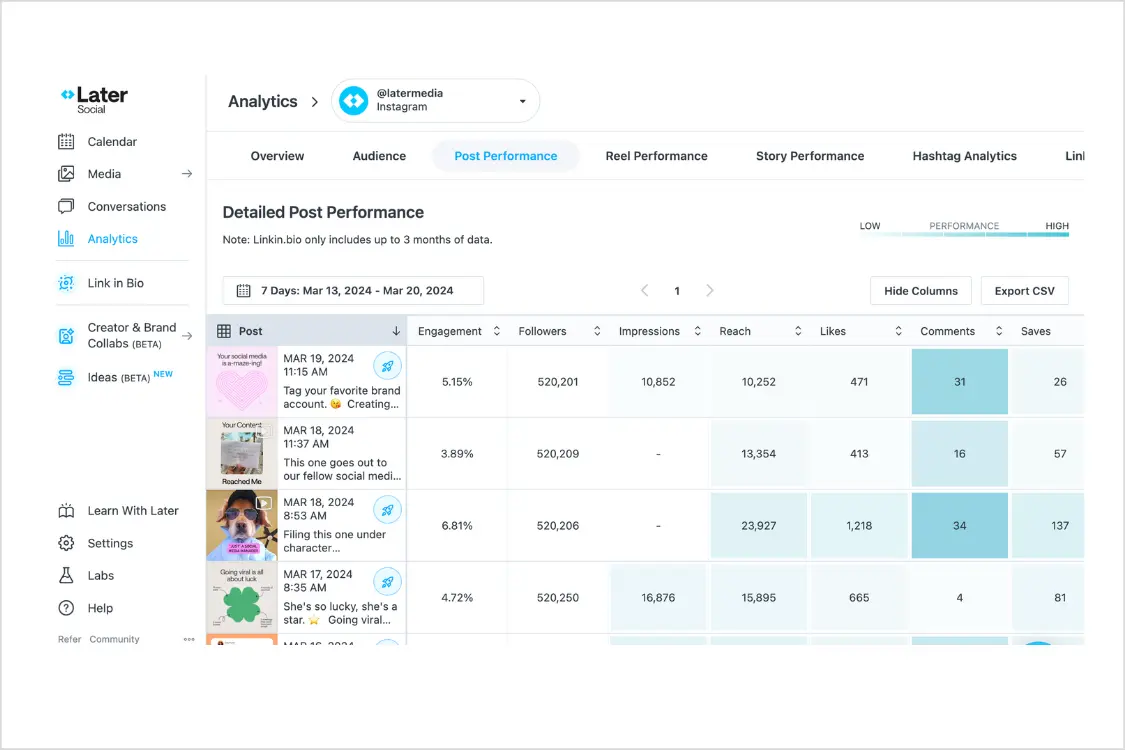
Buffer offers clean, straightforward analytics on paid plans. You can see post performance, audience growth, engagement rates (or calculate them with our free engagement rate calculator), and best times to post. The reports are easy to read and export. For a solo creator who wants to know what's working and what isn't, Buffer's analytics are perfectly adequate.
Hootsuite takes analytics much further. You get customisable dashboards, competitive benchmarking, sentiment analysis, and ROI tracking. The reporting tools let you build branded PDF reports for clients or stakeholders. If you're presenting social media results to a leadership team, Hootsuite's reporting makes you look like a professional. Buffer's reporting feels more like a personal dashboard by comparison.
If analytics are central to your workflow — if you need to prove ROI, benchmark against competitors, or generate client reports — Hootsuite is the clear winner here.
5. Team Collaboration
Buffer keeps team features simple. On the free and Essentials plans, it's a single-user tool. The Team plan ($10/channel/mo) adds unlimited team members with approval workflows, drafts, and permissions. It's straightforward but basic — you get publish, approve, and admin roles.
Hootsuite was built with teams in mind from the start. Every paid plan includes team functionality. You get granular permissions, approval workflows, content assignment, and activity logs. The Advanced plan at $249/user/month supports unlimited social profiles and adds bulk scheduling for up to 350 posts. Enterprise scales to as many users and accounts as you need. For agencies managing client approvals or marketing teams with multiple stakeholders, Hootsuite's collaboration features are significantly more mature.
If you're a solo operator, this section doesn't matter. If you have even two people touching your social accounts, Hootsuite handles it more gracefully — but you're paying a premium for it. Tools with multi-account management baked into flat-rate plans can be a middle ground for small teams.
Need team scheduling without enterprise pricing? PostEverywhere includes team features and multi-account management starting at $9/mo. Try it free for 7 days.
6. Ease of Use
This is Buffer's biggest strength and, honestly, the reason it's stayed so popular despite the pricing model.
Buffer is one of the simplest social media tools on the market. The interface is clean, uncluttered, and intuitive. You can go from signing up to scheduling your first post in under two minutes. The browser extension lets you share content from anywhere on the web. The mobile app is fast and well-designed. There's almost no learning curve. If you've ever felt overwhelmed by a software tool, Buffer is the antidote.
Hootsuite is more complex — necessarily so, given all the features it packs in. The stream-based dashboard takes some getting used to, and the sheer number of settings, integrations, and menu items can feel overwhelming for a first-time user. Once you learn it, it's powerful. But the learning curve is real, and I've seen small business owners sign up for a trial and abandon it within a day because it felt like too much.
For beginners and small teams, Buffer wins on usability. For power users who need advanced functionality, Hootsuite's complexity is a feature, not a bug.
7. Content Calendar and Scheduling
Both tools offer visual content calendars, but the experience differs.
Buffer's calendar gives you a clean month/week view of scheduled content across all connected channels. You can drag and drop posts to reschedule them, and it colour-codes by platform. It does the job without fuss. Bulk scheduling is available via CSV upload on paid plans.
Hootsuite's calendar is similar in concept but more feature-rich. You can filter by team member, approval status, or platform. The Planner view includes a campaign layer that lets you group related posts together. It also supports bulk scheduling with more options for recurring content and evergreen post recycling.
Both calendars work well. Buffer's is cleaner, Hootsuite's is more powerful. For most users, the calendar alone won't tip the scales either way.
8. Who Should Choose Buffer
Buffer is the right choice if:
- You're a solo creator or small business managing 1–5 social accounts
- You want the simplest possible scheduling experience with minimal setup
- Your budget is tight and you need a free tier to start with
- You don't need advanced analytics, social listening, or team features
- You value clean design and fast workflows over feature density
- You primarily post to Instagram, LinkedIn, X, and Facebook
Buffer does what it does well. The free plan is legitimately useful, the paid plans are affordable at low channel counts, and the user experience is best-in-class for simplicity. If you're a freelancer posting to three platforms and you just need to batch your content on Sunday nights, Buffer is a solid choice.
Where Buffer falls short: managing more than 5–10 accounts, team collaboration at scale, advanced reporting, and AI content creation beyond basic caption suggestions. Check out our full roundup of Buffer alternatives if you want to explore options.
9. Who Should Choose Hootsuite
Hootsuite is the right choice if:
- You're on a marketing team with a real software budget ($100+/mo)
- You need social listening and brand monitoring in the same tool as scheduling
- Client or stakeholder reporting is a core part of your workflow
- You manage 10+ social accounts and need flat-rate pricing at that scale
- You need granular team permissions and approval workflows
- You want social inbox and community management features
Hootsuite is a full-stack social media management platform. If you need all-in-one and your budget supports it, it's a proven choice backed by years of development and a massive integration ecosystem. Enterprise teams, in particular, benefit from features like ad management, competitive benchmarking, and social listening that smaller tools simply don't offer.
Where Hootsuite falls short: it's expensive for small teams, the UI has a learning curve, AI features are text-only, and the cheapest plan still costs more than many competitors' mid-tier offerings. See our detailed breakdown of Hootsuite alternatives for more options.
10. A Better Alternative: PostEverywhere
Here's the honest truth about the Buffer vs Hootsuite debate: for a growing number of users, neither tool hits the sweet spot. Buffer is too simple once you scale past a handful of accounts. Hootsuite is too expensive and complex for anyone who isn't on an enterprise marketing team. There's a gap in the middle — and that's exactly where PostEverywhere sits.
PostEverywhere starts at $9/mo flat (Lite, 2 accounts), with 10 accounts at $29/mo on Growth. No per-channel billing. No $99 minimum. Just connect your Instagram, Facebook, LinkedIn, X, YouTube, TikTok, and Threads accounts and start scheduling. The Scale plan at $39/mo gives you 20 accounts and 500 AI credits.
What makes it different from both Buffer and Hootsuite:
- AI content generation is built in — write captions, repurpose content, and brainstorm post ideas without leaving the scheduler
- AI image generation lets you create on-brand visuals directly inside the app, powered by Ideogram V3
- Cross-posting automatically adjusts your content for each platform's format, tone, and best practices
- Visual calendar with drag-and-drop scheduling across every connected account
- Best time to post recommendations based on your actual audience data
- Bulk scheduling for batching weeks of content in one session
- Multi-account management without paying extra per account or per user
- 7-day free trial, cancel anytime — full access to every feature
For the price of Buffer's Team plan covering just two channels, you get PostEverywhere's Growth plan with 10 accounts and AI tools included. For less than Hootsuite's base tier, you get PostEverywhere's Scale plan with 20 accounts and 500 AI credits.
If you're reading a comparison of Buffer and Hootsuite because you're trying to find the right social media scheduling tool, it's worth taking 10 minutes to compare all your options before committing.
See how PostEverywhere stacks up. Start your 7-day trial: 10 accounts on Growth, full AI features, card required, cancel anytime.
FAQ
Is Buffer or Hootsuite better for beginners?
Buffer is better for beginners. It has a genuinely useful free plan, an intuitive interface, and almost no learning curve. You can sign up and schedule your first post in minutes. Hootsuite is more powerful but significantly more complex, and the $99/mo minimum is a steep entry point for someone just getting started with social media scheduling.
Is Buffer cheaper than Hootsuite in 2026?
For solo users, almost always yes. Buffer's free plan is genuinely free with AI Assistant included, and the Essentials plan at $5/channel covers 10 accounts for $50/mo. Hootsuite Standard is $99/user/month on annual billing ($149 monthly). The two get closer at higher channel counts and especially with multi-user teams, where Hootsuite's per-user model can undercut Buffer's per-channel model. Neither is particularly cheap at scale compared to alternatives like PostEverywhere at $29/mo flat for 10 accounts.
Does Buffer have a free plan?
Yes. Buffer offers a free plan that includes 3 social channels with up to 10 scheduled posts per channel. As of 2026 it also includes the AI Assistant (with a weekly suggestion limit). Hootsuite removed its free plan in 2023 and still doesn't offer one, though it provides a 30-day trial.
Is Buffer's AI Assistant really free in 2026?
Yes. Buffer made AI Assistant available across every plan, including the Free tier. The Free plan has a limited weekly cap on suggestions; paid plans (Essentials and Team) get unlimited AI Assistant use for captions, rewrites, and content ideas.
Can Hootsuite do social listening?
Yes. Social listening is one of Hootsuite's key differentiators. You can track brand mentions, monitor competitor activity, analyse sentiment, and discover trends across social platforms. This feature is available as an add-on. Buffer does not offer social listening at any price tier.
Which tool has better analytics?
Hootsuite has significantly better analytics. It offers customisable dashboards, competitive benchmarking, branded PDF reports, sentiment analysis, and ROI tracking. Buffer's analytics are clean and easy to read but more basic — post performance, audience growth, and engagement metrics. If reporting is a major part of your workflow, Hootsuite is the stronger choice.
Is there a tool that's better than both Buffer and Hootsuite?
It depends on your needs, but tools like PostEverywhere fill the gap between Buffer's simplicity and Hootsuite's complexity. For $29/mo you get 10 social accounts, AI content and image generation, cross-posting, a visual calendar, and bulk scheduling — features that would cost $50–$100/mo on Buffer or $99+/mo on Hootsuite. See our full social media scheduling tools comparison for more options.
Can I migrate from Buffer or Hootsuite to another tool?
Yes. Most social media schedulers, including PostEverywhere, let you connect your social accounts directly via each platform's API. Your followers, history, and audience stay with your social accounts — not with the scheduling tool. Switching typically takes 10–15 minutes: connect your accounts, set up your posting schedule, and you're running.
Do Buffer and Hootsuite support Threads?
Hootsuite supports Threads scheduling. Buffer does not support Threads as a standalone publishing channel at the time of writing, though this may change. If Threads is an important part of your strategy, check current platform support before choosing.
If neither wins you over, the same head-to-head format covers Later vs Buffer at the budget end and Sprout Social vs Hootsuite at the enterprise end.
Later is the other common Hootsuite comparison. Later vs Hootsuite works through where each one's limits bite.

Founder & CEO of PostEverywhere. Writing about social media strategy, publishing workflows, and analytics that help brands grow faster.