# 11 Best Free Stock Video Sites for Social Media (2026)
> 11 best free stock video sites for Instagram, TikTok, and YouTube — including new AI-generated stock libraries from Coverr, Pexels, and Pixabay.
**Source:** https://posteverywhere.ai/blog/8-best-websites-for-free-stock-videos-for-social-media
**Author:** Jamie Partridge
**Published:** 2025-12-19
---
We re-tested every site in this guide for the May 2026 refresh and added three new sources that have changed the free stock video landscape since our original ranking: **Coverr AI Studio** (now generating custom AI clips for free alongside its library), and dedicated AI-generated video sections on **Pexels** and **Pixabay**. We've also flagged **Mazwai's** acquisition by Freepik/Magnific.
Creating scroll-stopping content for today's social media platforms like [Instagram](/blog/how-to-schedule-instagram-posts), [TikTok](/tiktok-scheduler), and [YouTube](/blog/how-to-schedule-youtube-videos) requires compelling video. Stock footage is also the backbone of most [faceless YouTube channels](/blog/how-to-create-a-faceless-youtube-channel), where B-roll plus voiceover replaces on-camera presence entirely. In most cases, creating everything from scratch isn't realistic, and that's where high-quality stock footage comes in. The challenge? The cost for footage at leading stock marketplaces adds up fast and is out of reach for many creators — and in 2026, the rise of AI-generated stock has only added more options (and licensing nuance) to weigh.
**This guide is written for marketing teams and creators in the US, UK, Australia & Europe** who need reliable, royalty-free video sources. We tested 18+ platforms and ranked these 11 based on quality, licensing clarity, 4K availability, and (new for 2026) AI-generated content quality.
> Pro tip: Once you've found your stock footage, use a [social media scheduler](/social-media-scheduler) to publish across Instagram, TikTok, and YouTube simultaneously.
---
## What Changed in 2026
A quick state-of-the-space before we get into the rankings:
- **AI-generated stock is everywhere.** Coverr's AI Studio, Pexels' and Pixabay's dedicated "AI-generated" categories, and Splash by Wombo's evolution into AI art/video tooling have all expanded what "stock video" means.
- **Pexels reaffirmed its license in May 2026.** All photos and videos uploaded to Pexels remain free for personal and commercial use without attribution under the [Pexels License](https://help.pexels.com/hc/en-us/articles/360042295174).
- **Mazwai is now Magnific.** Mazwai's site is now branded as "Magnific (formerly Freepik)" following Freepik's 2026 rebrand. The library is still there but licensing now flows through the broader Magnific ecosystem.
- **Vecteezy** quietly upgraded its review pipeline and added clearer aspect-ratio filters for vertical (9:16) social-first creators.
---
## TL;DR: 11 Best Free Stock Video Sites (May 2026)
| Rank | Site | Best For | License | 4K | AI-Generated |
|------|------|----------|---------|----|----|
| 1 | **Vecteezy** | Vetted, model-released clips | Vecteezy License (attribution on free) | Yes | Some |
| 2 | **Mixkit** | Cinematic curated clips | Mixkit Free License | Yes | No |
| 3 | **Pexels** | Volume + Canva integration | Pexels License (no attribution) | Yes | Yes (dedicated category) |
| 4 | **Pixabay** | Largest free library | Pixabay License (no attribution) | Yes | Yes (4,295+ AI clips) |
| 5 | **Coverr (+ AI Studio)** | Real + AI hybrid | Coverr License (no attribution) | Yes | Yes (generate your own) |
| 6 | **Motion Elements** | Motion graphics & effects | Per-asset (varies) | Yes | Some |
| 7 | **PikWizard** | Quick everyday clips | PikWizard License | Yes | No |
| 8 | **Dareful** | Cinematic 4K nature | CC BY 4.0 (attribution) | Yes (all) | No |
| 9 | **Videvo** | Mixed free + premium | Videvo Attribution / CC 3.0 | Yes | Some |
| 10 | **Mazwai (now Magnific)** | Cinematic shorts | CC BY 3.0 (attribution) | HD/FHD | No |
| 11 | **Splash / Dream by Wombo** | AI-generated art + video | Per-platform | Varies | Yes (all) |
---
## 1. Vecteezy
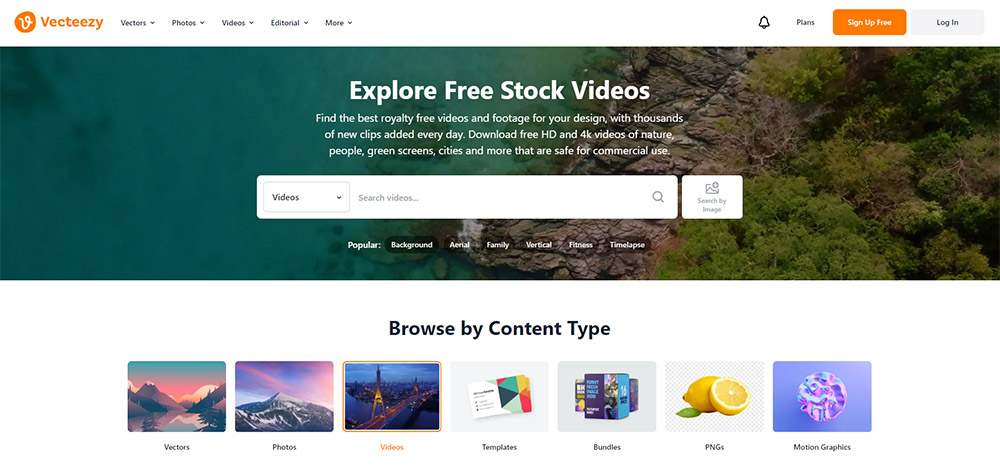
Vecteezy still earns the top spot for social media creators who need both quality and peace of mind. The platform offers a very large selection of free stock videos alongside photos, vectors, and other creative assets. Not all of Vecteezy's content is free (some requires a Pro subscription), but you can use a search filter to see only the free options.
Where Vecteezy stands out from other free video sites is user protection. Unlike most free platforms, Vecteezy vets every contributor before they can upload content, helping prevent fraud and copyright issues. The platform requires signed model and property releases for all content, including free videos, ensuring that everyone appearing in or owning property shown in footage has given proper consent. Videos containing brand logos or trademarks are clearly marked for editorial use only, protecting creators from potential legal complications.
With a free Vecteezy account, you can download license documentation for any video you use, providing proof of permission for your records. Most free sites skip these steps and user protections.
**2026 update:** Vecteezy now lists 2,500+ dedicated "2026"-themed clips and continues to manually review every submission, including free uploads, for quality. Video downloads come as MOVs or MP4s; MOVs offer the highest quality, MP4s smaller file sizes.
**Search tip:** Use the "Free" filter on the left sidebar to hide Pro-only content. You can also filter by orientation — select "Vertical" to find clips sized for Reels, TikTok, and Shorts without needing to crop or resize. Vecteezy offers MP4 downloads across multiple resolutions (720p, 1080p, and 4K where available).
**Key Points:**
- Large collection of free videos available (attribution required for free users)
- Signed model and property releases provide peace of mind
- Contributors are vetted before uploading content
- Videos with logos clearly marked for editorial use
- Downloadable license documentation for all content
- Extensive search filters: orientation, category, resolution, duration, aspect ratio
- HD and 4K resolution options available
- Format: MP4 or MOV downloads, multiple resolutions per clip
## 2. Mixkit
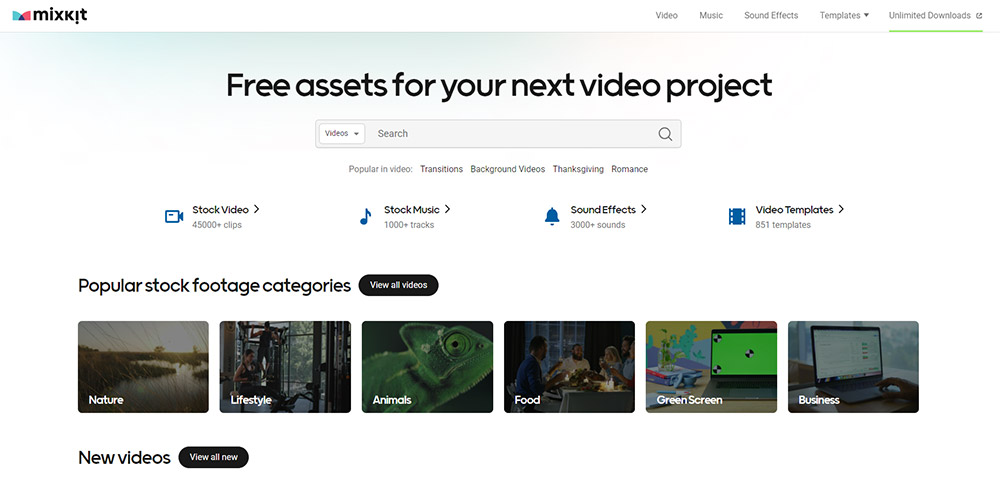
Mixkit is a favorite among content creators for its curated collection of high-quality footage. Created by Envato, the platform now offers **45,000+ free stock videos**, plus 1,000+ music tracks and 3,000+ sound effects, all under the Mixkit Free License.
Mixkit focuses on carefully selected clips that feel cinematic and professionally shot. You'll find everything from dynamic slow-motion sequences to atmospheric time-lapses, all available in HD and 4K resolutions, with no watermarks and no sign-up required.
One of Mixkit's biggest advantages is its straightforward licensing. Videos under the Mixkit Free License can be used in both commercial and non-commercial projects — including YouTube videos, social media marketing, online ads, and music videos — without attribution. The platform also offers vertical format videos specifically designed for [Instagram Reels](/blog/how-to-schedule-instagram-reels), [TikTok](/tiktok-scheduler), and [YouTube Shorts](/blog/how-to-schedule-youtube-shorts).
Beyond videos, Mixkit provides free music tracks, sound effects, and video templates for editing software like Premiere Pro and After Effects, making it a comprehensive resource for social media creators.
**Search tip:** Mixkit's category pages are better than its search bar. Browse "Social Media" or "Vertical" categories to find clips already sized at 9:16 for Reels and TikTok. If you need background music to pair with your clip, the free music library is on the same site — no separate account needed.
**Key Points:**
- 45,000+ curated stock videos available for free
- HD and 4K resolution options (MP4 format)
- No attribution required, no sign-up required, no watermarks
- Also offers 1,000+ free music tracks, 3,000+ sound effects, Premiere Pro/After Effects templates
- Some content under restricted license (non-commercial only) — check the badge on each clip
- Vertical video category for mobile-first content
## 3. Pexels
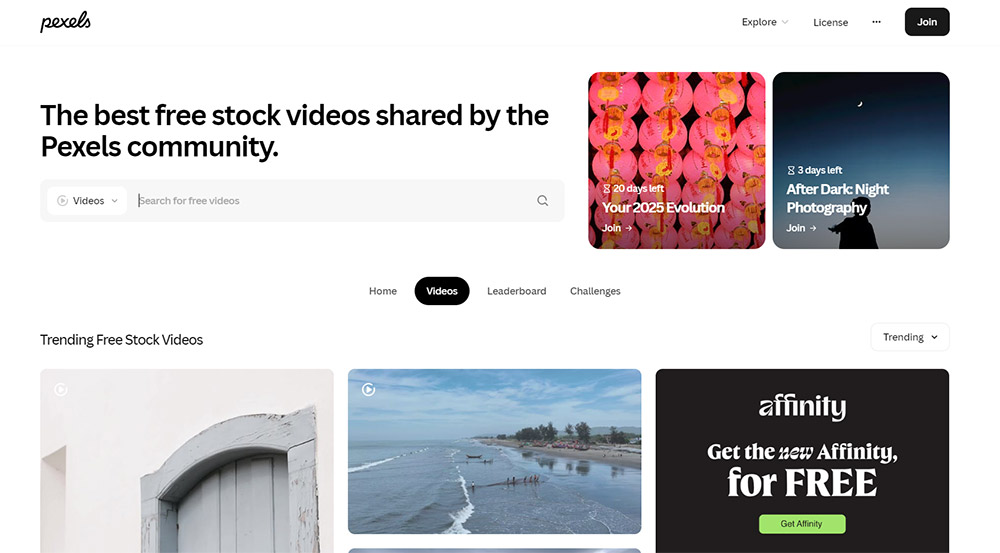
Pexels has established itself as one of the most popular destinations for free stock content, offering both photos and videos. Acquired by Canva in 2019, the platform features modern, high-quality footage contributed by creators worldwide.
The video collection on Pexels is strong for lifestyle, nature, and contemporary urban scenes. You'll find clean, well-composed shots that work perfectly for social media content across platforms. Videos are available in multiple resolutions, including 4K, and can be downloaded without creating an account.
**2026 updates:** Pexels reaffirmed in May 2026 that all photos and videos are licensed under the [Pexels License](https://help.pexels.com/hc/en-us/articles/360042295174) — free for personal and commercial use without attribution. The platform has also rapidly grown its **AI-generated and artificial intelligence-themed video categories**, with thousands of new 4K AI-generated clips added in the last year. The platform's Canva integration also continues to be one of the smoothest in-browser editing flows.
The Pexels license is straightforward: all content is free for personal and commercial use with no attribution required. This makes it ideal for fast-paced social media workflows where you need to grab footage and go.
**Search tip:** Pexels lets you filter videos by orientation (landscape, portrait, square) and by size (small, medium, large). For [TikTok](/tiktok-scheduler) and Reels, filter by "Portrait" to get 9:16 clips ready to use. You can also search by color to match your brand palette. Downloads come in multiple resolutions — pick the highest available and downscale, rather than upscaling a lower-res file.
**Key Points:**
- Massive library of free stock videos (MP4 format)
- HD and 4K resolution available, with multiple download sizes per clip
- No attribution required (Pexels License, reaffirmed May 2026)
- No account required to download
- Integration with Canva for in-browser editing
- Good selection of vertical format videos
- Growing AI-generated and AI-themed categories
- Orientation and color filters for precise searching
## 4. Pixabay
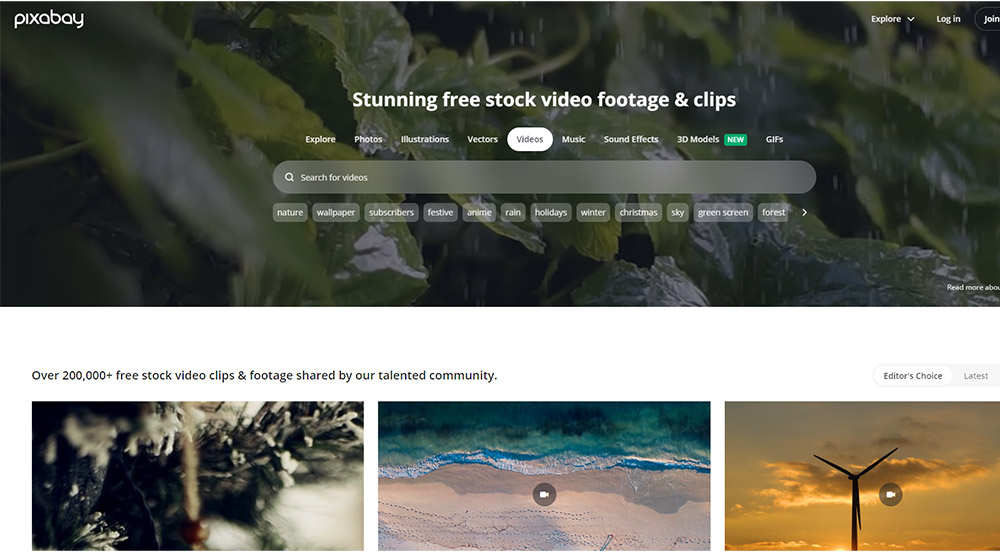
Pixabay has been a staple in the free stock content space since 2010, offering one of the largest collections available. The platform provides millions of videos, photos, illustrations, music, and sound effects, all free to use under the Pixabay License.
For social media creators, Pixabay's video library covers virtually every category imaginable. Videos are available in HD and 4K, with no attribution requirements.
**2026 update:** Pixabay now has a [dedicated AI-generated videos category](https://pixabay.com/videos/search/ai%20generated/) with **4,295+ free clips** — useful for futuristic, abstract, or sci-fi B-roll where you don't want real-world model release risk. All AI clips are royalty-free with no attribution.
The platform's diversity is both a strength and a weakness. While you'll find some exceptional footage, quality is a bit inconsistent. You may need to spend more time sorting through results to find clips that meet professional standards, compared to the sites ranked higher on this list.
Like Pexels, Pixabay was also acquired by Canva in 2019, and it offers integration with Canva's editing tools.
**Search tip:** Add resolution keywords like "4K" or "slow motion" to your Pixabay searches to surface higher-quality clips. The platform also lets you filter by orientation and category. Because quality varies, sort by "Popular" rather than "Latest" to see the best-rated clips first. For AI clips specifically, browse the dedicated AI-generated category.
**Key Points:**
- One of the largest free video collections available
- HD and 4K resolution options (MP4 format)
- No attribution required under the Pixabay License
- Integration with Canva editor
- Also offers music and sound effects
- 4,295+ free AI-generated video clips in a dedicated category
- Inconsistent quality due to open contributor model — sort by popularity to find the best clips
- Orientation filter available (horizontal, vertical)
## 5. Coverr (with AI Studio) — Now Hybrid Real + AI
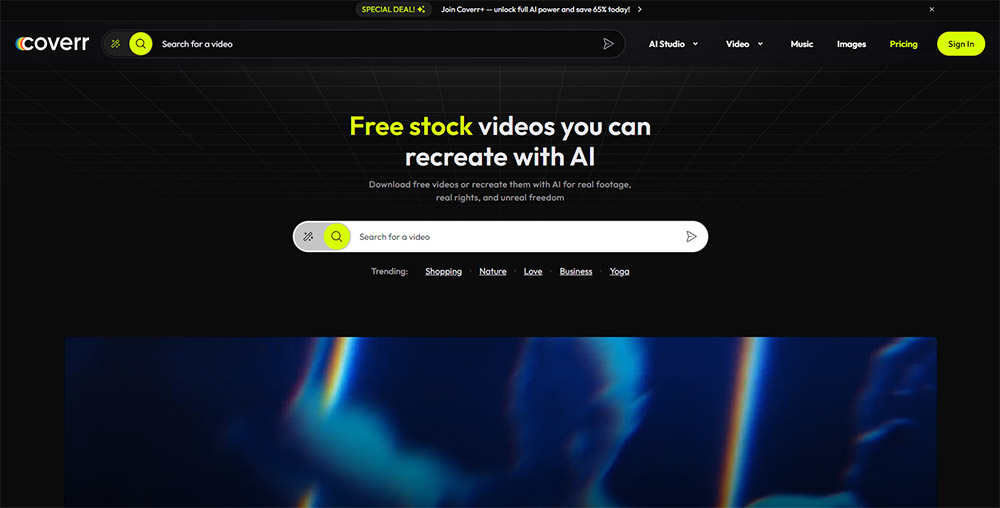
Coverr has transformed from a small free stock library into a **hybrid real + AI-generated platform**. The 2026 version of Coverr features a curated mix of authentic human-shot video alongside AI-generated stock clips for looping backgrounds and stylized visuals. The standout feature is **Coverr AI Studio**, which lets you describe a scene — like "neon city at sunset, vertical" — and generate a custom clip in seconds, aligned with the platform's licensing standards.
All videos in the Coverr stock library are royalty-free, can be used without crediting the creator, and have **no watermarks** — whether the clip is real footage or AI-generated. They're cleared for monetized YouTube videos, social media promotions, and client ads, as long as you're not reselling or redistributing the footage itself.
While the other sites listed above may be more ideal for traditional stock footage, Coverr is now the strongest single destination if you want to mix and match real and AI-generated B-roll without licensing headaches. If you want to go even further with AI, check out our own [AI Content Generator](/ai-content-generator) for creating original videos and images.
**Key Points:**
- Curated collection of real + AI-generated footage
- HD and 4K resolution available
- Coverr AI Studio generates custom clips from text prompts (free + paid tiers)
- Royalty-free, no attribution, no watermark on free downloads
- Cleared for monetized commercial use
- Mix of free and premium content (AI Studio access expands on paid tiers)
## 6. Motion Elements
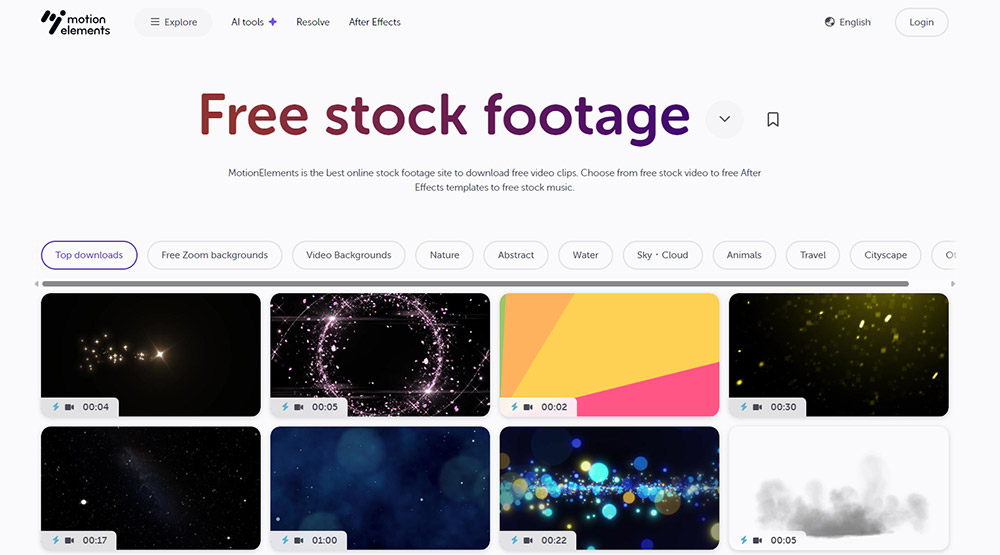
Motion Elements is a stock marketplace that offers **8,000+ free video clips**. Like Vecteezy, Motion Elements offers a search filter that makes it easy to find just the free content.
The free stock footage section includes a range of categories suitable for social media content, from dynamic motion graphics and animations to live-action footage. You'll find everything from quick transitions and effects to longer-form clips that can anchor your social content.
Creating a free account is required to download content, and you'll need to review the specific license terms for each free asset. Some free content requires attribution while other clips do not. Free stock videos are safe for personal and commercial purposes when used within their individual licenses.
**Key Points:**
- 8,000+ free videos, plus extensive premium content
- Mix of live-action and motion graphics
- Also offers free music, sound effects, and templates
- Robust search and filtering system
- Free account required for downloads
- License terms vary by asset — check each download
## 7. PikWizard
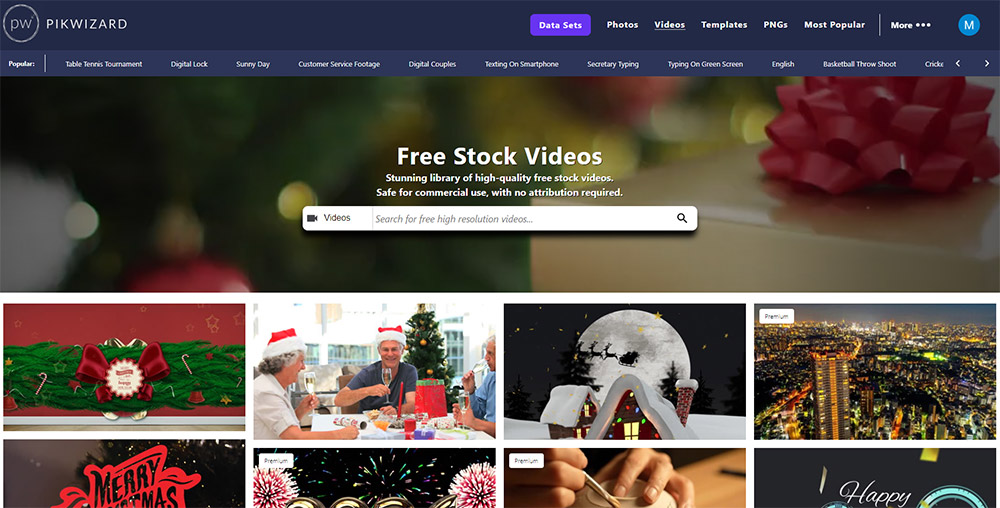
PikWizard offers a growing collection of over one million free images and videos. The video library includes quality clips across categories like business, lifestyle, fitness, nature, and travel.
The platform's interface is clean and intuitive, with straightforward navigation, and the download process is quick and simple. The PikWizard license allows for both personal and commercial use without attribution. PikWizard is an unfunded, Ireland-based company founded in 2017 — small operation, but still actively maintained as of 2026.
**Key Points:**
- Over one million free images and videos
- HD and 4K resolution available
- Free for personal and commercial use
- Attribution is encouraged but not required
## 8. Dareful
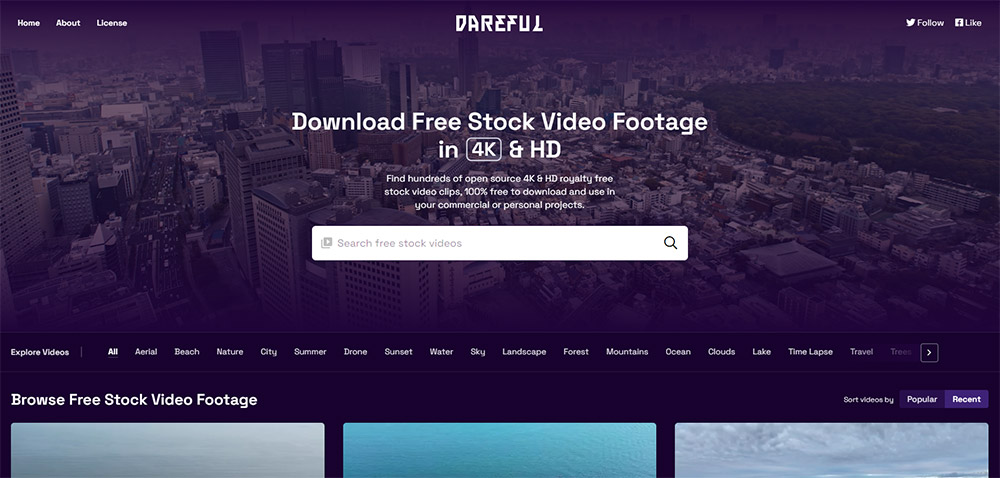
Dareful is unique because all footage on the platform was shot by Joel Holland, the founder of VideoBlocks (now Storyblocks). This gives the collection a consistent quality and artistic vision that's rare among free resources. The downside is that the collection is much smaller than most of the other sites on this list.
The platform specializes in scenic and nature-based 4K footage, including breathtaking aerial shots, time-lapses, and atmospheric scenes. If you're creating social content that needs beautiful establishing shots or calming nature footage, Dareful is an excellent resource. The collection includes categories like mountains, forests, oceans, clouds, sunrises, and seasonal content.
The footage is available under the Creative Commons Attribution 4.0 International License, meaning you can use it in personal and commercial projects as long as you provide attribution.
**Key Points:**
- All footage shot in 4K resolution
- Consistent quality from single creator
- Specializes in nature and aerial footage
- Beautiful, cinematic visuals
- Free for personal and commercial use
- Attribution required (Creative Commons 4.0)
- Smaller library focused on specific aesthetic
## 9. Videvo (NEW to ranking)
Videvo offers a mixed library of free and premium stock video, with **500,000+ clips** in the combined collection. Free clips are available under two licenses: the Videvo Attribution License (requires credit) and the Creative Commons 3.0 license. Resolutions range from HD to 4K, and the platform also offers free music and sound effects.
Videvo's after-effects templates and motion graphics are also available in the free tier, making it a useful supplement to Mixkit and Motion Elements for creators who want effects alongside their footage.
**Key Points:**
- 500,000+ clips (free + premium)
- HD and 4K available
- Two free licenses (Videvo Attribution + CC 3.0) — check per clip
- Free music, sound effects, AE templates, and motion graphics
## 10. Mazwai (now Magnific) (NEW to ranking)
Mazwai was acquired into the Freepik ecosystem and now sits under Freepik's 2026 rebrand to **Magnific**. The Mazwai site is currently branded as "Magnific (formerly Freepik)" and hosts the same boutique free stock video collection — handpicked cinematic clips prioritizing artistry over volume.
Videos are available in HD and full HD (rather than the 4K you'll find on Pexels or Vecteezy), and the licensing is **Creative Commons 3.0 (CC BY 3.0)** — meaning you must give appropriate credit to the original creator in your project. Safe for both commercial and non-commercial use.
This is the best site on the list for cinematic shorts where you want a specific aesthetic look rather than generic B-roll.
**Key Points:**
- Boutique, hand-curated cinematic collection
- HD and full HD (no 4K)
- CC BY 3.0 — attribution required
- Safe for commercial use
- Now part of Magnific (formerly Freepik) ecosystem
## 11. Splash / Dream by Wombo (NEW — AI-generated)
Dream by Wombo isn't a traditional stock site — it's an AI art and video generator that creates stunning AI-generated images and cinematic videos from text prompts, powered by 100+ curated styles. The Dream app is free to download (with paid upgrade options) and is one of the most accessible ways to generate stock-style AI video assets on mobile.
For social media creators who need very specific shots that don't exist in traditional stock libraries — say, an abstract animation or a stylized character — Dream by Wombo is a useful supplement. Outputs come out of the app ready for vertical (9:16) feeds.
Always double-check the in-app license terms for each output before using AI-generated content in paid ads.
**Key Points:**
- AI-generated images and short cinematic videos
- 100+ curated visual styles
- Free to download, free + paid tiers in-app
- Best for stylized or abstract content that doesn't exist as real stock
- Check in-app license per output for commercial use
---
## Quick Comparison: Best Free Stock Video Sites in 2026
| Site | Library Size | Attribution | Best Format | 4K | AI-Generated Available |
|------|-------------|-------------|-------------|----|----|
| **Vecteezy** | Large | Required (free tier) | MP4/MOV | Yes | Some |
| **Mixkit** | 45,000+ | None | MP4 | Yes | No |
| **Pexels** | Massive | None | MP4 | Yes | Yes (category) |
| **Pixabay** | Largest | None | MP4 | Yes | Yes (4,295+ clips) |
| **Coverr** | Curated | None | MP4 | Yes | Yes (AI Studio) |
| **Motion Elements** | 8,000+ free | Varies | MP4 | Yes | Some |
| **PikWizard** | 1M+ assets | None | MP4 | Yes | No |
| **Dareful** | Small | Required (CC 4.0) | MP4 | Yes (all) | No |
| **Videvo** | 500,000+ | Per-clip | MP4 | Yes | Some |
| **Mazwai (Magnific)** | Boutique | Required (CC 3.0) | MP4 | HD/FHD only | No |
| **Dream by Wombo** | Generated | Per-output | App export | Varies | Yes (all) |
---
## Choosing the Right Platform for Your Social Media Content
Each of these platforms offers unique advantages for social media creators. **Vecteezy** provides the best combination of selection and legal protection, making it ideal for creators who need both volume and peace of mind. **Mixkit** excels in curated, high-quality content that's ready to use immediately. **Pexels** and **Pixabay** offer massive libraries with no attribution requirements, perfect for high-volume content creation.
**Coverr** is now the strongest hybrid choice if you want both real footage and AI-generated clips with bulletproof licensing. **Dareful** is ideal for nature and aerial footage. **Motion Elements** and **Videvo** are great for motion graphics and effects. **PikWizard** offers a solid middle ground. **Mazwai** is the go-to for boutique cinematic shots. **Dream by Wombo** lets you generate stylized AI clips for niche aesthetics.
The key is understanding your specific needs: Do you need legal protections like model releases? Are you creating high-volume content that requires fast turnaround? Do you need specialized footage like travel or nature scenes? By matching your requirements to each platform's strengths, you can build an efficient workflow that keeps your social channels stocked with great content.
Of course, you can also use a combination of these sites to meet your needs. The abundance of free options means you're never limited to a single source, giving you the creative flexibility to produce professional social media content on any budget.
## How to Find the RIGHT Stock Video (Not Just Any Stock Video)
The biggest mistake creators make with stock footage is searching too broadly. Typing "business" into Pexels returns thousands of results, most of which look like generic corporate B-roll from 2015. Here is how to search smarter and find clips that actually work for social media.
### Start with the end platform in mind
Before you search, decide where the video will be published. This determines everything:
- **Instagram Reels / TikTok / YouTube Shorts:** You need vertical (9:16) footage. Filter by "Portrait" orientation on Pexels, or browse the "Vertical" category on Mixkit. Using landscape footage and cropping it wastes resolution and often cuts out important parts of the frame.
- **YouTube long-form / Facebook Feed:** Landscape (16:9) is standard. Most stock footage defaults to this, so you will have the largest selection.
- **Instagram Feed / Facebook Feed (square):** Square (1:1) stock footage is rare. Your best bet is to download landscape footage and crop to center, or download vertical and crop the top and bottom.
### Use specific, descriptive search terms
Instead of searching "office," try "woman typing on laptop coffee shop." Instead of "nature," try "aerial forest fog morning." The more specific your query, the fewer generic results you need to scroll past. On Vecteezy and Pexels, you can combine terms with the orientation filter for very targeted results.
### Check clip length before downloading
Social media videos are short. A 30-second stock clip is plenty for a Reel or TikTok — you will likely use only 3-5 seconds of it as B-roll. But if you need a longer establishing shot for YouTube, look for clips over 15 seconds. Mixkit and Pixabay show clip duration in search results, which saves time.
### Download the highest resolution available
Always download the highest resolution offered, even if your final export is 1080p. Starting with 4K gives you room to crop, zoom, and reframe without losing sharpness. This is especially important when converting landscape footage to vertical — you are essentially cropping 50% or more of the frame.
> **Need footage you can't find anywhere?** PostEverywhere's [AI Video Generator](/ai-video-generator) creates custom clips from text prompts — no searching, no licensing concerns, and the output is yours to use however you want.
## Licensing Explained: What You Can and Can't Do (Updated 2026)
Licensing is the part most creators skip — until they get a DMCA takedown or a cease-and-desist email. Understanding the basics takes five minutes and can save you serious headaches. The rise of AI-generated stock has added a few new wrinkles to be aware of in 2026.
### Royalty-Free (RF)
Royalty-free does NOT mean "free." It means you pay once (or get access for free on platforms like Pexels and Pixabay) and can use the footage repeatedly without paying per use. You still need to follow the license terms. Most royalty-free licenses allow:
- Commercial and personal use
- Use in social media posts, ads, and YouTube videos
- Editing, trimming, and combining with other content
Most royalty-free licenses prohibit:
- Reselling the footage as-is or in a template
- Using footage in a way that implies endorsement (e.g., a person in the clip endorsing your product)
- Using recognizable people in potentially defamatory or sensitive contexts without a model release
### Creative Commons (CC)
Creative Commons is a family of licenses, not a single license. The most common types you will encounter on stock video sites:
- **CC0 (Public Domain):** No restrictions at all. Use it however you want, no attribution needed. Pixabay used to use CC0 but switched to their own license in 2019.
- **CC BY (Attribution):** Free to use commercially, but you must credit the creator. Dareful uses CC BY 4.0; Mazwai (Magnific) uses CC BY 3.0. A simple "Video by [creator name]" in your video description is usually sufficient.
- **CC BY-SA (Share-Alike):** Same as CC BY, but anything you create with the footage must also be shared under the same license. This is problematic for commercial content — avoid it for client work.
- **CC BY-NC (Non-Commercial):** Free to use but NOT for commercial purposes. If your social media account promotes a business, product, or service, this footage is off-limits.
### AI-generated stock: a new wrinkle for 2026
AI-generated stock clips from Coverr, Pexels, Pixabay, and Dream by Wombo are generally cleared for commercial use under each platform's standard license. But two things to watch for:
1. **Disclosure rules.** YouTube, Meta, and TikTok now have AI-content disclosure requirements for "synthetic media that could be mistaken for reality." Generic abstract AI loops don't trigger this, but realistic AI-generated people in ad creative often do.
2. **Training-data provenance.** Some AI clip libraries don't disclose what data trained the underlying model. For high-risk commercial work (national TV ads, regulated industries), prefer platforms that disclose their training pipeline.
### Editorial Use Only
Some clips on Vecteezy and other platforms are marked "Editorial Use Only." This means the footage contains recognizable brands, logos, or public figures, and can only be used in news, commentary, or educational contexts, not in ads, product promotions, or commercial social media posts. Using editorial footage in a sponsored post or ad is a fast way to get a DMCA notice.
### Common mistakes that get creators in trouble
1. **Assuming "free download" means "free to use commercially."** Some free clips on Motion Elements and Coverr have restricted licenses. Always check the specific license for each clip.
2. **Forgetting attribution when required.** Dareful (CC BY 4.0), Mazwai (CC BY 3.0), and some Vecteezy and Videvo clips require credit. Add it to your video description or caption — it takes seconds.
3. **Using people's faces in ads without model releases.** If a stock video shows recognizable people and there is no model release, do not use it in paid advertising or promotional content. Vecteezy is the safest option here because they require model releases.
4. **Downloading from unofficial re-upload sites.** Some sites scrape footage from Pexels and Pixabay and re-host it with unclear licensing. Always download from the original platform.
5. **Using footage with visible brand logos in commercial posts.** That coffee cup with the Starbucks logo visible? Editorial use only.
6. **Skipping AI disclosure when required.** Check each platform's policy before running AI-generated stock in paid ads.
## Best Free Stock Videos by Platform
Not every stock video site is equally good for every social media platform. Here is where to go based on what you are creating.
### Best for Instagram Reels and Stories
**Top pick: Pexels.** The portrait orientation filter makes it easy to find vertical footage, and the Canva integration means you can edit directly in your browser. Mixkit's vertical category is also strong for lifestyle and trending aesthetic clips. Coverr's AI Studio is a great fallback when you can't find the exact aesthetic.
What to look for: Short clips (5-15 seconds), vertical orientation, visually dynamic content that works without sound. Reels autoplay on mute, so your B-roll needs to be visually engaging on its own. Abstract motion, lifestyle clips, and nature footage perform well.
### Best for TikTok
**Top pick: Mixkit.** The curated, cinematic quality matches TikTok's preference for polished content, and clips are short enough to use as backgrounds or transitions. Coverr's AI-generated clips also work well for the platform's trend-driven style — especially abstract loops and synthetic visuals.
What to look for: Trending visual styles change fast on TikTok. Currently, lo-fi aesthetics, cinematic slow motion, and "aesthetic" lifestyle clips perform well. Avoid anything that looks too corporate or posed — TikTok audiences can spot inauthenticity instantly. Vertical (9:16) is essential.
### Best for YouTube (long-form and Shorts)
**Top pick: Vecteezy for long-form, Pexels for Shorts.** YouTube long-form videos need higher-quality B-roll because viewers watch on larger screens (desktops and TVs). Vecteezy's vetted contributor model means more consistent quality. For YouTube Shorts, Pexels' vertical library works well.
For [YouTube video content](/blog/how-to-schedule-youtube-videos), look for landscape 4K footage for long-form and vertical for Shorts. Nature B-roll from Dareful is excellent for travel and lifestyle channels. Longer clips (15-30 seconds) are more useful for YouTube than for short-form platforms.
### Best for Facebook and LinkedIn
**Top pick: Pixabay.** The sheer volume of content means you can find clips for virtually any business topic. The quality inconsistency matters less on Facebook and LinkedIn, where video is typically viewed on mobile at smaller sizes. Pixabay's dedicated AI-generated category is also useful for futuristic B-roll on LinkedIn tech posts.
What to look for: Landscape orientation, business and professional themes, clips that communicate a message even at smaller sizes. Square (1:1) crops work well in Facebook feed — download landscape and crop to center.
## AI-Generated Video: When Stock Footage Is Not Enough
Stock footage is great for generic B-roll — establishing shots, transitions, and background visuals. But it has real limitations:
- **You can't show YOUR product.** No stock site has footage of your specific tool, app, or service in action.
- **Everyone uses the same clips.** Popular stock videos show up across hundreds of social media accounts. Your audience may have seen the same clip in a competitor's post.
- **Finding the right clip takes time.** Searching, filtering, previewing, and downloading across multiple sites can eat an hour or more per video.
This is where AI-generated video fills the gap. Tools like Coverr AI Studio (covered above) and PostEverywhere's [AI Video Generator](/ai-video-generator) let you describe exactly what you want — "a smartphone screen showing social media notifications popping up, teal and purple color scheme, vertical format" — and get a custom clip in seconds.
The output is unique to you, matches your brand, and (when using PostEverywhere's tool) comes with no licensing restrictions. For creators who publish daily across multiple platforms, this cuts production time dramatically compared to searching stock libraries.
You can also combine approaches: use stock footage for generic B-roll and AI-generated clips for branded content, product demos, and anything that needs to feel unique. Pair either with [AI-generated images](/ai-image-generator) for thumbnails and cover frames.
> **Create custom video clips in seconds.** PostEverywhere's [AI Video Generator](/ai-video-generator) turns text prompts into ready-to-post social media videos — no stock library searching required. [Try it free](/pricing).
## How to Edit Stock Videos for Social Media
Downloading the footage is only half the job. Raw stock clips rarely work as-is for social media. Here are the essential edits to make before posting.
### Trim ruthlessly
Stock clips are usually 10-30 seconds long. For Reels and TikTok, you often need just 3-5 seconds of a clip. Cut to the most dynamic or visually interesting moment. The first frame matters — if someone is scrolling, you have less than one second to grab attention.
### Resize and reframe for each platform
A single stock clip can serve multiple platforms if you reframe it correctly:
- **9:16 (vertical):** Instagram Reels, TikTok, YouTube Shorts, Facebook/Instagram Stories
- **16:9 (landscape):** YouTube long-form, Facebook Feed, LinkedIn Feed
- **1:1 (square):** Instagram Feed, Facebook Feed, LinkedIn Feed
- **4:5 (portrait):** Instagram Feed (takes up more screen space than square)
Start with the highest resolution download and crop from there. Most [video editing tools](/blog/best-video-editing-tools-social-media) like CapCut, DaVinci Resolve, and Adobe Premiere have preset aspect ratios for each platform.
### Add text overlays and captions
85% of Facebook videos are watched without sound, and the number is similar on Instagram Feed. Adding captions or text overlays makes your stock footage useful even on mute. CapCut and InShot both have auto-captioning features that work well for voiceover-style content.
For B-roll clips without voiceover, add text overlays that communicate your message visually. A nature clip with "Take a breath. Your content calendar is handled." overlaid is more effective than the clip alone.
### Adjust color and speed
Stock footage often looks slightly different from clip to clip, especially if you are combining footage from different creators or sites. A quick color correction pass — matching brightness, contrast, and color temperature — makes your final video feel cohesive rather than stitched together.
Speed adjustments are powerful too. Slow down a 1-second moment for dramatic effect, or speed up a longer clip to create energy. Slow motion works especially well for product reveals and lifestyle content on Reels and TikTok.
### Add music and sound effects
Pair your stock footage with audio to create a complete social media video. Mixkit and Pixabay both offer free music and sound effects alongside their video libraries, making it easy to find matching audio. Just double-check that the music license matches how you plan to use the video — some free music tracks have non-commercial restrictions.
For TikTok specifically, using trending audio from the platform itself (rather than stock music) dramatically increases discoverability. Use stock footage as the visual layer and pair it with a trending sound for the best algorithmic performance.
> **Publish your edited videos everywhere at once.** [PostEverywhere](/social-media-scheduler) lets you schedule and post to Instagram, TikTok, YouTube, Facebook, LinkedIn, and more from one dashboard. [Start your 7-day free trial](/pricing) — cancel anytime.
## FAQ: Free Stock Video Sites in 2026
### What is the best free stock video site in 2026?
It depends on your use case. **Pexels** and **Pixabay** are best for volume and no-attribution licensing. **Vecteezy** is best for legal peace of mind (model releases, vetted contributors). **Mixkit** is best for curated cinematic quality. **Coverr** is now the best hybrid real + AI-generated source.
### Is AI-generated stock video free to use commercially?
On most major platforms, yes — Coverr, Pexels, and Pixabay's AI-generated categories are cleared for commercial use under their standard licenses. Always check platform-specific licensing for each clip, and remember that YouTube, Meta, and TikTok now have AI disclosure requirements for synthetic media in certain ad contexts.
### Did Pexels change its license in 2026?
No, but Pexels reaffirmed in May 2026 that all photos and videos remain free for personal and commercial use without attribution under the [Pexels License](https://help.pexels.com/hc/en-us/articles/360042295174). No changes.
### What happened to Mazwai?
Mazwai is now branded as **Magnific (formerly Freepik)** following the 2024 acquisition of Magnific by Freepik and Freepik's broader 2026 rebrand to Magnific. The site still hosts the same cinematic free stock collection under CC BY 3.0, but operates within the wider Magnific ecosystem.
### Are all clips on Pixabay and Pexels 4K?
No. Both platforms offer multiple resolutions per clip — some are HD only, others go up to 4K. Always check the available download options. Sort by "Popular" rather than "Latest" on Pixabay to surface higher-quality clips.
### Can I use Mixkit videos in YouTube monetized content?
Yes, under the Mixkit Free License — including YouTube monetized videos, social media marketing, and online ads. Some clips are flagged "non-commercial only," so check the badge on each clip before downloading.
## What to Do After You Find Your Videos
Once you've downloaded your stock footage, you'll need to get it in front of your audience. Here's how to maximize your workflow:
1. **Resize for each platform** — Every network has different resolution requirements. Check the correct [social media image sizes](/blog/social-media-aspect-ratios) before exporting so your footage looks sharp everywhere. You may also want to [remove backgrounds from images](/blog/free-background-removal-tools-social-media) to create clean thumbnails and overlays.
2. **Schedule to multiple platforms at once** — Use a [TikTok scheduler](/tiktok-scheduler), [Instagram scheduler](/instagram-scheduler), or [YouTube scheduler](/youtube-scheduler) to publish your video content without switching between apps.
3. **Plan your content calendar** — A [visual content calendar](/social-media-calendar) helps you see your entire posting schedule at a glance and avoid gaps in your content strategy.
4. **Generate AI visuals** — Combine stock footage with [AI-generated images](/ai-image-generator) to create unique thumbnails and graphics.
5. **Compare your options** — If you're looking for a tool that handles scheduling, analytics, and AI content, check out our [scheduling tools comparison](/blog/best-social-media-scheduling-tools) to see how PostEverywhere stacks up against alternatives like Hootsuite and Buffer.
**Ready to streamline your social media video strategy? [Try PostEverywhere for free](/pricing) and start [scheduling your video content across all platforms](/cross-posting) in seconds.**