When Threads launched, it had essentially zero analytics. You could see follower counts and that was it. In 2026, Meta has rolled out a proper Insights dashboard — but it's still the youngest analytics product in the major-platform lineup, and it shows. There are gaps, quirks, and metrics that matter on Threads specifically that don't matter anywhere else.
I've spent the last eighteen months posting on Threads for PostEverywhere and tracking what actually correlates with growth. This is the playbook I wish someone had handed me when Insights first appeared. For the broader framework on how platform metrics fit together, start with our social media metrics and KPIs hub — this post is the Threads-specific deep dive.
What Threads Insights actually shows in 2026
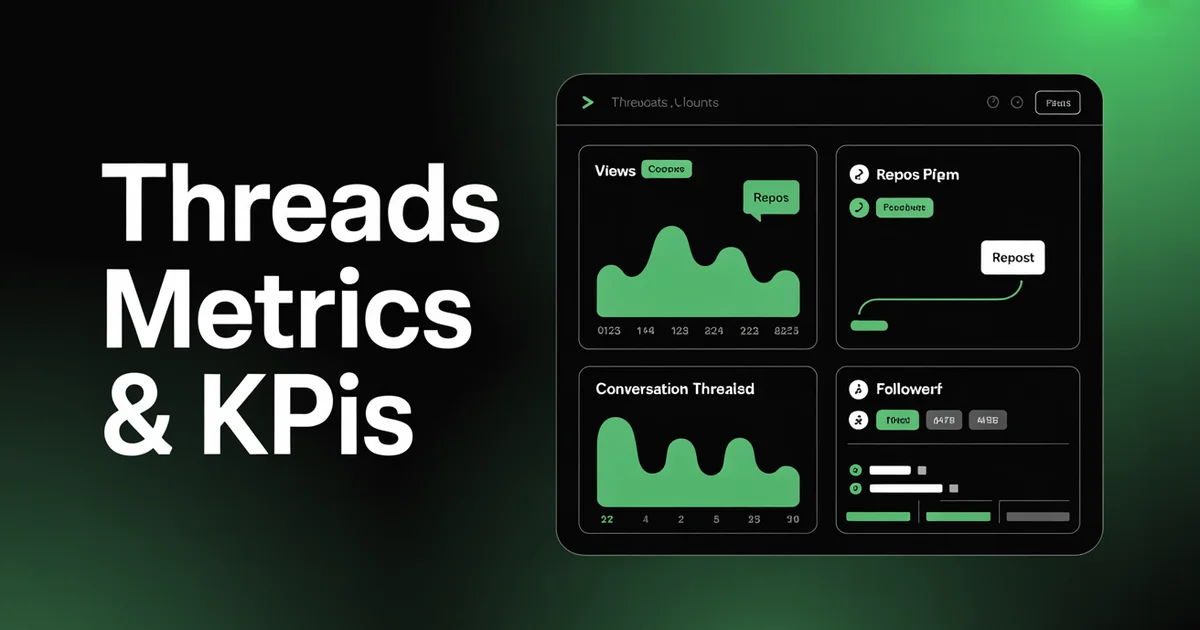
Threads Insights lives inside the app (tap the Insights icon on your profile) and, for business accounts linked to Instagram, inside Meta Business Suite. Here's what you get natively, according to Meta Business Help:
- Views — the total number of times your posts were seen on screen
- Likes — heart taps on individual posts
- Replies — comments left on your posts
- Reposts — users pushing your post to their own followers
- Quotes — users reposting with their own commentary attached
- Followers — net follower count and growth over time
- Profile views — visits to your profile page
- Demographics — top countries, cities, age ranges, gender split (requires 100+ followers)
You can filter by 7, 14, 30, 60, or 90 days. What you cannot do natively is export to CSV, compare two arbitrary date ranges, or see per-post click-through data on links.
That's the raw material. The real question is which of these actually predict growth.
Engagement metrics: reply rate is everything
On Instagram, engagement rate is roughly (likes + comments + saves + shares) / reach. On Threads, you can use a similar formula:
Threads engagement rate = (likes + replies + reposts + quotes) / views
You can plug numbers into our engagement rate calculator if you want a quick benchmark against the rest of your posting. Typical Threads engagement rates sit between 1.5% and 4% for accounts under 50k followers — noticeably higher than Instagram feed posts, which is part of why the platform is worth posting on in the first place. Our social media engagement rate benchmarks post has the full breakdown by platform and follower tier.
But here's the thing nobody tells you about Threads: reply rate matters more than overall engagement rate.
Threads is a conversational platform. The algorithm, based on what I've observed, rewards posts that generate back-and-forth discussion far more than posts that just collect likes. A post with 200 likes and 2 replies will generally underperform a post with 80 likes and 30 replies over the following 48 hours.
I track reply rate as a standalone KPI:
Reply rate = replies / views
Threads rewards the posts that make people want to talk. If you're only chasing likes, you're optimising for the wrong metric. Schedule your Threads posts at times when your audience is actually awake and ready to reply, not just scroll.
A healthy reply rate on Threads is around 0.3-0.8%. Anything above 1% is excellent and usually means the post will keep surfacing for days. If your replies are consistently below 0.1%, your posts are hitting the feed but not sparking conversation — usually a sign your content is too declarative and not leaving space for opinions.
Reach metrics: views, unique viewers, and repost cascades
Threads reports Views rather than Reach or Impressions, and there's a subtle difference worth understanding.
- Views counts each time your post is displayed on screen, including repeat views from the same user
- Unique viewers is available in some regions and business account tiers — this is closer to traditional reach
- Reach via reposts is the hidden multiplier: when someone reposts you, their followers see your original post, and those views roll up into your view count
The repost cascade is the single biggest driver of Threads reach. Unlike Instagram, where shares are capped in impact, a repost on Threads behaves almost like a retweet on the old Twitter — it fully surfaces your post to a new audience. Tracking reposts per 1,000 views as a ratio tells you whether your content has "carryable" hooks.
I aim for at least 3 reposts per 1,000 views on promotional content and 10+ on opinion or insight posts. If you're getting zero reposts, your post might be getting views but it's not travelling.
Audience metrics: follower growth and profile visits
Follower count on Threads is strange. Because Threads was initially seeded from Instagram, a lot of accounts have inflated follower numbers that don't reflect actual Threads-native audience. The metric I actually care about is:
Net new followers per 1,000 views
If you're consistently getting 2-5 new followers per 1,000 views, you're converting strangers into subscribers at a healthy rate. Below 1 per 1,000 and you probably have a profile or bio problem, not a content problem. Our guide on how to get more Threads followers covers the profile optimisation side in detail.
Profile visits is the other underrated metric. Threads Insights shows how many people tapped through to your profile from a post, and high profile-visit rates are a leading indicator of follower growth. A post that drives 50 profile visits but 0 followers means your content is intriguing but your bio isn't closing the deal.
Demographics (available once you hit 100 followers) gives you country, city, age and gender splits. I check this monthly, not weekly — it doesn't move fast enough to warrant more frequent attention.
What's NOT in Threads Insights
This is where Threads still lags the rest of the industry. As of April 2026, native Insights does not give you:
- Best time to post data — no hourly breakdown of when your followers are active
- Per-post link clicks — if you drop a URL in a post, Threads won't tell you how many people tapped it
- Save/bookmark counts — Threads added bookmarks in late 2025 but doesn't expose the count to creators
- Hashtag performance — you can use hashtags but there's no reach-by-hashtag breakdown
- Historical comparison beyond 90 days
- CSV export for your own analysis
- Competitor benchmarking of any kind
- Follower unfollow tracking — you only see net growth
To fill these gaps, I do a few things. I manually log top-performing posts in a spreadsheet each week with the post text, time posted, views, replies, and reposts. I use UTM parameters on every link I share so Google Analytics can tell me click-through (more on that in our social media metrics and KPIs hub). And I rely on third-party tools for posting-time optimisation, because Threads simply doesn't give it to you.
Cross-posting tracking from Instagram
Most people posting on Threads are also posting on Instagram, and Meta makes it trivially easy to cross-post between the two. The tracking challenge is attribution: if a visitor came to your website from a link in your Instagram bio, how do you know whether they discovered you on Instagram or on Threads first?
My approach is tag-based. I use distinct UTM campaign tags for Threads links versus Instagram links — utm_source=threads and utm_source=instagram — and I use separate linktree-style landing pages for each platform's bio link. That way, every click is cleanly attributable even when the same post ran on both platforms.
The other thing I track manually is cross-post lift: when a post performs well on one platform and I repost it on the other, does the second platform see the benefit? For me, Instagram-to-Threads lift is minimal (Instagram captions don't translate well), but Threads-to-Instagram, via screenshotted posts, consistently outperforms native Instagram captions. That's a pattern worth knowing.
Stop treating Threads as an Instagram afterthought. Track it separately, measure it separately, and give it its own posting strategy. Schedule Threads posts on their own cadence and watch your engagement jump.
What to track weekly vs monthly
Not every metric deserves equal attention. Here's my cadence:
Weekly (5 minutes):
- Total views across all posts
- Top 3 posts by reply count
- Net follower change
- Reply rate on top post
Monthly (30 minutes):
- Engagement rate trend (weekly averages)
- Reposts per 1,000 views trend
- Profile visits vs new followers ratio
- Demographics check (country/age shifts)
- Best-performing content themes
Quarterly (2 hours):
- Full content audit — which topics drove the most growth
- Posting-time optimisation — adjust your schedule based on what worked
- Bio and profile refresh if profile-visit-to-follower conversion is weak
If you're stuck for content ideas during your weekly review, 100 Threads content ideas is a good place to pull from. And if you're running low on energy, PostEverywhere's AI content generator can riff hooks and variations based on posts that already worked for you.
This is broadly the same cadence I recommend for every platform, just with Threads-specific KPIs swapped in. The platform-specific deep-dives for the others are here: Instagram metrics and KPIs, TikTok metrics and KPIs, and LinkedIn metrics and KPIs.
FAQs
How do I access Threads Insights? Open the Threads app, tap your profile, then tap the Insights icon (bar chart) at the top of the screen. Business and creator accounts linked to an Instagram professional account get the full set of metrics. Personal accounts get a limited view. You can also access Threads data through Meta Business Suite on desktop if you've linked your accounts.
What's a good engagement rate on Threads? For accounts under 50k followers, 1.5-4% is typical and 4%+ is strong. Reply rate is the more important sub-metric — aim for 0.3-0.8% of views converting to replies, with 1%+ being excellent. Threads engagement tends to run higher than Instagram feed posts because the platform is newer and the feed is less saturated. Check where you land with our Threads engagement rate calculator.
Why don't my Threads posts show link clicks?
Threads Insights doesn't expose per-post link click data as of 2026. If you need click-through metrics, add UTM parameters to every link you post and check Google Analytics for traffic tagged utm_source=threads. This is the only reliable way to attribute traffic from Threads to your website right now.
How is reach measured on Threads? Threads reports Views rather than Reach. Views count every time your post is displayed on screen, including repeat views. Some accounts also see a Unique Viewers metric, which is closer to traditional reach. Reposts significantly amplify view counts because reposted content surfaces fully to new audiences — tracking reposts per 1,000 views is a useful proxy for viral potential.
Should I track Threads separately from Instagram? Yes. Even though the platforms are linked, their audiences behave differently. Cross-posted content performs unevenly, reply rates differ dramatically, and follower growth happens at different speeds. Set distinct KPIs for each and track them in separate columns in your analytics spreadsheet. Use different UTM tags on any links you share so your web analytics can attribute cleanly.
Can I export Threads analytics data? Not natively in 2026. Threads doesn't offer CSV export or an official public API for analytics data. Your options are manual logging (screenshot or type numbers into a spreadsheet weekly), using a third-party scheduling and analytics tool that pulls data via Meta's Graph API, or waiting — Meta has hinted at expanded analytics rollouts throughout 2026.
Wrapping up
Threads analytics in 2026 is a work in progress. Views, likes, replies, reposts, quotes, followers, and profile views give you the skeleton of a measurement framework, but you'll still need to layer on UTM tracking, manual logging, and the odd third-party tool to get the full picture.
The metrics that actually matter on Threads are different from every other platform: reply rate trumps overall engagement, repost cascades drive reach, and profile-visit-to-follower conversion tells you whether your bio is pulling its weight. Nail those three and you'll grow faster than 90% of accounts still optimising for likes.
Ready to start posting consistently and measuring what matters? Try PostEverywhere's Threads scheduler with a 7-day trial. Cancel anytime, full posting and analytics included from day one. And if Threads is just one part of your strategy, our social media scheduler brings every platform into a single dashboard. For the bigger strategic frame around when brands should invest in Threads at all, see our Threads marketing brand playbook.

Founder & CEO of PostEverywhere. Writing about social media strategy, publishing workflows, and analytics that help brands grow faster.