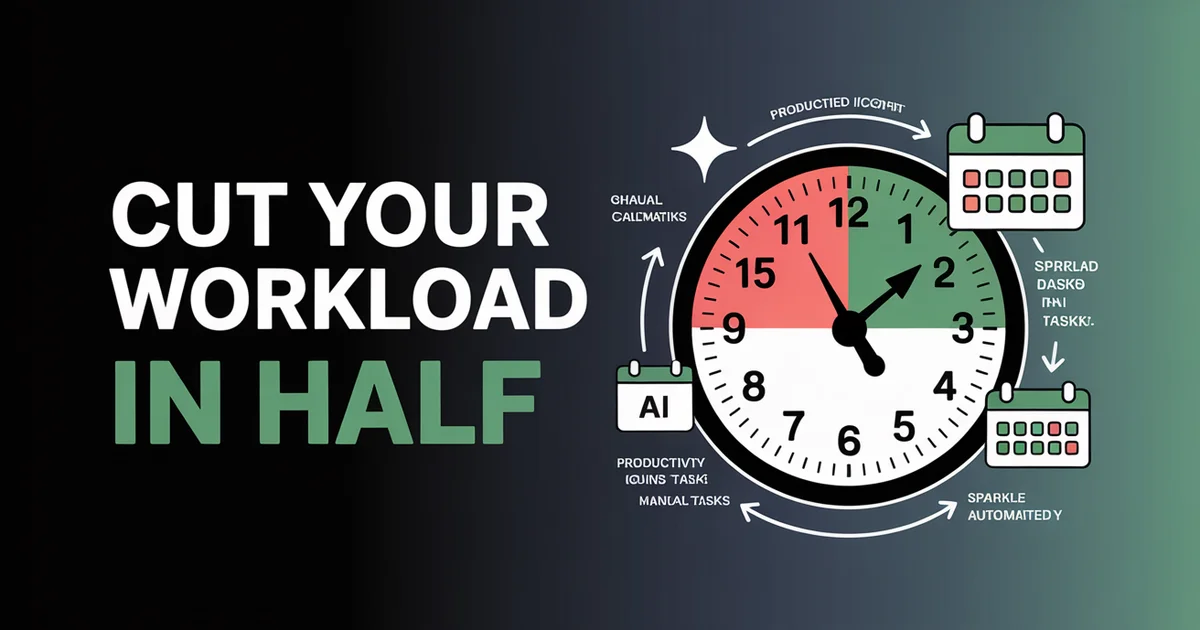
Social media managers spend an average of 35+ hours per week on operational tasks. Here's how to cut that in half.
That is not a typo. Across the teams we work with at PostEverywhere, a manager running a full multi-platform presence routinely puts 35 or more hours a week into content creation, scheduling, reporting and platform-hopping, leaving almost no time for the strategic work that actually moves the needle.
The problem is not that social media managers are inefficient. The problem is that the default workflow (write one post, open one platform, publish, switch tabs, repeat) was designed for a world where brands managed one or two channels. Today, a typical brand runs five or six platforms, publishes 15-25 posts per week, and expects cross-platform analytics, trend-jacking, and community management on top.
This guide breaks down exactly where your time goes, then walks through eight specific techniques, each with an estimated time saving, that compress a 35-hour workweek into under 15 hours with the same (or better) output. No vague productivity advice. Every section includes real numbers.
Tired of platform-hopping? PostEverywhere's social media scheduler lets you create, schedule, and publish across all platforms from one dashboard, with AI drafting, bulk scheduling, and unified analytics built in. Start your free trial (cancel anytime).
Table of Contents
- Where Your Time Actually Goes: The Social Media Manager Time Audit
- The Before vs After: 35-Hour Week vs 15-Hour Week
- 8 Time-Saving Techniques (With Exact Hours Saved)
- The 20-Hour Social Media Manager Workweek
- Implementation Roadmap: Week by Week
- FAQs
Where Your Time Actually Goes: The Social Media Manager Time Audit
Before you can fix time management, you need to know where the hours actually disappear. The breakdown below is the pattern we see across multi-platform teams using PostEverywhere. Treat the figures in this guide as working estimates to check against your own tracked week, not survey findings; the pattern is what matters.
| Task | Hours/Week | % of Total |
|---|---|---|
| Content creation (writing, editing, graphics) | 10.5 | 30% |
| Scheduling & publishing (manual posting, platform-hopping) | 6.2 | 18% |
| Analytics & reporting | 3.8 | 11% |
| Content planning & strategy | 3.6 | 10% |
| Community management (replies, DMs) | 3.5 | 10% |
| Cross-posting & reformatting | 3.2 | 9% |
| Image/video creation | 2.8 | 8% |
| Team coordination & approvals | 1.6 | 4% |
| Total | 35.2 | 100% |
Notice that only a tenth of the week goes to strategy, the work that actually drives growth. The remaining 90% is operational execution, and nearly every manager we speak to says the same thing: too much time on repetitive tasks, not enough on creative strategy.
The key insight: most of those operational hours are compressible. Content creation can be accelerated with AI. Scheduling can be batched. Cross-posting can be automated. Analytics can be unified. The strategic and community management work? That stays, and it should, because that is where human judgment matters most.
The Before vs After: 35-Hour Week vs 15-Hour Week
Here is what the same weekly output looks like before and after implementing the eight techniques covered in this guide:
| Task | Before (Manual) | After (Optimized) | Time Saved |
|---|---|---|---|
| Content creation | 10.5 hrs | 3.0 hrs | 7.5 hrs |
| Scheduling & publishing | 6.2 hrs | 0.5 hrs | 5.7 hrs |
| Analytics & reporting | 3.8 hrs | 1.5 hrs | 2.3 hrs |
| Content planning & strategy | 3.6 hrs | 2.0 hrs | 1.6 hrs |
| Community management | 3.5 hrs | 3.5 hrs | 0 hrs |
| Cross-posting & reformatting | 3.2 hrs | 0.5 hrs | 2.7 hrs |
| Image/video creation | 2.8 hrs | 1.0 hrs | 1.8 hrs |
| Team coordination & approvals | 1.6 hrs | 0.5 hrs | 1.1 hrs |
| Total | 35.2 hrs | 12.5 hrs | 22.7 hrs |
Same number of posts. Same platforms. Same quality. The difference is workflow design, not effort.
Note that community management stays unchanged: responding to comments, DMs, and building relationships is irreplaceable human work, and audience expectations on response speed only rise. Consumers increasingly expect a brand response within 24 hours, so this is not an area to cut.
Let's break down exactly how to achieve each reduction.
8 Time-Saving Techniques (With Exact Hours Saved)
1. AI Caption Drafting: Save 8 Hours/Week
The problem: Writing unique, platform-optimized captions for 15-25 posts per week across 5-6 platforms is the single biggest time sink for most managers. In an untooled workflow it routinely swallows 25-35 minutes per post on copywriting alone, and that does not include ideation, research, or editing.
The solution: Use AI to generate first drafts, then spend your time editing and adding brand voice rather than staring at a blank page. AI handles the 80% of structural work (hook, body, CTA, hashtags) while you handle the 20% that requires brand knowledge and human nuance.
How PostEverywhere handles it: The AI content generator creates platform-specific drafts from a single brief. Describe your topic, select your platforms, and get tailored captions for Instagram, LinkedIn, X, TikTok, Facebook, and YouTube, each formatted for that platform's norms. You edit and approve, not write from scratch.
Time saved: Reduces content creation from around 10.5 hours to approximately 3 hours per week, a saving of ~7.5 hours/week in our experience. Teams confirms that social media teams using AI drafting tools cut content creation time by 60-75%.
Pro tip: Build a prompt library for recurring content types (product launches, testimonials, educational posts) so your AI drafts improve over time. Pair AI captions with an AI hashtag generator to eliminate manual hashtag research entirely.
2. Bulk Scheduling: Save 6 Hours/Week
The problem: Manually publishing posts one at a time (open platform, paste caption, upload media, set time, publish, switch tabs, repeat) consumes hours every week for multi-platform managers. Buffer's own time-management writing found that the average manager switches between apps 23 times per day for posting alone, with each context switch costing 10-15 minutes of productive focus.
The solution: Batch-create your content in one session, then upload and schedule everything at once. Instead of publishing one post at a time across the week, schedule your entire week (or month) in a single sitting.
How PostEverywhere handles it: Bulk scheduling lets you upload a CSV of posts or queue 20-50 posts in a single session. Set posting times, assign platforms, and schedule everything in one go. For step-by-step instructions, see our guide on how to bulk schedule social media posts.
Time saved: Reduces scheduling and publishing from around 6 hours to approximately half an hour per week, a saving of ~5.5 hours/week. The key is eliminating context-switching. According to the American Psychological Association, task-switching can reduce productivity by up to 40%.
Pro tip: Pair bulk scheduling with a content batching day. For a complete workflow, read how to plan a month of social media content in one day.
3. Best-Time-to-Post Automation: Save 2.5 Hours/Week
The problem: Manually checking analytics on each platform to determine when your audience is active, then scheduling posts to hit those windows, is a hidden time drain. Most managers either skip this step entirely (and post at random times) or spend 30+ minutes per day checking engagement patterns across platforms.
The solution: Let your scheduling tool automatically select optimal posting times based on your historical engagement data and audience activity patterns, no manual analysis needed.
How PostEverywhere handles it: The best-time-to-post feature analyzes your audience's activity across every connected platform and automatically schedules posts during peak engagement windows. You choose the day, and the system selects the optimal time.
Time saved: Eliminates manual timing research and optimization, a saving of ~2.5 hours/week. Sprout Social's data shows that posting at optimal times increases engagement by 20-30%, so this technique simultaneously saves time and improves results.
4. Cross-Posting with Platform Customization: Save 3.5 Hours/Week
The problem: The same core message needs to appear on Instagram, LinkedIn, X, Facebook, TikTok, and YouTube, but each platform has different character limits, aspect ratios, hashtag norms, and tone expectations. Manually reformatting one post for six platforms takes 15-20 minutes. Do that 15-20 times per week and you have lost over 3 hours to reformatting alone.
The solution: Create once, customize per platform, and publish everywhere simultaneously. The key is a tool that lets you write one base post and then adjust the caption, media format, and hashtags for each platform from a single screen, not six separate tabs.
How PostEverywhere handles it: Cross-posting lets you compose a single post, then tweak the caption and media for each platform in one unified view. Instagram gets hashtags and a square crop, LinkedIn gets a longer professional version, X gets a concise hook, all from one composer.
Time saved: Reduces cross-posting and reformatting from around 3 hours to approximately half an hour per week, a saving of ~2.5 hours/week, with the rest coming from eliminated platform-switching overhead. CoSchedule's workflow guide makes the same argument: the win is one workflow instead of six.
5. Content Calendar Planning: Save 2 Hours/Week
The problem: Without a visual overview of your content pipeline, planning becomes reactive. You spend time each day deciding what to post, checking for gaps, and trying to balance content themes from memory or spreadsheets. MarketingProfs research shows that social media managers without a unified content calendar spend 2-3 extra hours per week on ad-hoc planning.
The solution: Use a visual content calendar that shows all platforms, all scheduled posts, and all gaps in a single view. Drag-and-drop rescheduling replaces copy-paste-delete-recreate workflows.
How PostEverywhere handles it: The social media calendar provides a visual weekly and monthly view of all scheduled content across every platform. Drag posts to reschedule, spot gaps at a glance, and color-code by content pillar or platform.
Time saved: Reduces planning and strategy time from around 3.5 hours to approximately 2 hours per week, a saving of ~1.5 hours/week. The strategic thinking still takes time (and should), but the overhead of managing the calendar itself drops dramatically.
6. AI Image Generation: Save 3 Hours/Week
The problem: Creating original graphics for social media posts (sourcing stock photos, opening design tools, adjusting layouts, exporting in multiple aspect ratios) consumes hours per week for most social media managers. As Venngage's visual content research, 36% of marketers say graphic design is their biggest content bottleneck.
The solution: Use AI image generation to produce on-brand visuals in seconds instead of minutes. Describe the image you need, select the aspect ratio for your platform, and generate multiple options to choose from.
How PostEverywhere handles it: The AI image generator creates custom visuals from text descriptions. Generate Instagram-ready square images, Stories-format vertical graphics, or LinkedIn landscape banners, all without opening a separate design tool.
Time saved: Reduces image and video creation from around 3 hours to approximately 1 hour per week, a saving of ~2 hours/week. You still need time for video editing and more complex creative work, but routine post graphics become a 30-second task instead of a 15-minute one.
Pro tip: Create a library of AI-generated templates for recurring content types (quotes, tips, announcements) so you can regenerate on-brand visuals with a single click.
7. Unified Analytics Dashboard: Save 2.5 Hours/Week
The problem: Checking analytics separately on Instagram Insights, Facebook Page Analytics, LinkedIn Analytics, TikTok Analytics, X Analytics, and YouTube Studio, then manually compiling results into a report, is one of the most tedious parts of the job. According to HubSpot's State of Marketing Report, 42% of marketers say reporting takes too long and prevents them from acting on insights.
The solution: Use a unified analytics dashboard that pulls data from all platforms into one view. Cross-platform comparison, automated report generation, and real-time metrics eliminate the tab-switching and manual data entry.
How PostEverywhere handles it: Social media analytics provides cross-platform performance data in a single dashboard. Compare engagement rates across Instagram, LinkedIn, TikTok, X, Facebook, and YouTube without logging into six separate tools. Export reports in one click.
Time saved: Reduces analytics and reporting from around 4 hours to approximately 1.5 hours per week, a saving of ~2.5 hours/week. The analysis itself still takes time, but data gathering and formatting are automated.
8. Team Approval Workflows: Save 2.5 Hours/Week
The problem: For agencies and in-house teams, the approval process is a silent productivity killer. Posts get shared via email, Slack, or Google Docs. Feedback is scattered across channels. Managers lose time chasing approvals, making revision rounds, and tracking which posts are approved and which are still in review. The coordination itself (chasing sign-off, status updates, version confusion) routinely eats more manager time than the actual revisions do.
The solution: Build approvals directly into your scheduling tool. Drafts move through a defined pipeline (draft, review, approved, scheduled) with in-context comments and one-click approvals.
How PostEverywhere handles it: Team workspaces provide role-based access (Owner, Admin and Member), in-app approval workflows, and comment threads directly on scheduled posts. No more email chains or Slack screenshots.
Time saved: Reduces team coordination from around 1.5 hours to approximately half an hour per week, a saving of ~1 hour/week. For agency teams managing multiple clients, the savings are even larger, often 3-5 hours per week per client.
Managing a team? PostEverywhere's team workspaces include role-based permissions, approval workflows, and client collaboration, all inside your scheduling dashboard. See plans (7-day free trial).
The 20-Hour Social Media Manager Workweek
Here is a realistic sample schedule for a social media manager using the techniques above. This assumes management of 5-6 platforms, 20+ posts per week, and one team member handling everything.
Monday: Content Planning & Batch Creation (4 hours)
| Time | Task | Duration |
|---|---|---|
| 9:00 AM | Review last week's analytics in unified dashboard | 30 min |
| 9:30 AM | Plan content themes and calendar for the week using content calendar | 45 min |
| 10:15 AM | Batch-draft 20 captions using AI content generator | 60 min |
| 11:15 AM | Edit AI drafts, add brand voice, finalize copy | 45 min |
| 12:00 PM | Generate visuals with AI image generator for the week | 30 min |
| 12:30 PM | Lunch break | n/a |
Monday Afternoon: Scheduling & Publishing (1 hour)
| Time | Task | Duration |
|---|---|---|
| 1:30 PM | Bulk schedule all posts across platforms via cross-posting | 30 min |
| 2:00 PM | Review calendar view, adjust timing, fill gaps | 15 min |
| 2:15 PM | Submit posts for team approval (if applicable) | 15 min |
Tuesday-Friday: Community & Engagement (2.5 hours/day)
| Time | Task | Duration |
|---|---|---|
| 9:00 AM | Review overnight comments, DMs, mentions | 30 min |
| 12:00 PM | Midday engagement check: respond to comments on morning posts | 15 min |
| 3:00 PM | Trend monitoring and opportunistic content (if any) | 30 min |
| 5:00 PM | End-of-day engagement sweep, respond to remaining comments | 15 min |
Friday: Reporting & Strategy (1.5 hours)
| Time | Task | Duration |
|---|---|---|
| 3:00 PM | Pull weekly report from analytics dashboard | 15 min |
| 3:15 PM | Analyze top performers, note insights for next week | 30 min |
| 3:45 PM | Update content strategy doc based on data | 30 min |
| 4:15 PM | Prep ideas for Monday's content batch | 15 min |
Weekly total: ~15-17 hours (vs 35+ hours without optimization)
The remaining hours in your week? That is where real growth happens: competitive research, influencer outreach, campaign strategy, A/B testing, and the creative experiments that differentiate your brand. If you're a one-person team and even 15 hours feels like a stretch, an AI tool that runs your social media handles the drafting, image generation, scheduling, and reporting from a single dashboard; you stay on strategy, the tool does the production runs.
Implementation Roadmap: Week by Week
You do not need to overhaul your workflow overnight. Here is a realistic four-week implementation plan:
Week 1: Set Up Your Foundation
- Connect all social media accounts to a unified scheduler
- Set up your content calendar with existing planned content
- Enable best-time-to-post automation
- Expected time savings: 5-8 hours/week
Week 2: Introduce Batching and Cross-Posting
- Block one morning per week for content batching
- Use cross-posting for all multi-platform content
- Try bulk scheduling for the first time: schedule a full week in one session
- See: How to plan a month of content in one day
- Expected time savings: 10-15 hours/week
Week 3: Add AI to Your Workflow
- Start using AI caption drafting for first drafts
- Experiment with AI image generation for routine graphics
- Build your first prompt templates for recurring content types
- Explore additional social media automation options
- Expected time savings: 15-20 hours/week
Week 4: Optimize and Refine
- Set up team approval workflows if working with a team
- Configure automated analytics reports
- Audit your engagement rate and adjust strategy
- Review the full list of best social media automation tools for additional gains
- Browse best productivity tools for complementary workflow improvements
- Expected time savings: 20+ hours/week
Ready to get your time back? Start with a 7-day free trial of PostEverywhere, cancel anytime. Connect your accounts, schedule your first batch, and see how much time you save in week one. Most users report 10+ hours saved in their first week alone.
Key Takeaways
- The average social media manager loses 25+ hours/week to tasks that can be automated, batched, or AI-assisted.
- Content creation is the biggest time sink (~10 hrs/week): AI drafting cuts it to around 3.
- Platform-hopping for scheduling costs hours every week: bulk scheduling eliminates it.
- Community management should NOT be cut. It is the human work that builds brand loyalty.
- Implementation is incremental. Start with scheduling and batching in week one, add AI in week three.
- The goal is not to work less. It is to spend more time on the strategic, creative, relationship-building work that actually drives growth, and less on the operational overhead that does not.
FAQs
How many hours per week should a social media manager work?
A full-time social media manager typically works 35-40 hours per week, and in the workflows we see, most of those hours go to operational tasks rather than strategy. With proper tooling (AI drafting, bulk scheduling, cross-posting, and unified analytics) the same output can be achieved in 15-20 hours, freeing the rest for strategy and creative work.
What is the biggest time waster for social media managers?
Manual content creation without AI assistance is the single biggest time sink, consuming an average of 10.5 hours per week. The second largest is manual scheduling and platform-hopping at 6.2 hours per week. Together, these two tasks account for nearly half of a social media manager's total workweek and are also the most compressible with modern tools.
Can AI really help with social media content creation?
Yes, but as a first-draft tool, not a replacement for human judgment. Teams that use AI for first drafts and keep a human edit pass consistently cut their drafting time by more than half while maintaining quality. The key is using AI for the structural heavy lifting (hooks, CTAs, hashtag research) and adding your brand voice, personality, and strategic intent in the editing pass.
How do I convince my boss to invest in social media management tools?
Frame it as an ROI calculation. If a social media manager earns $60,000/year (roughly $29/hour), saving 20 hours per week is worth $580/week or $30,000/year in recovered productivity. A scheduling tool costs $9-39/month ($108-468/year). The return on investment is 30x or more. Present the before/after time breakdown from this article to make the case concrete.
What is the best daily routine for a social media manager?
The most efficient daily routine separates creation from engagement. Batch-create and schedule all content on one day (Monday is most common), then spend 30-60 minutes per day on community management: responding to comments, DMs, and monitoring mentions. This avoids the costly context-switching between creative work and reactive communication that fragments most managers' days.
How do I manage multiple social media accounts without burning out?
The answer is centralization, not hustle. Use a unified social media scheduler that lets you manage all accounts from one dashboard. Cross-post with platform-specific customization rather than creating from scratch for each account. Set boundaries: schedule specific times for engagement and turn off notifications outside those windows. Burnout comes from reactive, interrupt-driven workflows; batch processing eliminates that pattern.
Is it worth using a paid social media management tool?
For anyone managing more than two platforms or posting more than five times per week, the answer is unequivocally yes. Free native scheduling tools require you to log into each platform separately, offer no cross-posting or batch features, and have limited analytics. Paid tools ($9-39/month) pay for themselves within the first week through time savings alone. See the before vs after comparison above for the specific numbers.
How often should I review my social media workflow for efficiency?
Conduct a full time audit quarterly. Track your hours for one week using a timer (Toggl, Clockify, or a simple spreadsheet), categorize them using the breakdown in this article, and identify the largest remaining time sinks. Workflows drift back toward manual habits over time, especially when new platforms or content formats are added. A quarterly review keeps you honest and ensures you are using your tools to their full potential.
The best social media managers are not the ones who work the most hours. They are the ones who have built systems that handle the operational overhead (scheduling, reformatting, reporting, approving) so they can spend their time on what actually matters: creative strategy, community relationships, and the kind of original thinking that no tool can automate. Start with one technique from this list, measure the time saved, and build from there.
Every fix in this guide assumes one dashboard doing the mechanical work. That is what a social media management platform is for: scheduling, content and analytics across all top platforms, from $9/mo.
When the time sinks will not budge, the cause is usually one of the common social media management problems rather than personal discipline.

Founder & CEO of PostEverywhere. Writing about social media strategy, publishing workflows, and analytics that help brands grow faster.