If you're wondering how to remove the TikTok watermark before posting, start with the stakes: a TikTok watermark on Instagram Reels costs you roughly 90% of the reach a clean version would get. That's the gap between aggregator accounts (down 60-80% in reach since the December 2025 Instagram update) and original creators (up 40-60% in the same period). The single most common cause: a small bouncing logo in the corner of the video.
If you're cross-posting TikTok content to Reels, YouTube Shorts, or Pinterest, the watermark is the first thing every algorithm looks for. Mosseri said it on the record. YouTube built a detection AI for it. Pinterest devalues it.
And the method most people use to remove it (pasting a URL into a sketchy downloader) is the one method that crosses TikTok's terms of service.
Below: three valid methods, ranked by quality and legal safety, plus the algorithmic data that explains why this matters more in 2026 than it did two years ago.
Edited by Jamie Partridge, Founder
TL;DR
- Watermarked Reels lose ~90% of their reach vs clean versions. Same on YouTube Shorts. Pinterest devalues but doesn't auto-block.
- Three valid removal methods exist: save draft + re-export (cleanest), third-party downloader (fastest, legally grey), screen recording (worst quality, last resort).
- The "save draft" method is TikTok's intended workflow and produces a 1080p file with no watermark and full original audio.
- Third-party tools (SnapTik, SSSTikTok, Vmake) work, but TikTok's terms restrict them to your own content. Downloading other creators' videos this way is the part that's actually risky.
- The cleanest workflow doesn't involve removal at all. Post the original file to all platforms before TikTok ever stamps it. That's what PostEverywhere does.
Skip the workaround entirely. PostEverywhere posts your original video to TikTok, Reels, Shorts and every other top platform simultaneously. No watermark on any of them. Start your 7-day trial →
Why removing the TikTok watermark matters in 2026
The case isn't aesthetic. It's algorithmic.
The rule is written down in two primary sources. Instagram's own Recommendations and Originality post defines eligible content as "content that is original, does not violate our community guidelines, has no visible watermarks and satisfies our recommendation guidelines." Watermarks sit in the same list as community-guidelines violations.
In January 2025, Adam Mosseri said Instagram's recommendation system favours "original content": when the system detects duplicate content, "we will only recommend the original one." A Reel carrying a TikTok logo is flagged as both watermarked and recycled.
Per Search Engine Journal, Meta specifically flags "recycled content with watermarks or low production value" as the textbook example. YouTube deployed Watermark Detection AI in 2025; channels built on watermarked reposts are excluded from the Partner Program. Pinterest devalues watermarked content in its algorithmic feeds.
The reach math is consistent: a clean 10-second clip might hit 50,000 plays on Reels; the same clip with a TikTok logo hits 5,000. The algorithm doesn't penalise the content. It penalises the visible signal that the content was made for a different platform.
This isn't a war on cross-posting. Mosseri has been explicit that posting your own work to multiple platforms is fine; the penalty applies only to visibly recycled content (TikTok watermarks, 70%+ visual similarity, or accounts that repost others' work more than 10 times in 30 days).
Strip the watermark and post the same file natively at the right vertical-video aspect ratio, and you're invisible to the recycling detector.
The three valid methods to remove the TikTok watermark, ranked
There are three ways to get a clean version of a TikTok video before posting it elsewhere. They differ on quality, speed, and legal exposure.
Method 1: The "save draft + post to private" trick (cleanest, free, legal for your own content)
This is the method TikTok's own product workflow accidentally enables. It produces a 1080p file with no watermark, full original audio, and zero quality loss, because the file you save is the pre-render version before TikTok stamps the logo on it.
How it works:
- Edit your video inside TikTok normally: sounds, effects, text, transitions.
- When you reach the post screen, set privacy to "Only me" (Private).
- Tap Post.
- After posting, go to your profile, find the private post, tap the three dots, and select Save video.
- The file saves to your camera roll without the watermark.
- Optionally delete the private post after. If you saved the edit to Drafts before posting privately, the draft stays intact for the public version later.
Why it works: When TikTok renders a video for public distribution, it composites the watermark onto the file at the very end of the encode. The "Save video" button on your own posts pulls the un-watermarked source.
Public posts trigger the watermarked save; private posts don't, in the current 2026 build.
Caveats:
- Downloads can be switched off on your account. Some creators have saving disabled by default. Go to Settings → Privacy → Downloads and enable it.
- Licensed in-app music can drop out. Commercial tracks from TikTok's library sometimes go silent when the file is re-uploaded to Instagram because the licence didn't transfer. Use original audio or royalty-free music for anything you plan to cross-post.
- TikTok-only stickers don't carry over. Effects baked into the video (Green Screen, AR filters) survive, but TikTok-specific frames like the duet border don't render natively on Reels. They just look like a frozen border.
Per Izoate's January 2026 testing, TikTok removed the option to save drafts directly to camera roll without posting in the late-2024 update; the "Post to Private" workaround replaced it.
If that workflow ever closes, this method goes with it. As of writing, it still works.
Method 2: Third-party downloaders (fast, legal grey area)
SnapTik, SSSTikTok, SaveTik, Vmake: same pattern. Paste a TikTok video URL, download the file without watermark.
Reality check on legality: TikTok's terms grant you full rights to your own content but restrict downloading other creators' videos without permission. Downloading your own TikTok via SnapTik is fine.
Downloading someone else's video and reposting it as your own crosses TikTok's intellectual property policy, and that's actionable.
When a downloader is defensible, and when it's a hard no: Defensible when the content is yours, the original draft is gone, the video is already public, and you have no other option.
A hard no when it's another creator's TikTok, user-generated content you don't have explicit permission for, or you're building an aggregator account. TikTok has filed intellectual property removal requests against accounts that systematically reposted other creators' content, and Instagram's 10-reposts-in-30-days rule removes you from recommendations regardless of whether the watermark is visible.
Quality: Most tools deliver 720p or 1080p MP4 files. Vmake and SnapTik rank cleanest in 2026 testing; SSSTikTok works but its ad-heavy interface invites trouble (sketchy redirects, bundled tracking). Stick to URL-based browser tools, and never download any .exe or .dmg these sites offer.
Method 3: Screen recording (last resort, lowest quality)
iOS/Android screen recorder, play full-screen, crop out the UI in your camera app.
This is the worst option. You lose resolution (capture is your screen's, not the source 1080p), pick up frame stutter, and re-record audio at the device level rather than source bitrate.
Reels and Shorts will still flag this as "low production value" even without the watermark; see Meta's guidance in the Search Engine Journal coverage above. Use only when the other two are unavailable, e.g., archiving a viral video that's since been deleted.
CapCut master export: skip the TikTok watermark entirely
CapCut deserves its own section because so much TikTok content is edited there. If you originate the video in CapCut and export before uploading to TikTok, you keep a clean copy permanently.
CapCut's only watermark is an optional 3-second outro clip on the free tier; delete it on the timeline before export, or switch it off for good in Settings → Default ending → Off.
The free version outputs 1080p with no embedded watermark on the video body. (Instagram's rule covers watermarks from other editing apps too, so that outro matters.)
This is the real fix for serial cross-posters and the workflow most professional creators settle on: edit in CapCut or another non-TikTok editor, export the master file, then upload that master to TikTok, Reels, Shorts, and Pinterest separately.
You edit once, the master has no platform branding, and the audio rights are yours because you brought the music. The TikTok watermark only exists if you let TikTok render the final cut.
CapCut export settings that match Reels and Shorts
- Resolution: 1080×1920 (9:16 vertical)
- Frame rate: 30 fps (60 fps if your phone supports it natively)
- Bitrate: "Recommended" or higher. Low-bitrate exports look blocky on Reels even with no watermark.
- Format: MP4 (H.264)
- Audio: AAC, 256 kbps minimum
These match Instagram's recommended Reels specifications and avoid the muddy, low-resolution look that triggers a separate "low quality" flag in Instagram's recommendation guidelines.
Edit once, post everywhere. PostEverywhere takes your master video file and publishes to TikTok, Reels, Shorts, Pinterest, X, and LinkedIn from one composer. No watermark, ever, on any platform. Start your 7-day trial →
The myth: "original audio" fixes the TikTok watermark problem
A persistent Reddit myth says that using TikTok's "original audio" rather than a commercial track exempts your Reel from the watermark penalty. It doesn't. The watermark is a visual signal, and Instagram's "no visible watermarks" rule applies whichever audio track plays.
Blurring or cropping the logo doesn't reliably help either: a blurred logo is still a watermark to the system, and a cropped video often still matches another copy of the same TikTok already on Instagram. The fix is a clean file, full stop.
Reels to TikTok: the watermark rule in reverse
The same rule applies in the other direction. TikTok's For You Page down-ranks content with Instagram's watermark or branding visible. The fix is identical: save the master file before adding any platform-specific stickers, captions, or effects, then upload to each platform from that master.
The full two-way workflow is in our Instagram and TikTok same-time guide.
Watermark removal vs reposting vs original cross-posting
Three phrases get used interchangeably in TikTok cross-posting threads, and they shouldn't be:
- Watermark removal: stripping the logo from an existing watermarked video. Always retroactive, always lossy, always restricted to content you own.
- Reposting: uploading existing TikTok content (yours or someone else's) to a different platform. The watermark is the algorithm's detection signal.
- Original cross-posting: uploading the source file (before TikTok stamped it) to multiple platforms in parallel. No removal needed, no algorithmic penalty, no terms-of-service questions.
Most "remove TikTok watermark" guides skip the third category because their business model depends on you needing a download tool. The actual fix for serial creators is to never let the watermark exist in the first place.
How PostEverywhere skips the TikTok watermark
PostEverywhere's cross-posting workflow was built around the original-cross-posting model specifically because the watermark issue is so persistent across our customer base.
Step 1: Connect TikTok and the destination platforms
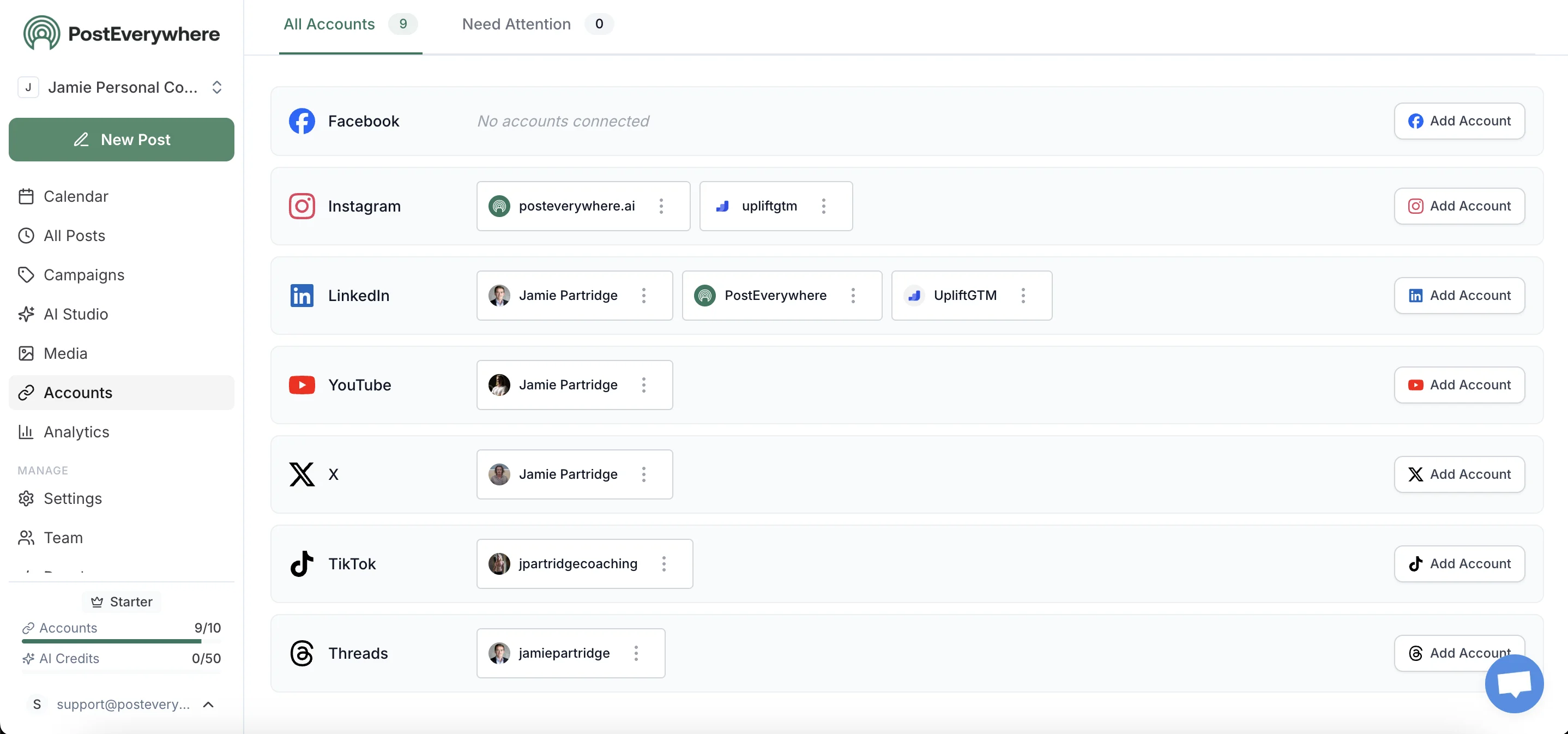
Connect TikTok via the TikTok scheduler, plus Instagram, YouTube, Pinterest, and the others. Each connection is independent. TikTok's API doesn't see what you post to the other platforms, and vice versa.
Step 2: Upload your master file
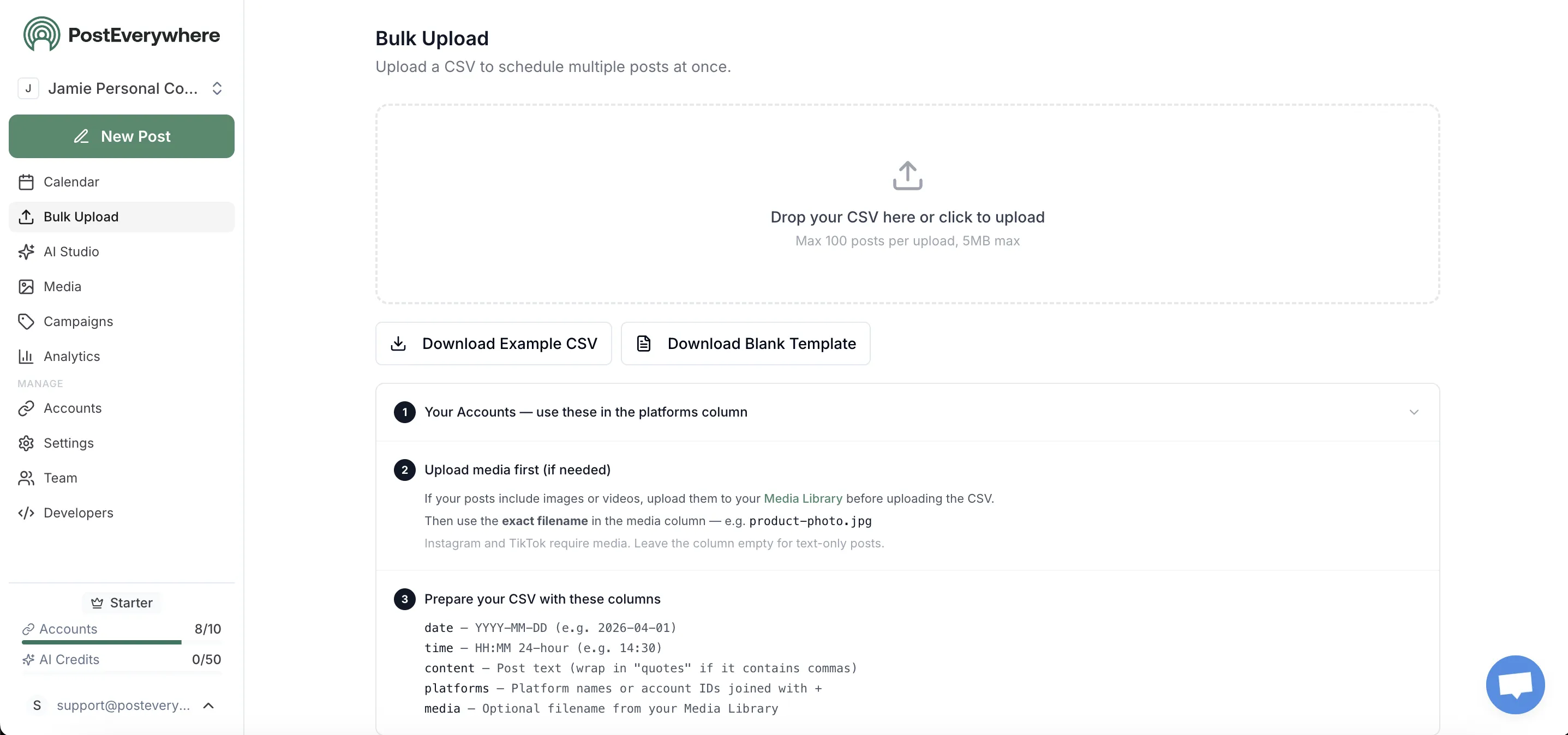
Upload the master file: the version you exported from CapCut, Premiere, or your phone's camera roll. This file has no TikTok watermark because it was never processed by TikTok. The composer detects the aspect ratio and confirms which platforms can accept it natively (9:16 vertical works for TikTok, Reels, Shorts, and Pinterest video pins).
Step 3: Per-platform captions

Tailor the caption per platform: TikTok's hashtag-heavy style, Reels' short hook, Shorts' question opener, Pinterest's keyword-loaded description. The AI caption generator can adapt the base copy to each platform's conventions, but you keep editorial control before publish.
This is what Mosseri's 2025 guidance actually rewards: same content, tailored framing per platform.
Step 4: Schedule once, publish everywhere

Schedule all four to publish at each platform's optimal window. TikTok peaks around 6-10pm local; Reels at 7-9am and 7-9pm; Shorts at lunch and after-work; Pinterest skews evening. The content calendar handles the staggering automatically.
Step 5: Track per-platform reach to confirm it's working
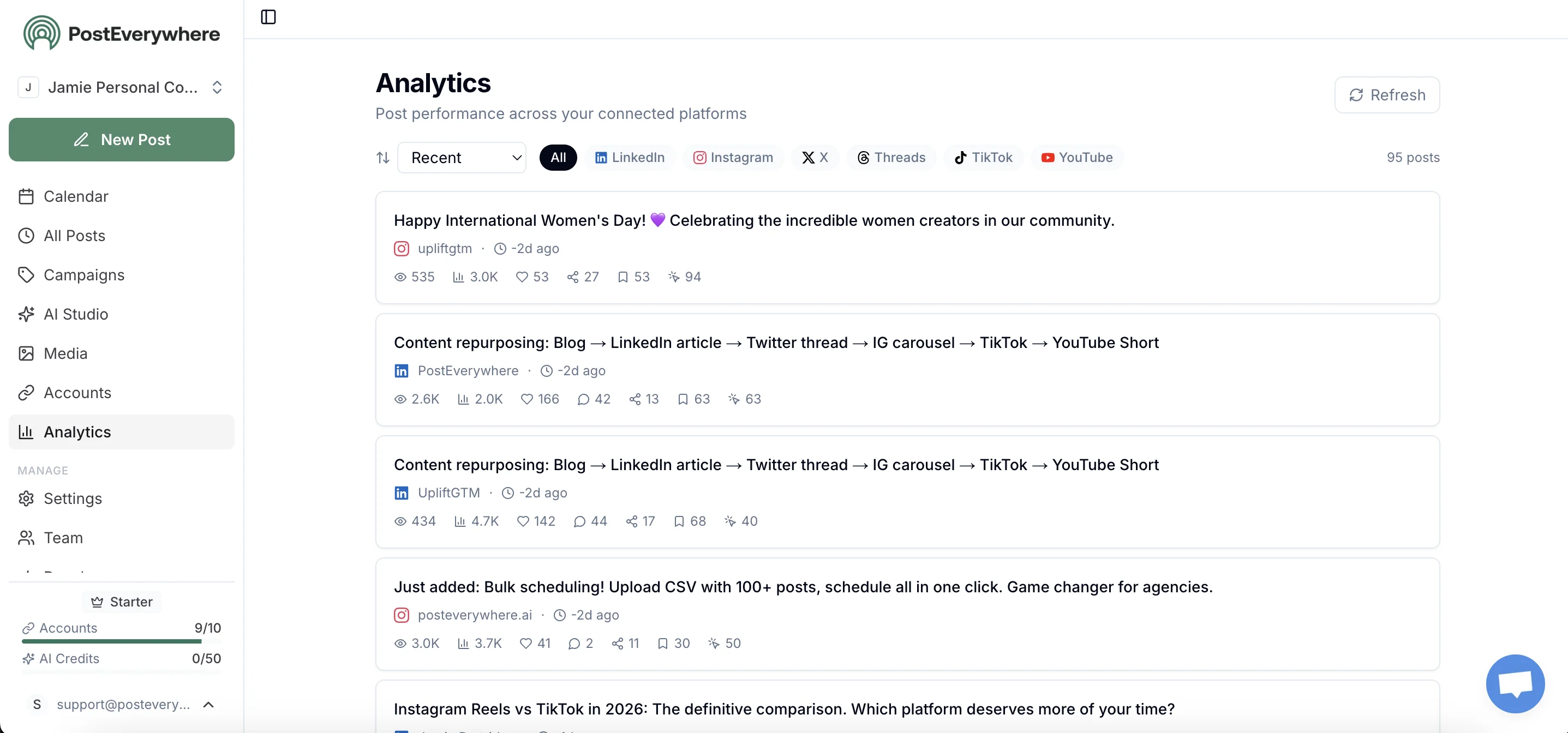
The proof the watermark-free workflow is working: per-platform reach. If TikTok pulls 20K views and Reels pulls 8K from the same master file, that's the original-content algorithm rewarding you. If you'd cross-posted the watermarked version instead, Reels would have pulled 800.
For attribution beyond impressions, append UTMs with the free UTM link builder so traffic source data is clean across every cross-post.
Frequently asked questions about removing the TikTok watermark
Is removing the TikTok watermark legal?
It depends on whose content it is. TikTok's terms grant you full rights to your own content and downloading your own TikToks via the save-draft method or a third-party tool isn't a violation.
Removing the watermark from someone else's video to repost as yours violates TikTok's intellectual property policy and copyright law more broadly. Section 3.10 of TikTok's Terms of Service also specifically prohibits removing watermarks or content-authentication marks from AI-generated content, regardless of who created it.
What's the highest-quality way to remove a TikTok watermark?
The "save draft + post to private" method (Method 1 above) produces the cleanest output because the file you save is the pre-render version before TikTok composites the watermark onto the encode.
You get full 1080p, original audio bitrate, and no compression loss. Third-party downloaders are usually 90-95% of that quality; screen recording is closer to 60-70%.
Why does my Reel get fewer views when it has a TikTok watermark?
Because Mosseri's January 2025 algorithm guidance pulls watermarked content from Reels recommendations. Per the CNBC interview, the post can stay visible to existing followers but won't surface to new audiences via Explore or the Reels tab.
Reach drops 60-80% based on the December 2025 enforcement data.
Does YouTube actually detect TikTok watermarks?
Yes. YouTube deployed Watermark Detection AI specifically for Shorts. Channels that consistently upload watermarked content are excluded from the YouTube Partner Program and have their Shorts demoted in the recommendation feed. See our TikTok, Reels and Shorts cross-posting workflow for the steps that avoid this.
What if I want to cross-post TikTok to Reels and Shorts at the same time?
Use the master-file approach via a cross-posting scheduler. Upload the source export to all three platforms in parallel, none sees a watermarked version, all three algorithms treat it as native. Full breakdown in the Instagram, TikTok and Shorts same-time cross-posting guide.
Are SnapTik and Vmake safe to use?
Both are legitimate browser-based tools. The risk isn't the tools; it's the content you put through them. Downloading your own TikToks is fine. Downloading and reposting others' videos triggers DMCA takedowns and account bans. SnapTik's ad load is lighter than SSSTikTok's; both stay in-browser.
Will Instagram detect a TikTok watermark I blurred or cropped out?
Probably. Instagram's recommendation system flags duplicate or recycled content alongside visible watermarks, per Mosseri's January 2025 announcement. A blurred TikTok logo is still a watermark to the system, and a cropped video that loses the bottom corner often still matches another version of the same TikTok already on Instagram.
Removing the watermark cleanly, or never adding it, beats post-hoc obfuscation.
Does TikTok's "Share to Instagram" button remove the watermark?
No. TikTok's share-to-Instagram option posts the watermarked file. Use the save-draft + private-post method to get a clean master, then upload to each platform separately or via a scheduler.
Do CapCut watermarks get penalised on Reels too?
Yes. Instagram's rule covers watermarks from other video editing apps, not just TikTok's logo, and CapCut's free-tier outro counts. Delete the outro clip on the timeline before export, or turn it off in CapCut's Settings → Default ending → Off.
Related guides
- How to post to Instagram and TikTok at the same time: the Reels, TikTok and Shorts same-time workflow
- YouTube Shorts vs TikTok: how the two platforms differ
- Instagram Reels scheduler: Reels-specific scheduling
- Cross-posting feature overview: product page
- Cross-posting guide: broad strategy primer
Stop fighting watermarks. Skip them entirely. PostEverywhere posts your master video to TikTok, Reels, Shorts, Pinterest, X, LinkedIn, Facebook, and Threads from one composer. Clean files, native algorithms, no removal step required. Start your 7-day trial →

Founder & CEO of PostEverywhere. Writing about social media strategy, publishing workflows, and analytics that help brands grow faster.