The best social media scheduling tools let you plan, create, and auto-publish content across Instagram, TikTok, LinkedIn, Facebook, X, and YouTube from one dashboard, saving hours every week while keeping your posting consistent. A good social media scheduler helps you schedule posts in advance and manage all your accounts from one place.
Quick answer: For most people, PostEverywhere is the best all-round scheduler in 2026: it covers all 11 platforms with built-in AI and a visual calendar from $9/month. Planable is the strongest pick for teams that need client approvals, and Hootsuite suits large enterprises that need social listening at scale.
If you're juggling multiple social media accounts, you know the pain: logging into 5 different apps, copying captions, reformatting images, and trying to remember what you posted where. Miss a day and your engagement drops. Post at the wrong time and nobody sees it. You need social media scheduling software that makes it easy to schedule posts across all platforms.
Marketers who plan and schedule content in advance post more consistently, and consistency is what most social media strategies are built on. With billions of users across platforms and engagement rates shifting every year (see the latest social media statistics), the right social media scheduler does not just save time, it changes how you approach content.
But with dozens of scheduling tools on the market, how do you choose the best social media scheduling software? We tested 30+ social media schedulers over 6 months, evaluating features, pricing, ease of use, and platform support. Here are the 13 best social media scheduling tools to schedule posts and grow your presence.
Running this across many clients changes the process; our social media workflow for agencies maps it.
See also what a second pair of eyes actually costs in seats.
TL;DR: Quick Picks
- Best overall: PostEverywhere: built-in AI, all 11 platforms, best value, and the only pick with a hosted a connector your assistant can drive included on every plan, so Claude or ChatGPT can run it
- For approvals: Planable: visual approvals, unlimited users
- For agencies: Statusbrew: flat-rate plans, per-client workspaces, multi-step approvals
- For visual planning: Later: Instagram-first calendars
- For enterprises: Hootsuite: scalable, extensive integrations
- For simplicity: Buffer: the cleanest queue, billed per channel
- Free option: Metricool (free tier) or native platform tools
We break down what these tools actually cost by account count separately.
Table of Contents
- How We Tested These Tools
- How the 13 Tools Scored
- What to Look for in a Social Media Scheduling Tool
- The 13 Best Social Media Scheduling Tools
- Social Media Scheduling Tools Comparison
- Free Social Media Scheduling Tools vs Paid: What You Actually Get
- Native Scheduling vs Third-Party Tools
- What Changed in Scheduling Tools in 2026
- Scheduling Tools by Use Case
- How to Switch Scheduling Tools Without Losing Content
- How to Choose the Best Social Media Scheduling Tool
- Social Media Scheduling Tools FAQs
How We Tested These Tools
I don't write roundups based on feature pages and pricing tables. I've personally used every tool on this list, some for years, some for focused multi-week testing periods. Here's the methodology behind these rankings.
Testing period: Our initial evaluation ran from June to November 2025, with ongoing retesting through July 2026 as tools shipped major updates (especially their AI features). Each tool was tested for a minimum of 14 days with real accounts publishing real content.
What we tested:
Setup and onboarding: How long from signup to first scheduled post? Did I need documentation, or was it obvious?
Daily scheduling workflow: Creating a week's worth of content across Instagram, TikTok, LinkedIn, and Facebook. Timed each tool to measure actual workflow speed.
Cross-posting accuracy: Does the same post actually look right on every platform, or does formatting break? I checked character truncation, image cropping, and hashtag handling across each network. The full methodology comes from our cross-posting on social media workflow guide.
Publishing reliability: Posts that fail silently are worse than useless. I tracked publish success rates over 200+ scheduled posts per tool, and ranked the same field on that measure alone in our publishing tools roundup.
AI features: Caption generation quality, image suggestions, and best-time predictions. I compared AI-suggested posting times against actual engagement data from our engagement rate calculator.
Mobile experience: Scheduling on the go matters. I tested every tool's mobile app (or lack thereof) for quick edits and approvals.
How we scored: Each tool was rated across five categories: platform coverage, ease of use, feature depth, value for money, and publishing reliability. I weighted publishing reliability highest because a scheduler that drops posts is a liability. As a check on my own bias, I also cross-referenced each rating against the aggregated user reviews in G2's social media management software category, where thousands of verified users score these same tools.
Disclosure: PostEverywhere is our product. I've been transparent about that throughout this article. Every other tool was tested on its standard paid plan (not a press account or demo environment), and I paid for every subscription out of pocket.
About the author: I'm Jamie Partridge, founder of PostEverywhere. I've spent years building scheduling software and using rival tools daily, which is both why I hold strong opinions about them and why I put my bias on the table up front. There's more on how I test and write on my author page.
How the 13 Tools Scored
The same five categories from the methodology above, scored out of 5. Publishing reliability is weighted highest in the overall rank.
| Tool | Platforms | Ease of use | Features | Value | Reliability | Overall |
|---|---|---|---|---|---|---|
| PostEverywhere | 5.0 | 4.5 | 4.5 | 5.0 | 4.5 | 4.7 |
| Planable | 3.5 | 4.5 | 4.0 | 4.0 | 4.5 | 4.2 |
| Buffer | 4.5 | 5.0 | 3.0 | 3.5 | 4.5 | 4.1 |
| Metricool | 3.5 | 3.5 | 4.0 | 4.5 | 4.0 | 4.0 |
| Statusbrew | 4.0 | 3.5 | 4.5 | 3.5 | 4.0 | 3.9 |
| Sprout Social | 3.5 | 3.5 | 4.5 | 2.5 | 4.5 | 3.8 |
| SocialBee | 4.0 | 3.0 | 4.0 | 3.5 | 4.0 | 3.8 |
| Agorapulse | 3.0 | 4.0 | 4.0 | 3.0 | 4.5 | 3.7 |
| Later | 3.0 | 4.5 | 3.5 | 3.5 | 3.5 | 3.6 |
| Sendible | 3.5 | 3.5 | 3.5 | 3.5 | 4.0 | 3.6 |
| Hootsuite | 5.0 | 2.5 | 4.5 | 2.0 | 4.0 | 3.5 |
| Publer | 4.0 | 4.0 | 2.5 | 4.5 | 3.5 | 3.5 |
| Planoly | 2.0 | 4.0 | 2.5 | 3.5 | 3.5 | 3.0 |
Scores restate the judgments written in each review below: a 2.0 on value means exactly what the entry says in words, and reliability reflects the publish-failure tracking from the 200+ post test runs per tool.
What to Look for in a Social Media Scheduling Tool
Before the rankings, here's what actually separates a good scheduling tool from a mediocre one:
Platform Support
The best social media scheduling tools support all major platforms:
- Instagram (feed, Stories, Reels)
- TikTok (videos, direct publishing)
- LinkedIn (profiles, company pages)
- Facebook (pages, groups)
- X/Twitter (posts, threads)
- YouTube (videos, Shorts)
Some tools excel on specific platforms. If you're Instagram-focused, a tool with strong visual planning matters more than LinkedIn features. Not sure whether you need a dedicated platform or if native scheduling is enough? Read our scheduling platform vs native tools comparison.
Core Features to Evaluate
| Feature | Why It Matters |
|---|---|
| Visual calendar | See all scheduled content at a glance |
| Bulk scheduling | Upload 10-50 posts at once |
| Cross-posting | Publish to multiple platforms simultaneously |
| Best-time suggestions | AI recommends optimal posting times |
| Media library | Store and organise images and videos, using free stock video sites to build your library |
| Team collaboration | Roles, approvals, separate client spaces |
| Analytics | Track performance with engagement rate calculators, social media analytics, and industry benchmarks |
| AI assistance | Caption generation, hashtag suggestions |
| Microsites | Turn a single bio link into a clickable landing page for your latest posts and offers |
Pricing Considerations
Social media scheduling tools typically charge based on:
- Number of social profiles connected
- Number of team members
- Number of scheduled posts per month
- Advanced features (analytics, AI, white-label)
Most tools offer free trials. Test 2-3 before committing. If you manage multiple brands, look for multi-account management capabilities. Agencies should also check out our social media tools for agencies, and small businesses can explore our small business social media tools for tailored recommendations.
The 13 Best Social Media Scheduling Tools
1. PostEverywhere: Best Overall

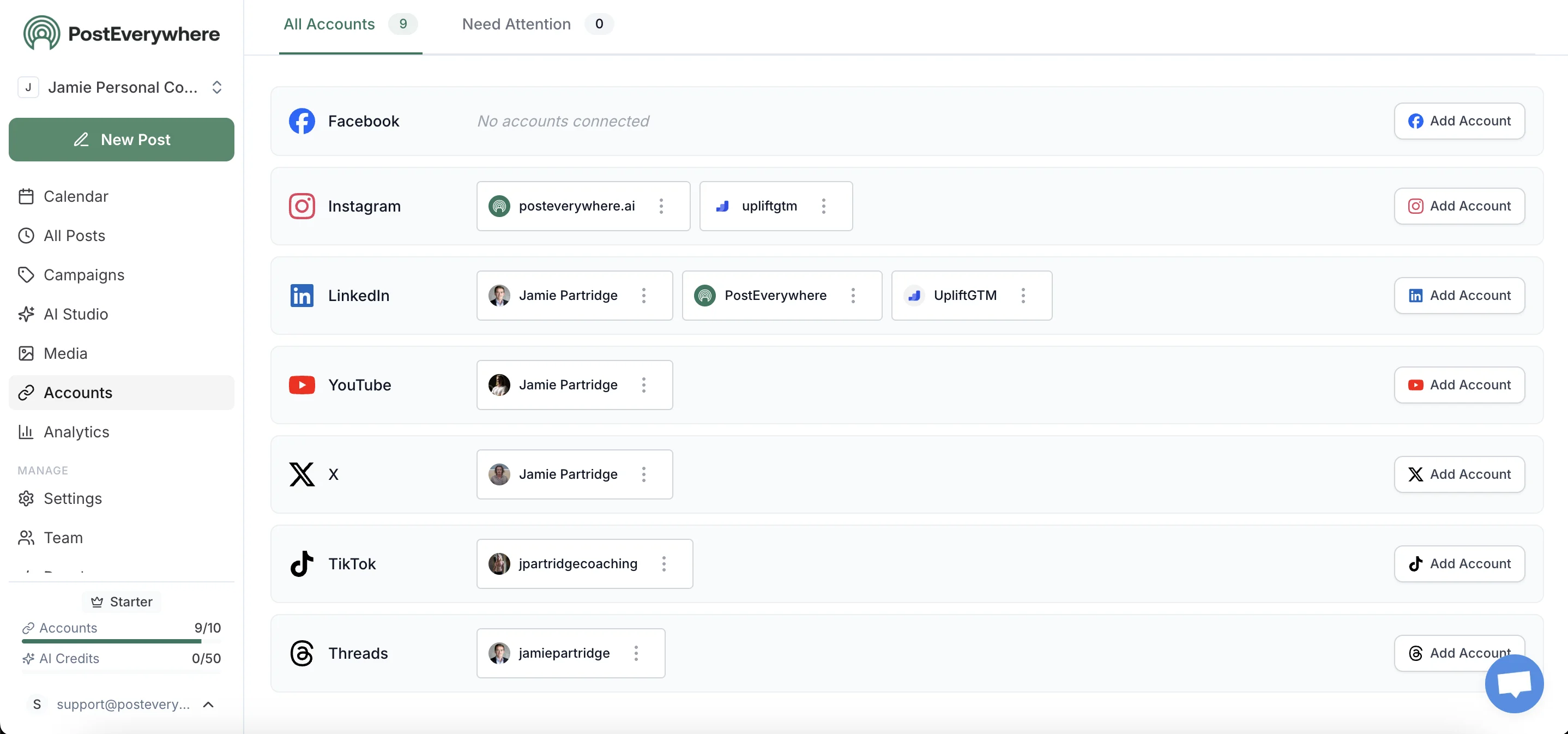
PostEverywhere is a social media scheduling tool built for AI agents: a full scheduler for people, with an AI content studio, visual calendar, and running the whole channel across all 11 platforms, and an execution layer that Claude, ChatGPT, or any agent can operate through its hosted the same connector. Built for creators, small businesses, and marketing teams who want powerful features without enterprise pricing.
I built PostEverywhere, so weigh my praise accordingly. What I can say plainly is why it sits at the top for most people reading this: it's the only tool here that connects all eleven networks, drafts the content, and schedules it without an enterprise invoice attached. Testing it beside the legacy names, the thing that kept standing out was how quickly a blank week filled up, because the AI writes a platform-specific caption you edit rather than a blank box you stare at. It's not the pick if you need Sprout's depth of listening or a fifteen-person sign-off chain. But for a creator or small team who'd rather have one login than five, it's hard to beat on value.
Platforms supported: Instagram, TikTok, LinkedIn, Facebook, X, YouTube, Threads, Pinterest, Bluesky, Telegram, Discord
Key features:
- Plan the month on one grid with drag-and-drop scheduling
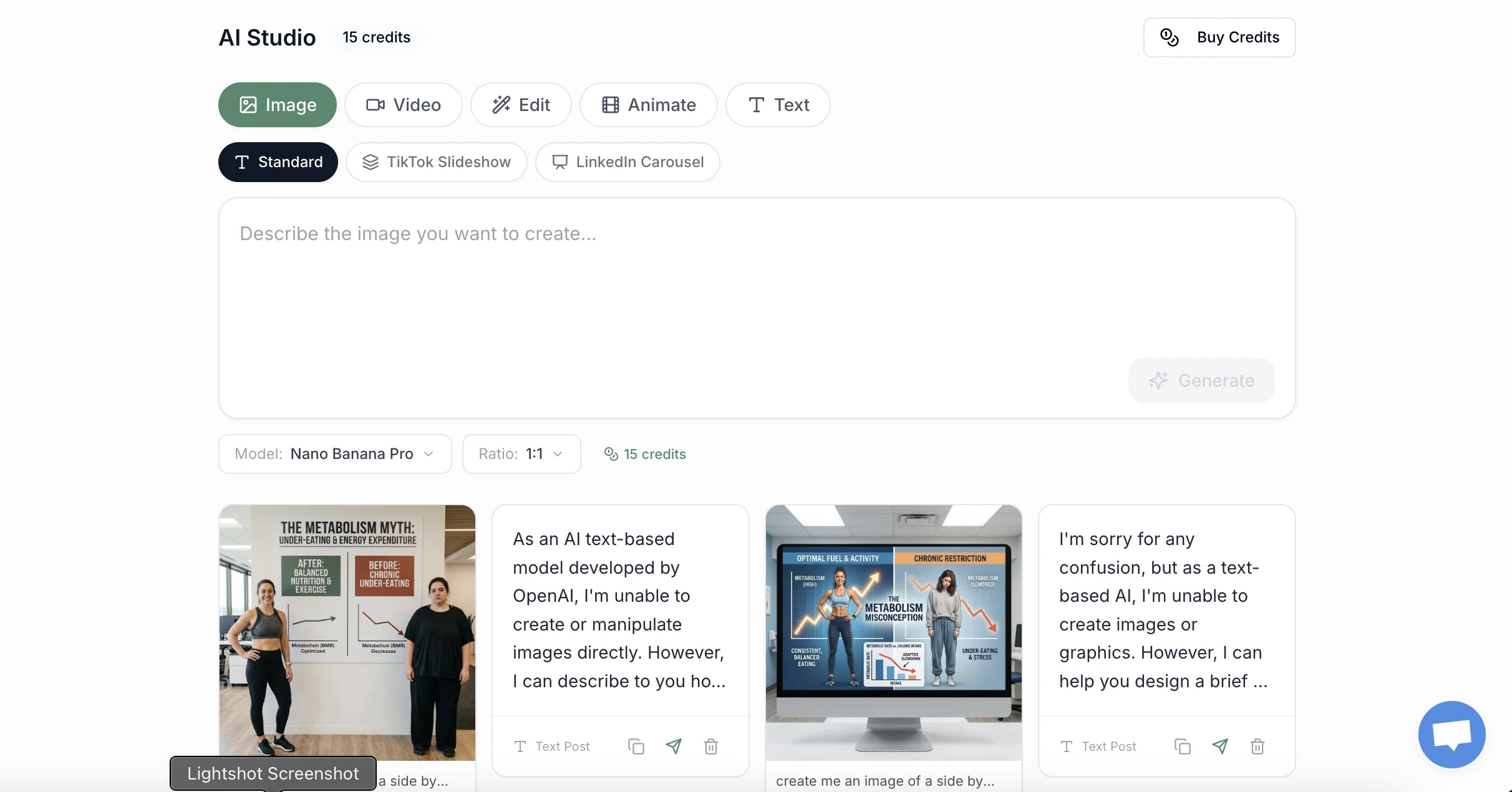
- AI content generator: create images, videos, and captions with AI
- visuals generated from a prompt: generate product photos and graphics from text prompts
- AI caption generator for all platforms
- Cross-platform publishing: post everywhere at once
- Social media publishing: create, adapt, and distribute content
- Bulk upload and batch scheduling
- Smart scheduling with best-time recommendations
- Hashtag research and suggestions
- tagging links for attribution for campaign tracking
Pricing: Starts at $9/month (7-day free trial, cancel anytime)
Pros:
- All 11 platforms in one dashboard
- AI content suggestions for captions, images, and video
- Clean, intuitive interface
- Excellent value for features included
- Fast customer support
Cons:
- Newer platform (less brand recognition than legacy tools)
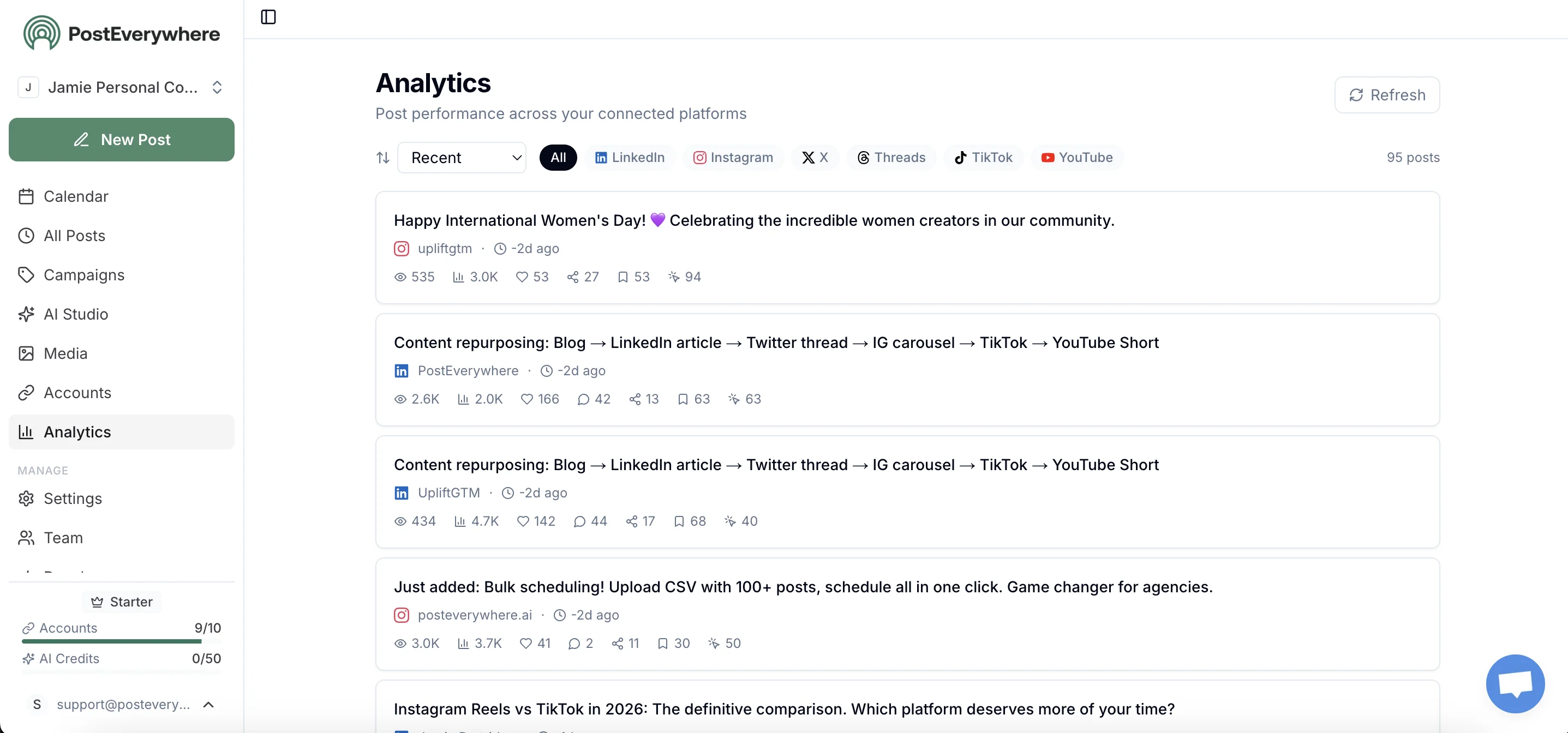
- Advanced analytics in higher tiers
Best for: Creators, small businesses, and teams wanting modern features at fair pricing.
Skip it if: you need enterprise-grade social listening or a 20-seat approval hierarchy today.
Try PostEverywhere free: Start your 7-day trial, cancel anytime →
2. Planable: Approval Workflows Done Right
Planable is a content planning and approval platform built for teams that need structured collaboration workflows. It shows draft posts exactly as they'll appear once published, making it easy for clients and stakeholders to review and approve content.
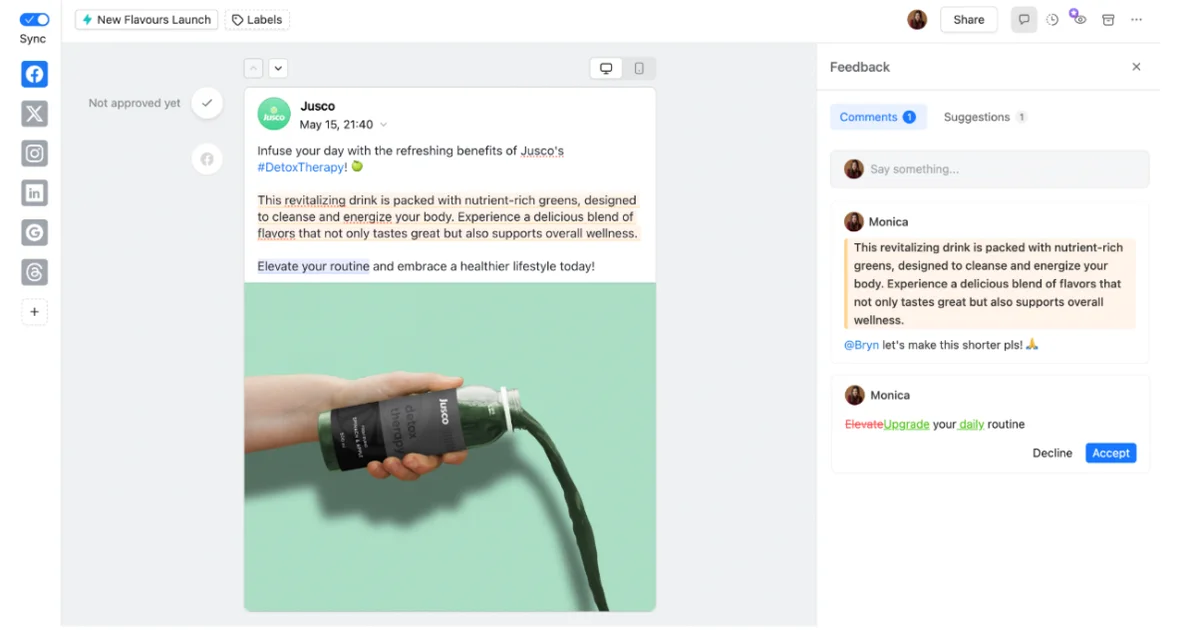
Planable is the tool I reach for the moment a client or a manager joins the process.
Most schedulers treat approvals as an afterthought; Planable is built backwards from them. You see the post exactly as it will appear, your reviewer approves it or leaves a comment pinned to the precise word they want changed, and nothing publishes until someone signs off. The four approval modes, from none to multi-level, let a lone freelancer and a ten-person agency both make it fit. What you trade away is depth elsewhere: analytics are thin, and the per-workspace pricing stacks up quietly once you run several clients. For the narrow job of getting content reviewed without a tangle of email threads and screenshots, nothing here does it better.
Platforms supported: Instagram, TikTok, LinkedIn, Facebook, X, YouTube, Threads, Pinterest, Google Business Profile
Key features:
- Visual content planning with feed, calendar, grid, and list views
- Real-time collaboration with comments and annotations
- Multi-level approval workflows (none, optional, required, multi-level)
- Universal content support (social posts, blogs, newsletters, emails)
- Media editing for images and videos
- Unified inbox for comments across platforms
Pricing: Free (50 posts total); Basic $33/month per workspace; Pro $89/month per workspace
Pros:
- The strongest approval workflows on this list
- Unlimited users on every plan (no per-seat fees)
- Pixel-perfect post previews
- 9 platform support including Threads and Google Business
- Clean, intuitive interface
Cons:
- Post limits on lower tiers (60 posts/month on Basic)
- Per-workspace pricing can add up for agencies
- Analytics are shallower than Sprout Social or Metricool
- AI features (captions, hashtags, rewrites) are newer and lighter than dedicated AI schedulers
Best for: Marketing teams, agencies, and freelancers who need client approvals and collaborative content workflows. See our Planable alternatives if the per-workspace pricing stacks up.
Skip it if: you want deep native analytics or built-in social listening, which are not its focus.
3. Hootsuite: The Enterprise Heavyweight
Hootsuite is one of the oldest and most comprehensive social media management platforms, designed for large teams and enterprises.
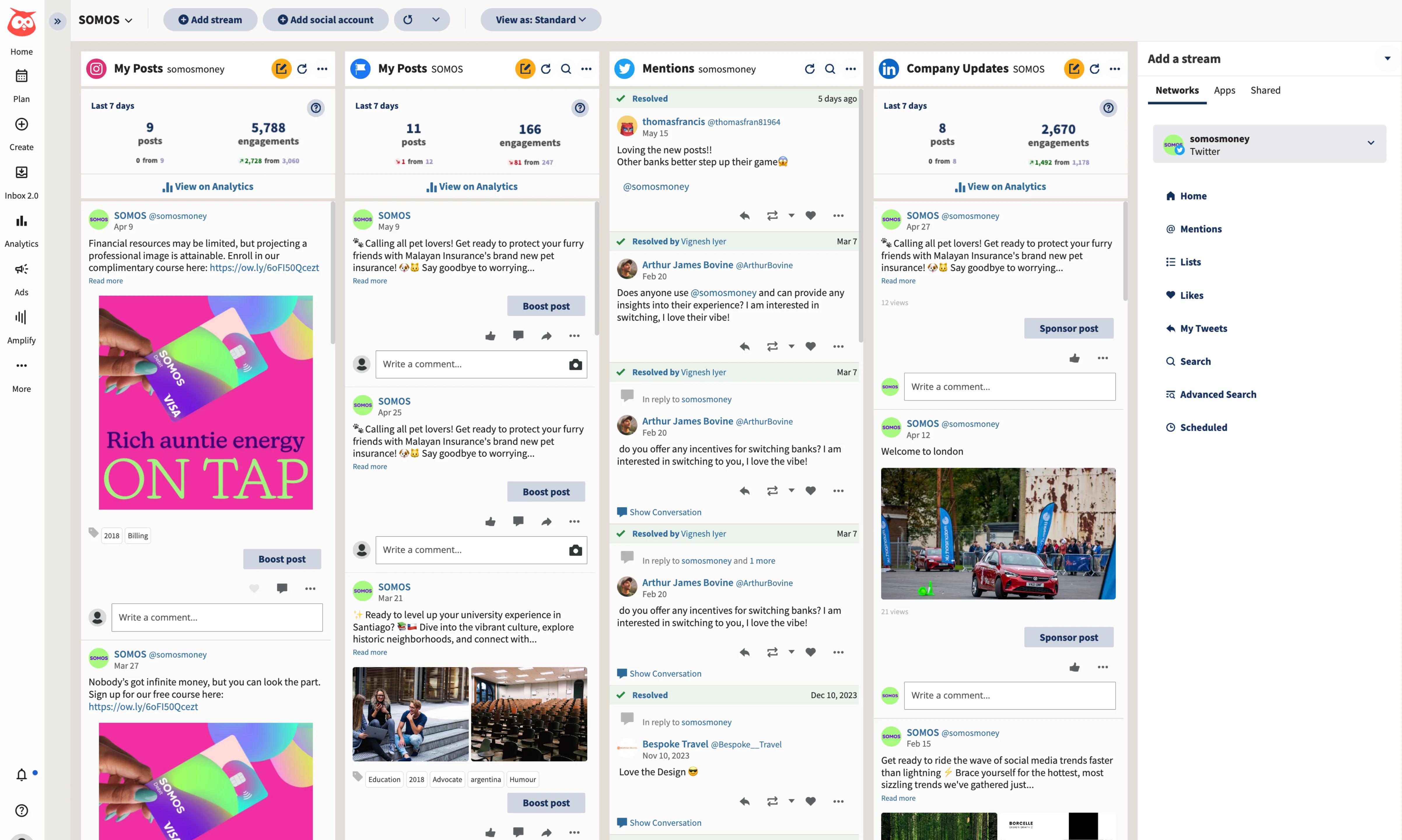
Everyone has heard of Hootsuite, and using it in 2026 shows you what that legacy buys and what it costs.
The reach is genuinely huge: twenty-plus networks, social listening, ad management, an inbox that pulls every message into one place. The catch is that it all arrives at once. People I've watched open the dashboard for the first time tend to pause, a little lost, before they find where anything lives. Pricing has drifted a long way from the near-free tool Hootsuite once was, and the entry plan is now $99 a month for a single seat. If you're a large team that needs everything under one roof and has someone to run it, that adds up. Anyone smaller ends up paying for power they never touch.
Platforms supported: Instagram, TikTok, LinkedIn, Facebook, X, YouTube, Pinterest, and 20+ others
Key features:
- Unified inbox for all messages
- Advanced analytics and reporting
- Social listening
- Ad management integration
- Team workflows and approvals
- Extensive app integrations
Pricing: Standard $99/month (1 user, 10 accounts); Professional $199/month (unlimited accounts); Advanced $399/month
Pros:
- Extremely comprehensive
- Handles high-volume posting
- Strong enterprise security
- Extensive integrations
- Social listening included
Cons:
- Expensive for small teams
- Interface can feel overwhelming
- Steep learning curve
- Free plan discontinued
Best for: Enterprises and large teams with complex social media operations. If you're considering switching, see our what teams move to instead guide for a detailed comparison.
Skip it if: you're a solo creator or small team, where the price and complexity outrun what you'll actually use.
4. Statusbrew: Flat-Rate Multi-Account Publishing
Statusbrew is a social media management platform built for agencies and brands managing multiple accounts, with publishing, approvals, and reporting in a single dashboard.
It covers the core of what Sprout Social and Hootsuite offer, but with flat, plan-based pricing instead of per-seat billing, which is exactly the line item that stings as a team grows. Workspaces and Profile Groups keep every brand or client separate, approvals run multi-step with granular roles, and the reporting engine produces branded client exports without spreadsheet surgery. It also has an MCP integration so Claude or ChatGPT can run reports and schedule posts, offered as a paid add-on on the Premium and Enterprise plans.
Platforms supported: Instagram, TikTok, LinkedIn, Facebook, X, YouTube, Pinterest, Threads, Google Business Profile
Key features:
- Visual content calendar with bulk scheduling (up to ~400 posts via CSV, 12 months ahead)
- Workspaces and Profile Groups to keep every brand or client separate
- Multi-step approval workflows with granular roles and permissions
- Reporting with 270+ metrics, 20+ templates, and branded client reports
- MCP integration so Claude or ChatGPT can run reports and schedule posts (Premium and Enterprise add-on)
- Smart AI Composer and 68+ automation rules
Pricing: Standard $129/month; Premium $229/month; custom Enterprise pricing for scale (free trial)
Pros:
- Flat, plan-based pricing that doesn't multiply per seat
- Built for agencies and multi-account teams (Workspaces, roles, approvals)
- Deep, customizable reporting with branded exports
- MCP supports running it from ChatGPT or Claude
Cons:
- Not built for influencer or TikTok Shop workflows
- Social listening is lighter than dedicated listening suites
- No free plan (trial only), and MCP costs extra on top
Best for: Agencies and in-house teams managing multiple brands or clients who want Sprout or Hootsuite-level features without per-seat pricing.
Skip it if: you're a solo creator who just needs simple scheduling on one or two platforms.
5. Sprout Social: Agency-Grade Analytics at a Price
Sprout Social is a premium social media management platform focused on analytics, reporting, and client management.
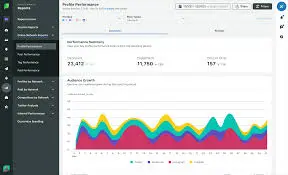
Agencies tend to graduate to Sprout Social once the monthly report becomes part of what they sell. The analytics and client reporting are the best on this list, and the reports come out polished enough to forward to a client without touching them. Listening is built in rather than sold separately. All of it sits behind a price that makes people wince: $199 per seat to start, and the tier you actually want usually costs more. I wouldn't steer a solo creator anywhere near it. But if you bill clients a couple of thousand a month and your reputation rides on that monthly report, Sprout earns back its cost in the hours you stop losing to spreadsheets.
Platforms supported: Instagram, TikTok, LinkedIn, Facebook, X, YouTube, Pinterest, WhatsApp
Key features:
- Industry-leading analytics
- Social listening and monitoring
- CRM integration
- Client reporting (white-label)
- Team collaboration tools
- Unified smart inbox
Pricing: Standard $199/user/month; Professional $299/user/month; Advanced $399/user/month
Pros:
- The deepest analytics of any tool here
- Excellent client reporting
- Strong team collaboration
- Premium customer support
- Regular feature updates
Cons:
- Very expensive
- Per-seat pricing adds up fast
- Overkill for small teams
- Steep learning curve
Best for: Agencies managing multiple clients and teams needing advanced analytics. Explore our cheaper routes to the same reporting for more affordable options.
Skip it if: you can't justify $199+ per seat, since the value only lands for agencies and larger teams.
6. Buffer: The Simple Default
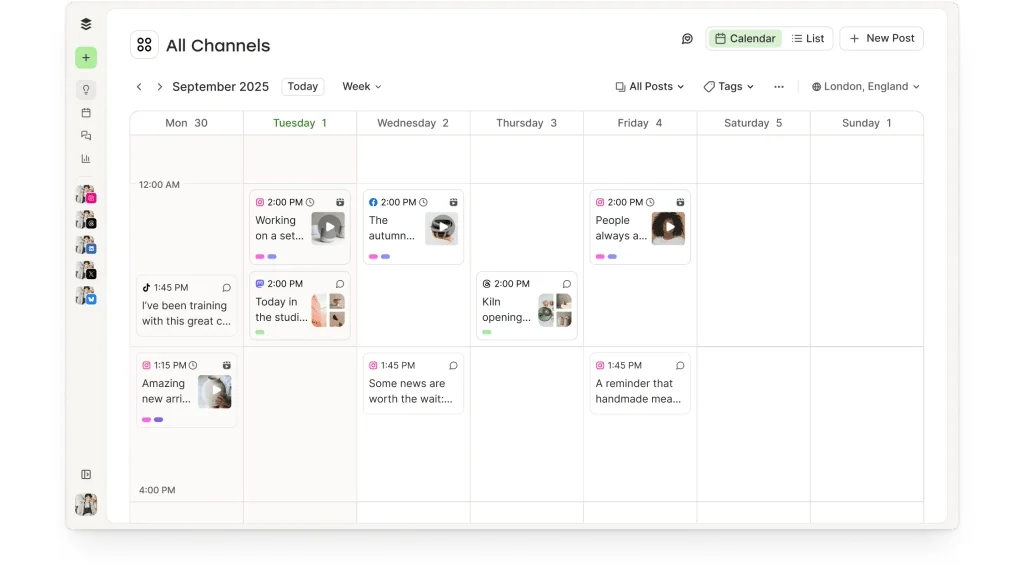
Buffer is the tool most people try first, and its reputation for clean, no-fuss scheduling is deserved. The composer, queue, and calendar are the most approachable in this list, and the AI Assistant is included on every plan.
Buffer covers 11 channels including Instagram, TikTok, LinkedIn, Facebook, YouTube, Pinterest, Threads, Bluesky, Mastodon, and Google Business Profile. The catch is the pricing model: plans are billed per channel, so the bill scales with every account you connect, and the total creeps up quietly for anyone managing more than a handful. Analytics are thin, there is no unified inbox, and team features are light, which is why many growing teams start on Buffer and later migrate off it.
Platforms supported: Instagram, TikTok, LinkedIn, Facebook, X, YouTube, Pinterest, Threads, Bluesky, Mastodon, Google Business Profile
Key features:
- The cleanest composer and queue in this list
- AI Assistant included on all plans
- Browser extension and mobile apps
- Link-in-bio tool (Start Page)
- Basic per-post analytics
Pricing: Free (3 channels); paid plans billed per channel at $5/channel/month
Pros:
- Easiest learning curve of any tool here
- AI Assistant on every plan, including free
- Broad channel support including Mastodon and Bluesky
- Trusted brand with a long track record
Cons:
- Per-channel pricing stacks up fast with multiple accounts
- Analytics are shallow compared to Metricool or Sprout
- No unified inbox or approval workflows
- Light on team features
Best for: Solo creators and very small teams who want dependable scheduling with zero learning curve. Comparing options? See our Buffer alternatives roundup or the PostEverywhere vs Buffer head-to-head.
Skip it if: you manage many accounts (per-channel billing punishes you) or need analytics and approvals.
7. Later: Visual-First Planning
Later started as an Instagram scheduler and remains the go-to choice for visual-first brands and creators.
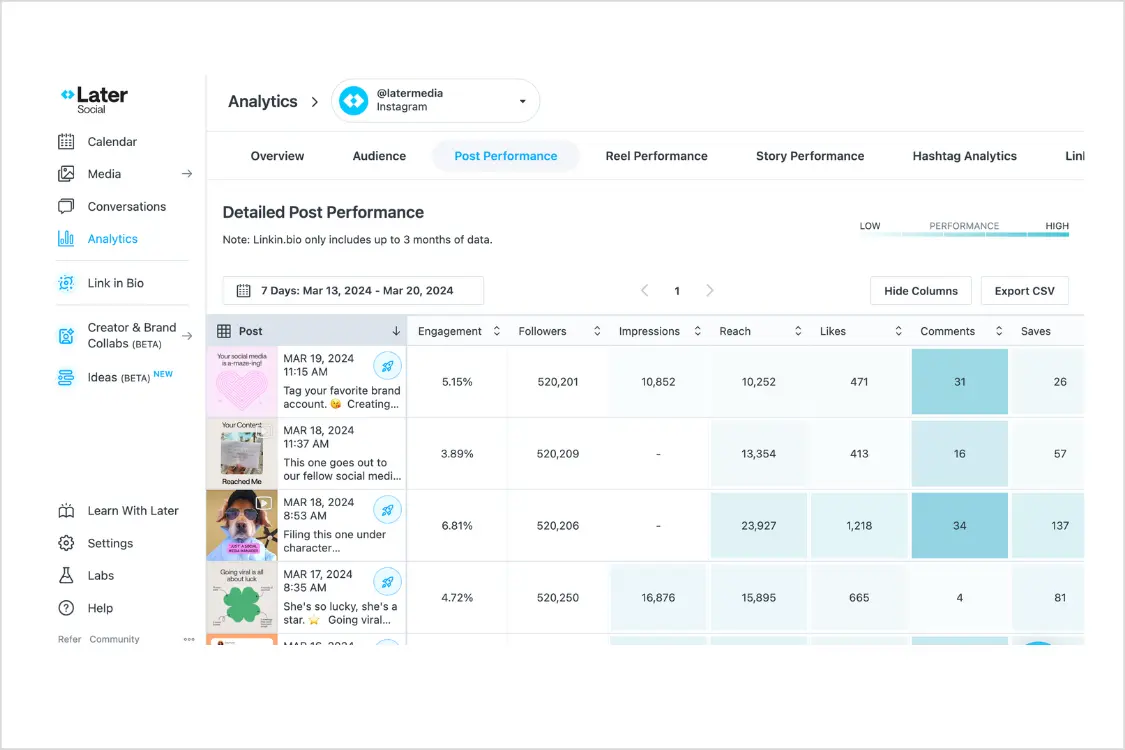
Later has never really stopped being an Instagram tool, and that focus is the point.
Its visual planner is still the nicest way I've found to lay out a feed before it goes live: drag the thumbnails around a grid until the profile looks right, then schedule straight from there. Linkin.bio turns your bio link into a shoppable page, which is why so many product brands stay. Push it past Instagram and Pinterest, though, and you feel the seams; LinkedIn and X work, but they're clearly not where the attention went. The permanent free plan is gone now, so the real entry point is about $25 a month. For a visual brand that lives on the grid, that's money well spent. For a multi-network operator, it'll frustrate you.
Platforms supported: Instagram, TikTok, LinkedIn, Facebook, X, Pinterest
Key features:
- Visual content calendar (drag-and-drop grid)
- Instagram feed preview
- Linkin.bio (link-in-bio tool)
- User-generated content discovery
- Best time to post suggestions
- Media library with labels
Pricing: Starter $25/month (free trial only, no permanent free plan)
Pros:
- Beautiful visual planning
- Instagram feed preview
- Strong for visual content
- Good UGC tools
- Linkin.bio included
Cons:
- Instagram-centric (other platforms feel secondary)
- Limited analytics on lower tiers
- No unified inbox
- TikTok features are thinner than dedicated tools
Best for: Visual brands, Instagram-focused creators, and e-commerce businesses. Looking for more options? Check out the best Later alternatives.
Skip it if: LinkedIn or YouTube is central to your strategy, as Later is built around Instagram and visuals.
8. Agorapulse: The Unified Inbox
Agorapulse has been around since 2011 and built its reputation on community management. Its unified social inbox is genuinely one of the strongest in the industry: every comment, DM, mention, and review lands in one queue with assignment and saved replies, so teams that spend their day responding never lose a thread.
Scheduling, labels, and reporting are all solid, and the social listening add-on covers basic brand monitoring. The sting is the pricing model: plans are billed per user, with Standard at $79/user/month, Pro at $119, and Advanced at $149, so a five-person team on Advanced is close to $1,000 a month. Agorapulse also restructured its pricing upward in 2024-2025, so older reviews quote entry points that no longer exist.
Platforms supported: Instagram, Facebook, LinkedIn, X, YouTube, TikTok, Google Business Profile
Key features:
- Unified social inbox with assignment and saved replies
- Publishing, queues, and labels
- Social listening (basic searches)
- Report builder with team performance metrics
- Shared calendars for client review
Pricing: Standard $79/user/month; Pro $119/user/month; Advanced $149/user/month (free trial)
Pros:
- One of the best social inboxes anywhere
- Strong reporting, including team response metrics
- Mature, stable platform with good support
Cons:
- Per-user pricing gets expensive fast for teams
- Fewer platforms than most tools here
- Recent price increases outpaced feature additions
Best for: Community-heavy brands and support-minded teams where replying matters as much as posting. Weighing it up? See our Agorapulse alternatives guide or PostEverywhere vs Agorapulse.
Skip it if: you mainly need publishing across many platforms; you would be paying for an inbox you barely use.
9. SocialBee: The Content Recycling Specialist
SocialBee is built around one big idea: organize your content into categories (evergreen tips, promotions, curated links) and let the tool recycle each category on its own schedule. For anyone with a library of evergreen content, that engine keeps queues full for months with no daily effort.
SocialBee supports 10 networks (Instagram, Facebook, Threads, LinkedIn, X, Pinterest, TikTok, YouTube, Google Business Profile, and Bluesky) and includes its Copilot AI for generating a posting strategy and drafts. The trade-offs: the entry Bootstrap plan covers only 5 profiles at $29/month, roughly half what some rivals include at that price, and the interface takes longer to learn because the category system adds a layer of setup before you see the payoff.
Platforms supported: Instagram, Facebook, Threads, LinkedIn, X, Pinterest, TikTok, YouTube, Google Business Profile, Bluesky
Key features:
- Category-based queues with evergreen recycling
- Post expiration and variation per re-share
- Copilot AI strategy and caption generation
- Per-platform customization from one composer
- Agency tiers for high account counts
Pricing: Bootstrap $29/month (5 profiles); Accelerate $49/month; Pro $99/month (free trial)
Pros:
- The best evergreen recycling system in this list
- Categories keep a balanced content mix automatically
- Copilot AI helps non-writers ship consistently
Cons:
- Only 5 profiles on the entry plan
- Steeper setup before the recycling pays off
- Analytics are serviceable, not deep
Best for: Coaches, creators, and small businesses with evergreen content that deserves a second life. Comparing? See our SocialBee alternatives roundup or PostEverywhere vs SocialBee.
Skip it if: your content is time-sensitive news or launches; recycling is the whole point here.
10. Sendible: The White-Label Workhorse
Sendible is built for agencies that need white-label dashboards and client management at scale.

Sendible has one buyer in mind: the agency owner who needs to hand each client a dashboard with their own logo on it. The white-label option is the real reason to pick it, and the per-client reporting is the sort agencies lean on to keep contracts renewing. Feature for feature it's solid rather than exciting, and the interface shows its age next to newer tools, with bulk-upload limits you'll meet if you schedule in big batches. None of that matters much when white-labelling is the requirement, because few tools at this price do it properly. If you're not running client accounts, though, you're paying for machinery you'll never switch on.
Platforms supported: Instagram, TikTok, LinkedIn, Facebook, X, YouTube, Google Business
Key features:
- White-label dashboard
- Client management
- Unified inbox
- Content suggestions
- Custom reporting
- Team collaboration
Pricing: Creator $29/month; Traction $89/month; White Label $240/month
Pros:
- True white-label option
- Good agency features
- Reasonable pricing
- Solid platform support
- Client management
Cons:
- Interface feels dated
- Analytics are lighter than Sprout's
- Mobile app needs work
- Bulk upload limitations
Best for: Agencies wanting white-label client dashboards. Looking for alternatives? Check our Sendible alternatives guide.
Skip it if: you're not an agency, because the white-label features you're paying for will go unused.
11. Metricool: Analytics on a Budget
Metricool combines scheduling with deep analytics and competitor tracking at budget-friendly prices.
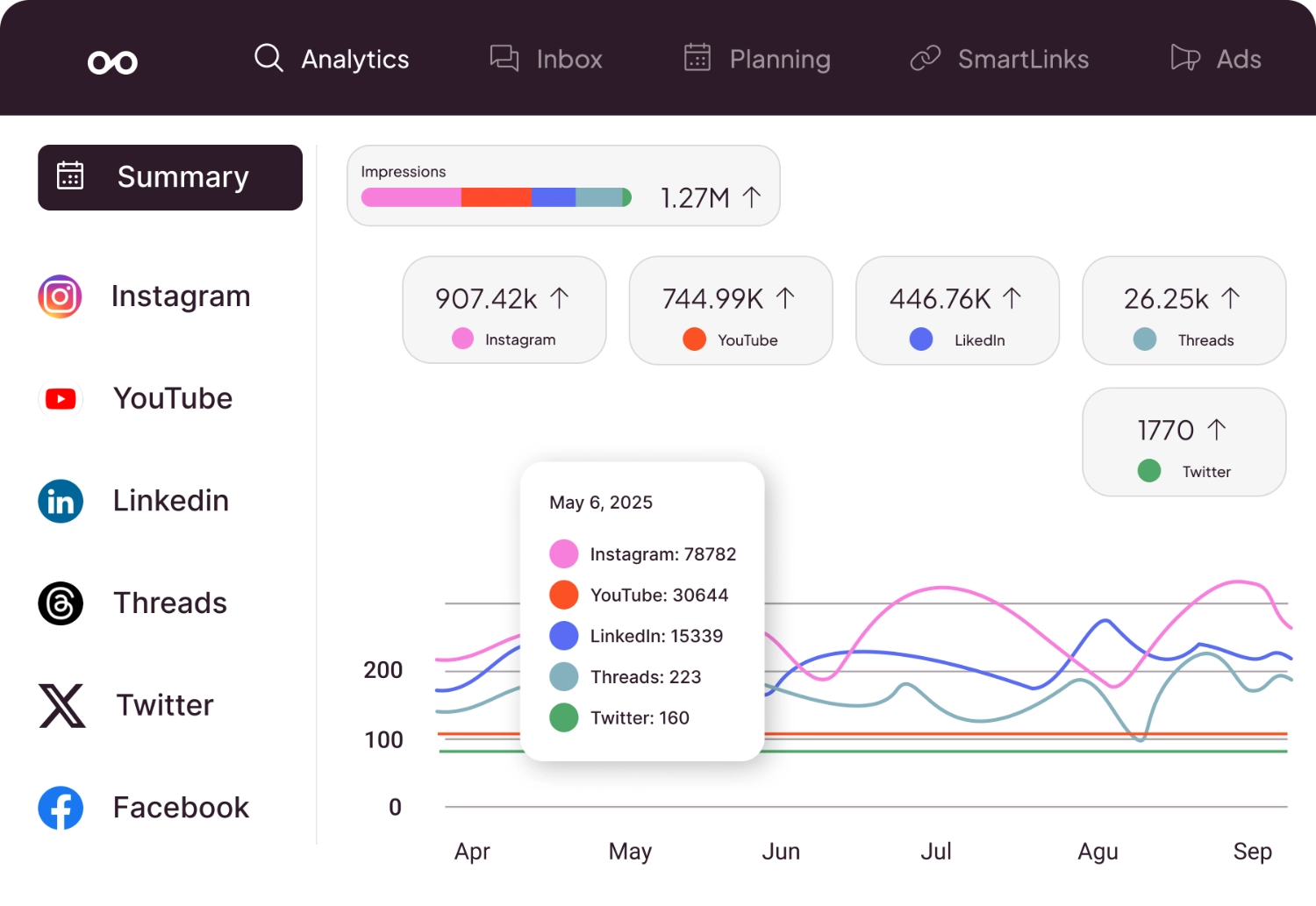
Metricool is the tool I quietly recommend to people who want Sprout's kind of analytics without Sprout's invoice. The reporting and competitor tracking are genuinely strong for the money, and the free tier is one of the few here worth using for longer than a weekend. It even schedules to Twitch, which nothing else on this list does. The trade-offs are real but liveable: the interface takes a beat longer to click than Later or Publer, support can be slow, and bulk upload is capped. For a data-minded marketer on a budget who cares more about what happened than about a glossy composer, Metricool is the best value here.
Platforms supported: Instagram, TikTok, LinkedIn, Facebook, X, YouTube, Pinterest, Twitch
Key features:
- Advanced analytics dashboard
- Competitor analysis
- Hashtag tracking
- Best time to post
- Link-in-bio tool
- Ad analytics
Pricing: Free (1 brand, 50 posts/month); Pro $22/month
Pros:
- Excellent analytics for the price
- Competitor tracking
- Good free plan
- Affordable paid tiers
- Twitch support (unique)
Cons:
- Interface less intuitive
- Bulk upload limited
- Customer support slower
- Fewer integrations
Best for: Data-driven marketers who want analytics without Sprout's price tag. See our Metricool alternatives if you're comparing options.
Skip it if: you want bulk upload and fast support, both of which are weaker than the analytics.
12. Publer: The Budget Pick
Publer offers solid scheduling features at some of the lowest prices in the market. For a detailed comparison, see our Publer alternatives guide.
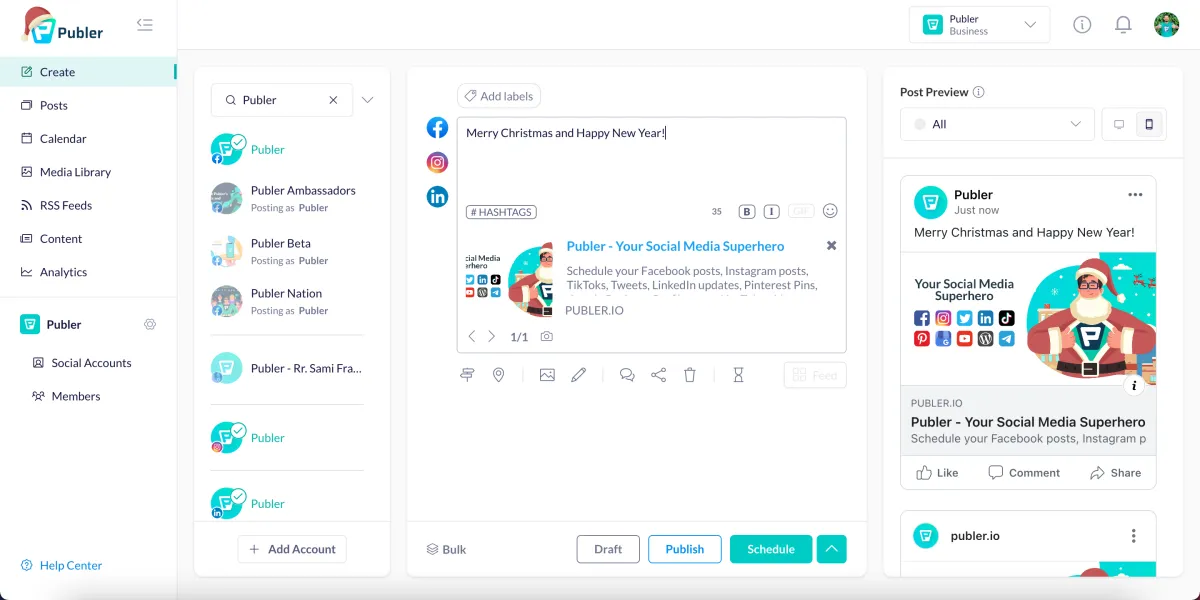
Publer is where I send budget-conscious people who still need to cover a lot of ground. For roughly the price of a couple of coffees a month it schedules to nine networks, handles bulk uploads, watermarks your images, and adds a browser extension on top. It's not glamorous, and you can feel where the money wasn't spent: analytics are basic and the AI is light. But nothing else here gives you this much platform coverage for this little. If you're starting out, watching every pound, and want a real tool rather than a free plan's worth of limits, Publer is the honest answer.
Platforms supported: Instagram, TikTok, LinkedIn, Facebook, X, YouTube, Pinterest, Google Business, Telegram
Key features:
- Visual calendar
- Bulk scheduling
- Auto-scheduling
- Watermark on images
- Browser extension
- Analytics
Pricing: Free (3 profiles, 10 posts/day); Professional $12/month
Pros:
- Very affordable
- Good platform coverage
- Bulk scheduling included
- Decent free plan
- Telegram support (unique: see our Telegram for Business guide for channel growth strategies)
Cons:
- Interface less polished
- Limited analytics
- Smaller company (support concerns)
- Fewer advanced features
Best for: Budget-conscious creators who need basic scheduling across many platforms.
Skip it if: you need advanced analytics or AI content, since the low price reflects a lighter feature set.
If you're looking for more than just scheduling (full content creation, format adaptation, and distribution), see our guide to social media automation for tools that handle the entire workflow.
13. Planoly: The Instagram Grid Planner
Planoly is another visual-first scheduler designed for Instagram creators who care deeply about feed aesthetics. See our 6 best Planoly alternatives if you're looking for more options.
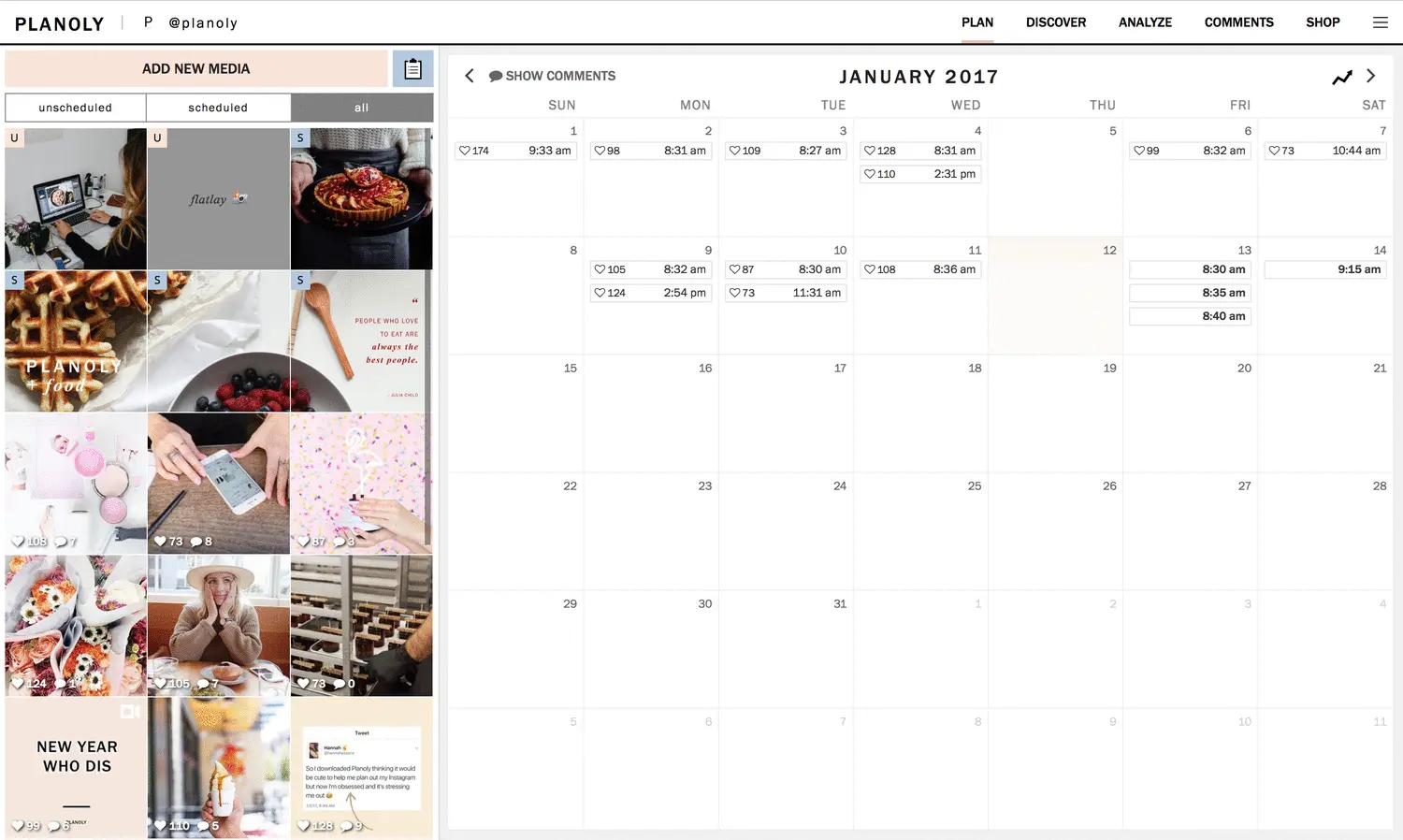
Planoly and Later fish in the same pond, and picking between them is more about taste than features. Planoly's grid planner is arguably the tidier of the two, and if your whole strategy is a carefully curated Instagram feed, it does that single job with almost no clutter. The trouble starts the moment you look past Instagram and Pinterest: platform support is thin, analytics are basic, and pricing is per-profile, so the bill climbs as you add accounts. I treat Planoly as a specialist, excellent inside its lane and awkward the second you try to drive it out of it.
Platforms supported: Instagram, TikTok, Pinterest, X, Facebook
Key features:
- Visual feed planner
- Drag-and-drop grid
- Story scheduling
- Shopable posts integration
- Analytics dashboard
- Content calendar
Pricing: Free (1 profile, 30 uploads/month); Starter $16/month
Pros:
- Excellent Instagram grid preview
- Clean, visual interface
- Story planning
- Good for e-commerce
Cons:
- Limited platform support
- Basic analytics
- No LinkedIn support
- Per-profile pricing
Best for: Instagram creators and small businesses focused on visual aesthetics. See our full Planoly alternatives comparison.
Skip it if: you post to more than a couple of platforms, since its coverage is narrow beyond Instagram and Pinterest.
Halfway through the list? If you want AI scheduling that covers all 11 platforms, try PostEverywhere free for 7 days. See why thousands of creators and teams made the switch.
Social Media Scheduling Tools Comparison
| Tool | Starting Price | Built for | Platforms | Learning curve | AI Features |
|---|---|---|---|---|---|
| PostEverywhere | $9/mo | Overall value | 11 | Easy | ✅ Yes |
| Planable | Free / $33/mo | Team collaboration | 9 | Easy | ✅ Yes |
| Hootsuite | $99/mo | Enterprises | 20+ | Steep | ✅ Yes |
| Statusbrew | $129/mo | Multi-account teams | 9 | Moderate | ✅ Yes |
| Sprout Social | $99/seat | Agencies | 8 | Steep | ✅ Yes |
| Buffer | Free / $5/channel | Simplicity | 11 | Easy | ✅ Yes |
| Later | $25/mo | Visual brands | 6 | Easy | ✅ Yes |
| Agorapulse | $79/user | Community inboxes | 7 | Moderate | ✅ Yes |
| SocialBee | $29/mo | Content recycling | 10 | Moderate | ✅ Yes |
| Sendible | $35/mo | White-label agencies | 7 | Moderate | ❌ No |
| Metricool | Free / $22/mo | Analytics focus | 8 | Moderate | ✅ Yes |
| Publer | Free / $12/mo | Budget option | 9 | Easy | ❌ No |
| Planoly | Free / $16/mo | Instagram grids | 5 | Easy | ❌ No |
Need help deciding? Use our free Best Time to Post Calculator to find your optimal posting schedule, then run a head-to-head social media tool comparison to pick the one that fits your workflow.
Free Social Media Scheduling Tools vs Paid: What You Actually Get
This is the question I get asked most: "Can I just use a free tool?" It depends on how many platforms you manage and whether you work alone.
What free tiers actually include
Free scheduling tools aren't charity. They exist to get you hooked on the workflow so you upgrade. Here's what you'll typically get, and what's missing:
| Feature | Free Tiers | Paid Plans ($15-40/mo) |
|---|---|---|
| Connected profiles | 1-3 | 5-25+ |
| Scheduled posts/month | 10-50 | Unlimited (usually) |
| AI caption generation | None or severely limited | Full access |
| Analytics | Basic (7-14 day history) | Extended (90 days+), exportable |
| Team members | 1 user only | 2-10+ with approval workflows |
| Bulk scheduling | Rarely included | Standard |
| Best-time suggestions | None | AI recommendations |
| Cross-posting | Limited | Full platform customisation |
Metricool's free tier (50 posts/month, 1 brand) is the most generous for solo users who want analytics. Publer's free plan (3 profiles, 10 posts/day) covers basic multi-platform scheduling. Buffer Free gives you 3 channels with 10 posts per channel, fine for testing but tight for serious use.
When free tools genuinely work
If you manage a single brand on 1-2 platforms and post 3-4 times per week, a free tier is fine. You don't need to pay for software you'll underuse. I'd recommend starting with Metricool's free plan or native platform tools and upgrading when you hit limits.
When you need to pay
The moment you're managing more than 3 profiles, posting daily, or working with a team, free tiers become a bottleneck. You'll spend more time working around limitations than the $20-40/month would cost.
A simple rule: If your social media generates revenue (leads, sales, brand deals), pay for a proper tool. The few hours a week you get back justify even a $39/month plan. If social is a side hobby, stay free until it matters.
Native Scheduling vs Third-Party Tools
Every major platform now has built-in scheduling. Meta Business Suite, YouTube Studio, TikTok Studio, LinkedIn's native scheduler, and X's post composer all let you schedule content directly. So why would you pay for a third-party tool?
When native tools are enough
You manage 1-2 platforms for a single brand. Meta Business Suite handles Facebook and Instagram scheduling competently: feed posts, Stories, Reels, with basic analytics included. If you have already outgrown it, the walls people actually hit and what to move to are covered separately. YouTube Studio's scheduler is solid for video uploads. LinkedIn's native scheduler works fine for company pages.
Specific strengths of native tools:
- Meta Business Suite: Free, unlimited posts, decent insights, Stories scheduling, unified inbox for Facebook and Instagram
- YouTube Studio: Full video upload workflow, Shorts scheduling, community post scheduling, detailed analytics
- TikTok Studio: Direct video scheduling, trending sounds access, analytics dashboard
- LinkedIn native scheduler: Simple post scheduling for profiles and pages, newsletter scheduling
- Threads: Native in-app scheduling rolled out to everyone in January 2025, up to 75 days ahead, with a drafts folder
- X/Twitter (via the composer): Basic scheduled posts and threads
If your entire strategy lives on Instagram and Facebook, Meta Business Suite is good enough and completely free. I wouldn't push anyone toward a paid tool just for those two platforms.
When you need a third-party tool
The cracks in native scheduling show up fast once you scale beyond a single platform:
Cross-platform publishing. If you're posting to Instagram, TikTok, LinkedIn, and X, that's four separate dashboards, four separate logins, four separate calendars. A third-party tool like PostEverywhere or Hootsuite collapses that into one workflow. When I timed it during testing, scheduling a week of content across 4 platforms took about 45 minutes with a unified tool versus 2+ hours using native schedulers one by one. The same logic applies to specific pairings, so see our guides on posting to Instagram and TikTok at the same time and cross-posting Reels, Shorts, and TikTok for platform-specific tactics.
Unified calendar view. Native tools don't talk to each other. You can't see your Instagram post, LinkedIn article, and TikTok video on the same content calendar. For anyone planning a coherent content strategy, this is a dealbreaker.
Team collaboration. Native tools have limited (or no) approval workflows. If you have a client, manager, or teammate reviewing content before it goes live, you need Planable or a similar tool with proper roles and approval chains.
Analytics across platforms. Comparing your Instagram engagement to your LinkedIn performance means visiting two dashboards and manually correlating data. Tools with one reporting view save serious time here.
Bulk scheduling. Need to schedule 30 posts at once? Native tools make you do them one by one. Most paid schedulers support CSV upload or batch creation. For a tools-only deep dive on which schedulers actually handle 500+ row CSV imports cleanly, see our roundup of the best bulk social media scheduling tools.
The hybrid approach
Plenty of serious marketers use a mix. I know agencies that use Meta Business Suite for quick one-off Facebook posts but rely on a third-party scheduler for planned campaigns across all platforms. There's no rule saying it has to be all or nothing.
What Changed in Scheduling Tools in 2026
The scheduling tool market shifted more in the last 12 months than in the previous three years combined. If you last evaluated tools in 2024, the market looks different now.
AI features stopped being a gimmick
In 2024, "AI scheduling" mostly meant a basic caption generator that produced generic text. By early 2026, the tools that invested in AI (including the new wave of PostEverywhere AI agents that go beyond captions to draft and queue weeks of content) pulled ahead:
AI caption generation now produces platform-specific copy. Good tools generate a LinkedIn-appropriate version and a separate TikTok caption from the same brief, not just one generic caption pasted everywhere. PostEverywhere's AI content generator is built around exactly this.
AI image generation became a real feature. Instead of relying on stock photo libraries or separate tools like Canva, some schedulers now let you generate custom images from text prompts directly within the scheduling workflow.
Predictive best-time scheduling got smarter. Rather than generic "post at 9am on Tuesday" advice, tools like PostEverywhere and Later now analyse your specific audience's engagement patterns and adjust recommendations weekly. See our best time to post guide for how to combine these AI suggestions with platform-specific data.
AI video generation appeared in a few tools, letting you turn blog posts or product descriptions into short social videos, useful for repurposing content across platforms. We cover the leading options in our best AI social media scheduling tools roundup.
Threads support became table stakes
Meta opened the Threads API to all developers in mid-2024, and most schedulers rushed to add support. By early 2026, Threads scheduling is available on PostEverywhere, Planable, Later, and most other tools, and Threads shipped native in-app scheduling of its own in January 2025. If your tool still doesn't support Threads, it's falling behind. Check our best Threads schedulers guide for the current state of Threads support.
Bluesky joined the mix
Bluesky grew from a niche network into one that most serious roundups now cover, and scheduling support followed. PostEverywhere, Buffer, Metricool, and Publer all schedule Bluesky posts as of 2026. If you are building an audience there, confirm your tool supports it before you commit.
X pricing moved to pay-per-use
In February 2026, X made pay-per-use pricing the default for new developers, closing its flat Basic and Pro API tiers to new signups. New builders now pay per API call (roughly $0.015 per post created), which is why some budget tools gate X publishing behind higher plans or dropped it. Before choosing a tool, confirm that X publishing is included in your plan tier rather than assuming it's bundled. Our best X/Twitter schedulers guide tracks which tools still offer full X support and at what cost.
Platform API terms keep changing, which is one reason we weighted publishing reliability so heavily in testing. In our own runs, the tools with direct, well-maintained API integrations dropped fewer posts than the ones stretching a single connection across many networks.
Pricing tiers shifted upward
Several tools raised prices in late 2025 and early 2026. Hootsuite eliminated its free plan entirely. Sprout Social's mainstream plans now start at $199/user/month. The budget end of the market (Publer, Metricool) held steady, while the mid-tier ($30-100/month range) got more competitive as tools like PostEverywhere, Metricool, and Sendible fought for the segment Hootsuite priced out.
Scheduling Tools by Use Case
Rather than sorting through 13 tools, start with your situation. Here's who should use what, based on how each tool performed in testing.
Best for solopreneurs and creators
You need something fast, affordable, and covering all your platforms without complexity.
Top pick: PostEverywhere (from $9/mo): covers all 11 platforms on every plan, AI caption generation saves time when you're a one-person team, and the the month at a glance keeps everything visible. The $9 Lite plan covers 2 accounts; the $29 Growth plan includes 10 accounts and 100 AI credits.
Runner-up: Publer ($12/mo): if budget is the primary constraint, Publer's Professional plan covers 9 platforms at the lowest price point in the market. You sacrifice AI features and analytics depth.
Also consider: Buffer (free for 3 channels, then $5/channel) if simplicity beats everything else for you. Later ($25/mo) if you're Instagram and TikTok-heavy with a visual brand. Metricool ($22/mo) if analytics matter more to you than AI content. SocialBee ($29/mo) if a library of evergreen content is your main asset.
For more recommendations tailored to smaller teams, see our top social media management tools for small business guide (11 tools, tested honestly, with real pricing) and our best social media software for small business overview.
Best for agencies
You need client management, approval workflows, white-labelling, and the ability to handle 10+ brands without chaos.
Top pick: Statusbrew ($129/mo Standard): Workspaces and Profile Groups keep each client separate, multi-step approvals cover client sign-off, and the flat plan pricing means adding team members costs nothing extra, which is exactly the line item that grows fastest at an agency.
If analytics depth is everything: Sprout Social ($299/mo Professional): the deepest analytics here, and the client reports agencies actually bill against. Expensive, but agencies charging $2K+/month per client can absorb it, and the social listening helps you get ahead of client issues before they land in your inbox.
If you need white-label: Sendible ($240/mo White Label): hand each client a dashboard with their own branding, plus the per-client reporting that keeps contracts renewing.
Budget agency option: Planable ($89/mo Pro): unlimited users on every plan removes per-seat cost as you add junior staff and freelancers, and the approval workflows are the best here.
If client communities are the job: Agorapulse ($79/user/mo Standard): the unified inbox with assignment turns comment-and-DM chaos into a queue your team can actually clear.
We published a full breakdown in our best social media tools for agencies guide with pricing scenarios for 5, 10, and 20+ clients.
Best for e-commerce brands
You need shoppable content support, visual planning for product launches, and integration with your e-commerce stack.
Top pick: Later ($25/mo): the Instagram feed preview and Linkin.bio tool are purpose-built for e-commerce. Visual grid planning lets you stage product launch sequences and seasonal campaigns. Strong Pinterest support too.
Runner-up: PostEverywhere ($29/mo): if you sell across TikTok Shop, Instagram, and Facebook, the cross-posting workflow saves significant time on product content. The AI image generator can produce product lifestyle shots from text prompts, reducing the need for constant photoshoots.
Also consider: Planoly ($16/mo) if your entire strategy is Instagram-first with a curated aesthetic. Publer ($12/mo) if you want broad platform coverage on a tight budget.
Best for posting to all platforms at once
If your priority is publishing the same content everywhere with minimal friction, see our dedicated guide: best tools to post to all social media at once. The short answer: PostEverywhere, Hootsuite, and Publer handle true multi-platform publishing most reliably, with platform-specific customisation so your LinkedIn post doesn't read like your TikTok caption. We also cover specific Meta workflows in how to post to Instagram and Facebook at the same time for brands that want both feeds in sync without the auto-share crop issues.
Best for AI agents
If ChatGPT, Claude, or another assistant runs part of your workflow, the field narrows fast. Top pick: PostEverywhere: the only tool on this list with a hosted MCP server included on every plan, so your agent can draft, schedule, and publish across all 11 platforms out of the box. Statusbrew also offers MCP connectivity, but as a paid add-on reserved for its Premium and Enterprise tiers. Everyone else on this list is dashboard-only for now.
Ready to schedule smarter? PostEverywhere covers all 11 platforms with AI content creation and a visual calendar. Start your free 7-day trial, cancel anytime.
How to Switch Scheduling Tools Without Losing Content
Switching tools sounds risky, but the migration is usually smaller than people fear. The trick is knowing what moves with you and what does not.
What you can usually take: most tools let you export scheduled posts to CSV, so your queue and captions come across. Your media library can be re-uploaded, and your posting schedule is quick to rebuild.
What almost never migrates: scheduled drafts mid-approval, your analytics history, saved hashtag groups, and any approval chains or team permissions. Treat these as a fresh start rather than a transfer.
A safe switching plan:
- Export everything from your current tool before you cancel anything.
- Sign up for the new tool and connect your accounts, but keep the old subscription live.
- Rebuild one week of content in the new tool and let it publish, so you catch any connection issues early.
- Run both tools in parallel for one to two weeks, then cancel the old plan once the new one publishes cleanly.
If you are leaving a specific platform, our Hootsuite alternatives and Sprout Social alternatives guides cover the export quirks and lock-in traps for each.
How to Choose the Best Social Media Scheduling Tool
By Team Size
| Team Size | Recommended Tools |
|---|---|
| Solo creator | PostEverywhere, Later, Publer |
| Small team (2-5) | PostEverywhere, Planable, Metricool |
| Agency | Sprout Social, Sendible, Hootsuite |
| Enterprise | Hootsuite, Sprout Social |
By Primary Platform
| Platform Focus | Best Tools |
|---|---|
| Instagram-first | Later, Planoly, PostEverywhere |
| TikTok-first | PostEverywhere, Metricool |
| LinkedIn-first | PostEverywhere, Planable, Hootsuite |
| Multi-platform | PostEverywhere, Hootsuite, Planable |
By Budget
| Budget | Recommended |
|---|---|
| Free | Metricool (free tier), Publer (free), native platform tools |
| Under $25/mo | PostEverywhere, Publer, Metricool Pro |
| $25-100/mo | PostEverywhere, Later, Sendible, Metricool |
| $100+/mo | Hootsuite, Sprout Social |
By Feature Priority
| Priority | Best Choice |
|---|---|
| Simplicity | Publer |
| Visual planning | Later, Planoly |
| AI features | PostEverywhere, Metricool |
| Analytics | Sprout Social, Metricool |
| Team workflows | Planable, Sprout Social, Sendible |
| Value for money | PostEverywhere, Publer |
Ready to schedule smarter? PostEverywhere combines AI content creation with cross-platform scheduling. Start your free 7-day trial, cancel anytime.
FAQs: Social Media Scheduling Tools
What is the best social media scheduling tool?
PostEverywhere is the best option for most people. It covers all 11 platforms with AI caption generation, cross-platform publishing, a visual calendar and smart scheduling, at a fraction of enterprise pricing. Beyond that it depends on your shape: Buffer is the simplest, Planable handles approvals with unlimited users on every plan, Metricool leads on analytics and Publer on budget. The full list above covers all 13 with honest pricing.
Are social media scheduling tools worth it?
Yes, for most people who post regularly. The time you save by planning a week of content in one sitting, rather than posting live day by day, quickly outweighs the subscription cost. Even free social media scheduler tools like Metricool or native platform schedulers provide real value. Use our social media ROI calculator to quantify the return for your specific situation.
Do scheduling tools hurt engagement?
No. Social media algorithms don't penalise scheduled posts. They only care about engagement signals (likes, comments, shares) and posting consistency. In fact, scheduling often improves engagement because you can post at optimal times consistently. Learn more in our guide on how to schedule social media posts.
What's the best free social media scheduling tool?
Metricool's free tier (50 posts/month) is the most functional free option with solid analytics. Planable's free plan (50 posts total) is great for testing approval workflows. Publer's free tier (3 profiles, 10 posts/day) covers basic scheduling. For single-platform use, native tools (Meta Business Suite, TikTok Studio, LinkedIn) are completely free with no post limits.
Can I schedule posts to all platforms from one tool?
Yes. Social media scheduling software like PostEverywhere, Hootsuite, and Planable let you schedule posts and publish to Instagram, TikTok, LinkedIn, Facebook, X, and YouTube simultaneously, with platform-specific customisations. This is called cross-posting or multi-platform publishing. For a full breakdown of the workflow, see our guide on how to cross-post on social media.
What's the difference between scheduling software and social media management tools?
Social media scheduling software focuses on content planning and auto-publishing, helping you schedule posts in advance. Full social media management tools include scheduling plus social listening, inbox management, analytics, and team collaboration. Tools like Hootsuite and Sprout Social are full management platforms; Planable and Later are primarily social media schedulers. PostEverywhere bridges both with scheduling, AI content, and analytics.
How many posts should I schedule per week?
Most platforms reward consistency. Aim for:
- Instagram: 3-7 feed posts, 1-3 Reels, daily Stories
- TikTok: 3-7 videos
- LinkedIn: 3-5 posts
- Facebook: 3-5 posts
- X: 5-15 posts
- YouTube: 1-3 videos
See our guide on best times to schedule social media posts.
Can I schedule Instagram Reels and TikTok videos?
Yes. Most modern scheduling tools support Reels and TikTok video scheduling with direct auto-publishing. Check that your chosen tool supports "auto-publish" (not just "notification to post") for these formats. PostEverywhere, Later, and Planable all support Reels auto-publishing. Instagram's newer Trial Reels format can now be scheduled too, though few tools expose it; our guide to scheduling Instagram Trial Reels covers which routes work.
What's the best scheduling tool for TikTok?
TikTok scheduling requires direct API access, which not all tools have. PostEverywhere, Metricool, and Later offer true TikTok auto-publishing. Some tools only send notifications reminding you to post manually. See our TikTok scheduler for details.
How do I switch from one scheduling tool to another?
- Export your scheduled posts from your current tool (most allow CSV export)
- Sign up for your new tool and connect accounts
- Re-upload or recreate your scheduled content
- Let existing scheduled posts publish, then cancel old subscription
- Allow 1-2 weeks of overlap to ensure smooth transition
Next Steps
Ready to pick your social media scheduling tool?
- Start with your needs: List platforms you use, team size, and must-have features
- Try 2-3 tools: Use free trials to test workflows
- Evaluate after 1 week: Which feels most natural?
- Commit and optimise: Master one tool rather than switching constantly
Our recommendation: Try PostEverywhere free for 7 days. It covers all major platforms, includes AI features, and offers the best value for growing teams.
Related guides:
- How to Schedule Social Media Posts: step-by-step for each platform
- What Is Social Media Scheduling?: fundamentals and best practices
- How to Post Across All Platforms: cross-posting strategies
- How to Post to All Social Media at Once: step-by-step cross-posting guide
Best scheduler by platform (in-depth guides):
- 8 Best LinkedIn Schedulers
- 10 Best Facebook Schedulers
- 9 Best X (Twitter) Schedulers
- 7 Best YouTube Schedulers
- 8 Best Pinterest Schedulers
- 6 Best Threads Schedulers
- Best Bluesky Schedulers
- Best AI Scheduling Tools
- Best Bulk Scheduling Tools
How to schedule on each platform (step by step):
- Instagram posts, Reels, Stories and carousels
- X (Twitter) posts
- YouTube videos and Shorts
- LinkedIn carousels
- Pinterest pins
- Threads
- Bluesky
- Multiple platforms at once
Going deeper on scheduling:
- Bulk scheduling a month of posts when you want to batch the work into one sitting
- Scheduling via API for developers publishing programmatically
- Scheduling mistakes to avoid, most of which cost reach rather than time
- Scheduled posts not publishing when something has gone wrong
- Scheduling platform vs native posting, the trade-off behind using a tool at all
Platform scheduler pages:
- Instagram Scheduler
- TikTok Scheduler
- LinkedIn Scheduler
- Facebook Scheduler
- scheduling for X
- queueing YouTube uploads
- Threads Scheduler
- Pinterest Scheduler
Coming off Repurpose.io? See Repurpose.io alternatives for the distribution-versus-clipping split.
Scheduling edge cases worth knowing
Two workflow questions come up so often they earned their own guides: scheduling Instagram Reels specifically, and posting Reels from a desktop alongside posting to Instagram from a desktop generally. And if you are weighing whether agents change the category, AI agents vs social media schedulers is the honest comparison.
If your scheduler recently stopped publishing to X, you are not imagining it. Hypefury dropped the network its reputation was built on, and our Hypefury alternatives comparison covers the tools that still support it.
Two of the tools above are the most common head-to-head: Later vs Hootsuite compares them on post caps and seat pricing.

Founder & CEO of PostEverywhere. Writing about social media strategy, publishing workflows, and analytics that help brands grow faster.